• This forum is the machine-generated translation of www.cad3d.it/forum1 - the Italian design community. Several terms are not translated correctly.

change toolbox hardware

  • Thread starter Thread starter bocciolo
  • Start date Start date
in the task in photo there are the folders because I copied them in the preferred folder but if I open them in assemblies or parts I see them but it doesn't make me change them interactively ... open the bolts the screws etc but I can't adapt them to the design , I don't know if I managed to explain ....what that with 2020 did not happen to me was opening an object I clicked on and I through the property manager
 
I repeat:
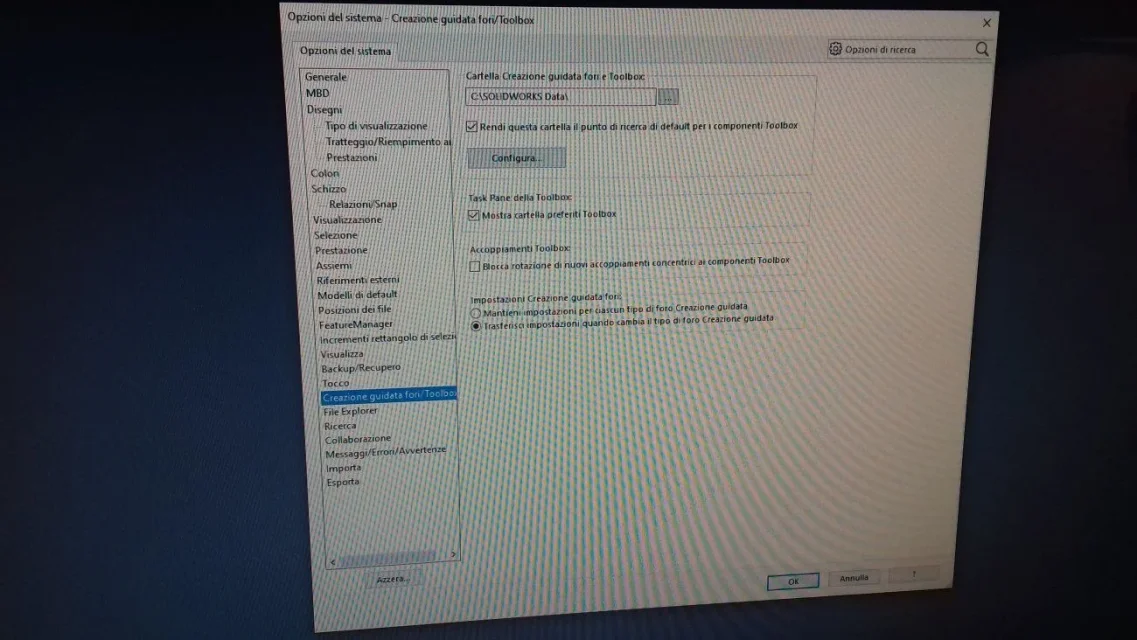
check in options> system options>creation wizard holes/toolbox that the folder is the correct one.
from the images you have attached you do not understand anything:
in one is empty
in another is present
...
 
I checked how he told me, in system options\creation holes\fold creation \e is the default c:\solidworksdata\
in the photos in 1 hole wizard creation you see folders
on step 2 customize your hardware in there are folders is empty
 
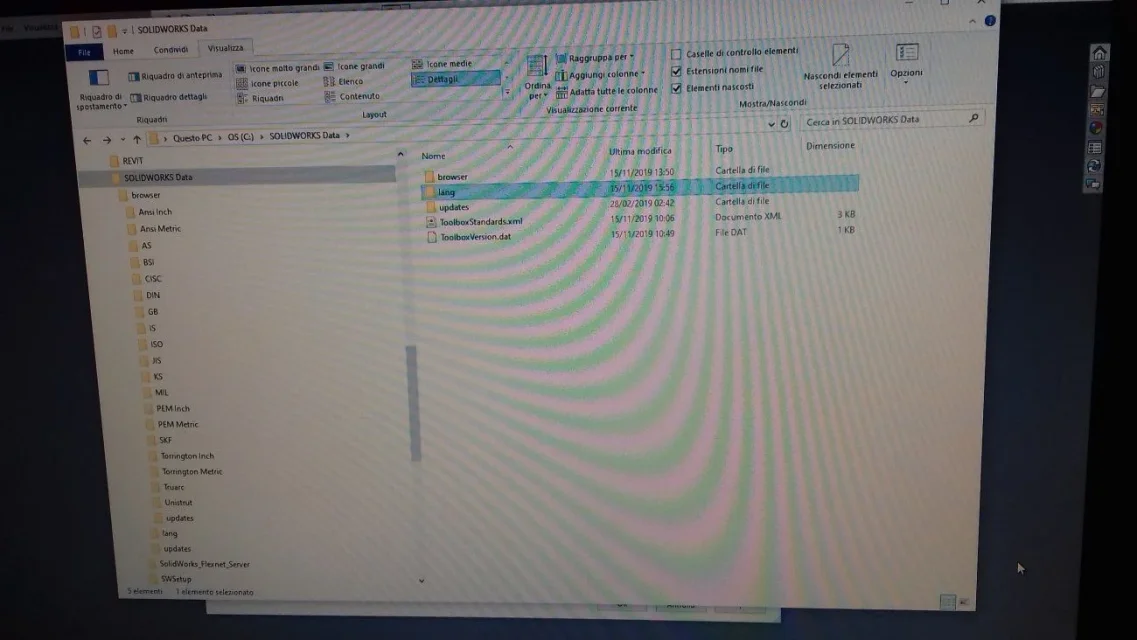
in post #18 I attached an image of how the folder should be
in browser go components
in lang goes the file swbrowser
copiesdparts is created automatically from the program to insert into the components in the axieme
 
ok I copied the browser folders so long that it disappeared gave me an in-depth error and I let you know thanks
 
Do you have the folder structure like this?
 

Attachments

  • Cattura.webp
    Cattura.webp
    13.2 KB · Views: 2
It's exactly mine, too, so I just can't figure out what path you use to not find folders. .
would I uninstall toolbox and reinstall it?
 
the premium version 2020 that however is in English works perfectly but I can't put it in Italian
 
attach image of the structure of your folder and address present in options> system options>creation wizard holes/toolbox
the premium version 2020 that however is in English works perfectly but I can't put it in Italian
Why didn't you buy the Italian version? contact the dealer and see if he can help you somehow
 
I gave a friend
in options\configure I tried to change path and I exit the error screen in photos
 

Attachments

  • 20191115_163042.webp
    20191115_163042.webp
    145.7 KB · Views: 3
  • 20191115_163351.webp
    20191115_163351.webp
    99.1 KB · Views: 4
  • 20191115_163744.webp
    20191115_163744.webp
    178.8 KB · Views: 4
  • 20191115_163855.webp
    20191115_163855.webp
    142.4 KB · Views: 3

Forum statistics

Threads
44,997
Messages
339,767
Members
4
Latest member
ibt

Members online

No members online now.
Back
Top