
• This forum is the machine-generated translation of www.cad3d.it/forum1 - the Italian design community. Several terms are not translated correctly.

change type in creation wizard holes

  • Thread starter Thread starter pierluigip
  • Start date Start date

pierluigip

Guest
Good morning to all

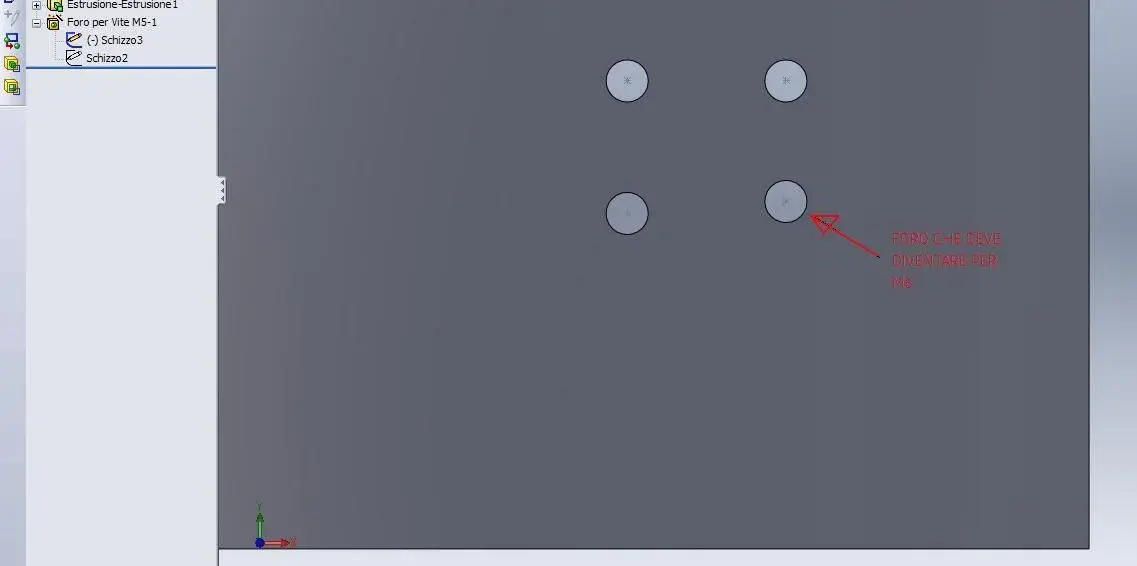
in one part I made 4 screw holes m5 with creation wizard holes
I need to change only one in m6 always within the same function

Is the only solution to erase the point and make it a new hole creation?
The hole is coupled in a set, I have to do it again?

use sw 2011 sp4.0
Thank you.
 

Attachments

  • Nuovo Immagine bitmap.webp
    Nuovo Immagine bitmap.webp
    11.7 KB · Views: 11
Good morning to all

in one part I made 4 screw holes m5 with creation wizard holes
I need to change only one in m6 always within the same function

Is the only solution to erase the point and make it a new hole creation?
The hole is coupled in a set, I have to do it again?

use sw 2011 sp4.0
Thank you.
I think you have to do it in another function... At least I know something like that you can't do.
 
even that I know it is possible with creation wizard holes do something similar.
then you have to do two functions creation guided hole
the alternative is to use the cut function and draw 4 circles of which 3 equal e.g. ø=6mm and 1 e.g. 7mm according to your needs.
If you use the tag function, however, you can't take advantage of the drilling wizard in repeats for example. . .
 

Forum statistics

Threads
44,997
Messages
339,767
Members
4
Latest member
ibt

Members online

No members online now.
Back
Top