
• This forum is the machine-generated translation of www.cad3d.it/forum1 - the Italian design community. Several terms are not translated correctly.

circular series oriented

  • Thread starter Thread starter Tarkus
  • Start date Start date

Tarkus

Guest
question as a beginner, but I dismayed: a quarter of an hour on the search and the guide and found nothing:
In part, a circular series of solids, how does it maintain the same orientation, that is not to make it rotate?
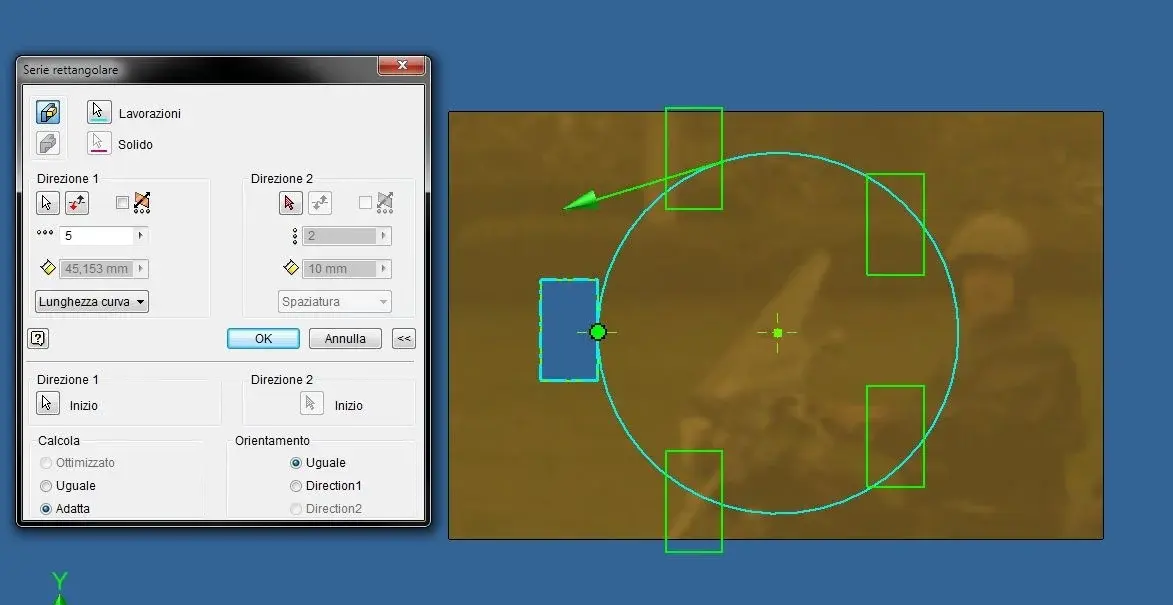
 
question as a beginner, but I dismayed: a quarter of an hour on the search and the guide and found nothing:
In part, a circular series of solids, how does it maintain the same orientation, that is not to make it rotate?
you have to make a rectangular and not circular series. of course you will have to do a sketch with the circular trajectory that will have to follow your processing. then work a bit with options (see image)
serie.webp
 
I had tried myself with the rectangular series but I had not had to make a sketch with a circumference :finger:

Thank you.
Hi.
 
for processing yes, but for solids it seems not to work. .
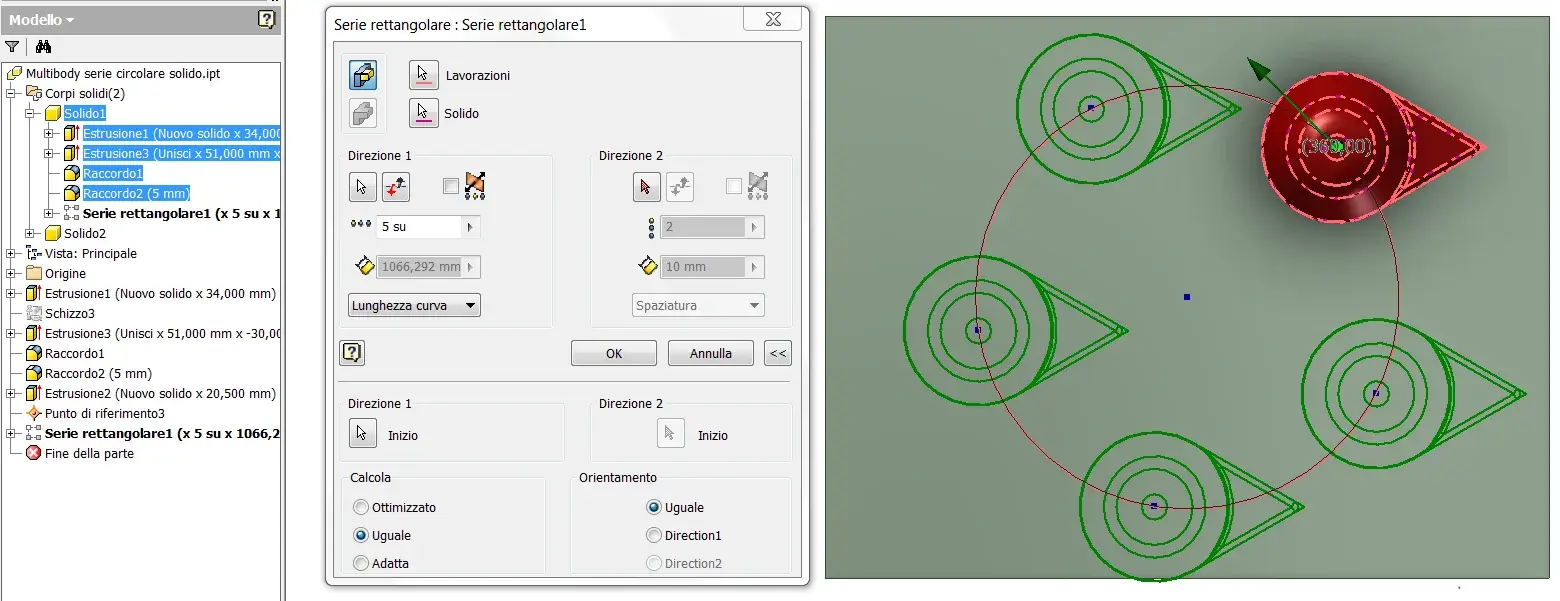
It also works for solids in a multibody environment, just select all the associated processes and, if needed later, also in the assemblies.

Hi.
 

Attachments

  • Serie circolare orientata solido.webp
    Serie circolare orientata solido.webp
    88.9 KB · Views: 18
It also works for solids in a multibody environment, just select all the associated processes and, if needed later, also in the assemblies.

Hi.
No, it doesn't work, you get the same thing you have if you select from the browser the work that makes up that solid, that's one solid. what I want is to maintain the option to create more solids as the circular series or the two-way rectangular series does, but, during the creation of the rectangular series on trajectory, just click on the trajectory the symbol of multiple solids disappears. . .
 
No, it doesn't work, you get the same thing you have if you select from the browser the work that makes up that solid, that's one solid. what I want is to maintain the option to create more solids as the circular series or the two-way rectangular series does, but, during the creation of the rectangular series on trajectory, just click on the trajectory the symbol of multiple solids disappears. . .
Sorry, now it's clear and I think you're right:
http://forums.autodesk.com/t5/inven...bodies-using-curve-as-direction/idi-p/4300107
 

Forum statistics

Threads
44,997
Messages
339,767
Members
4
Latest member
ibt

Members online

No members online now.
Back
Top