• This forum is the machine-generated translation of www.cad3d.it/forum1 - the Italian design community. Several terms are not translated correctly.

clarification on thread modeling

  • Thread starter Thread starter fender80
  • Start date Start date

fender80

Guest
Good morning.

for years I have used catia v5 but lately I have passed to solidworks and I would need 2 clarifications.

1) in caia with the same function I created both the hole and the threaded hole in which I defined the characteristics of the thread. Can I do the same in solidworks? At the moment, in solidworks, I do first the hole with the command "creation wizard of holes" and then the thread with the command "filettatura".

2) is there a way not to represent threads in the model? in catia do not appear and would prefer to continue the same way, so without displaying cosmetic threads.

thanks and good day.
 
1) in caia with the same function I created both the hole and the threaded hole in which I defined the characteristics of the thread. Can I do the same in solidworks? At the moment, in solidworks, I do first the hole with the command "creation wizard of holes" and then the thread with the command "filettatura".
outtura gudata and do all kinds of holes you want: threaded, for plug, blades, ribbed, for pipes... .
2) is there a way not to represent threads in the model? in catia do not appear and would prefer to continue the same way, so without displaying cosmetic threads.
Sure.
expand the function, select the thread with the right button, hide
 
do the internal tutorials to the program because at least the first point is explained
 
outtura gudata and do all kinds of holes you want: threaded, for plug, blades, ribbed, for pipes... .


Sure.
expand the function, select the thread with the right button, hide
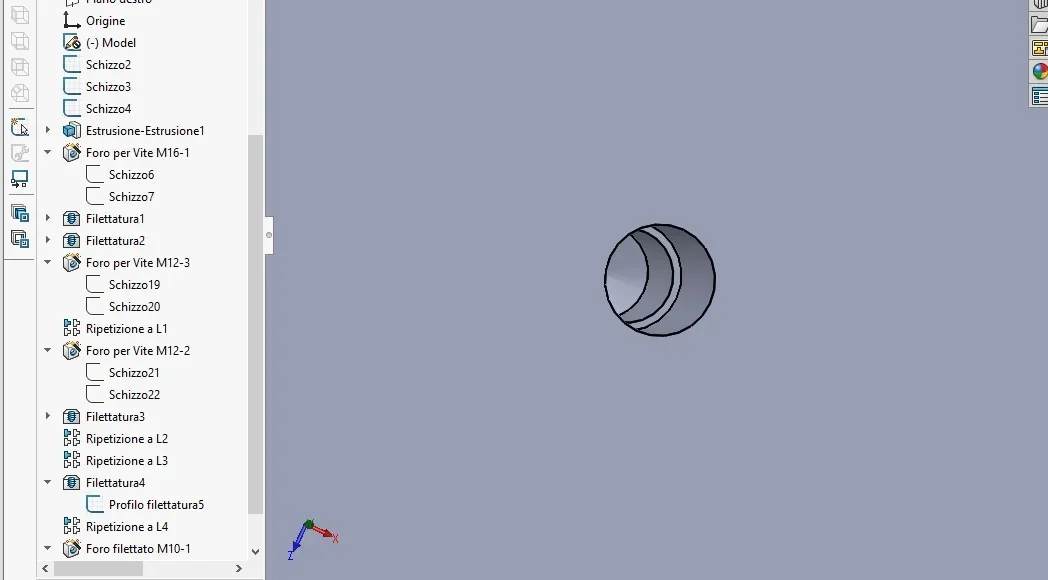
Good morning, maybe I didn't understand. Are you talking about this command? because in this way everything disappears.

Thank you.
 

Attachments

  • filettatura.webp
    filettatura.webp
    51.5 KB · Views: 15
I thought you were talking about the cosmetic thread.
the three-dimensional thread cannot hide it because it is a function to itself.
Perhaps it is better if you clarify what you want to get because if you talk about cosmetic threads then you can't put an image with three-dimensional thread.

Incidentally, three-dimensional threads weigh down the file considerably.
 
I thought you were talking about the cosmetic thread.
the three-dimensional thread cannot hide it because it is a function to itself.
Perhaps it is better if you clarify what you want to get because if you talk about cosmetic threads then you can't put an image with three-dimensional thread.

Incidentally, three-dimensional threads weigh down the file considerably.
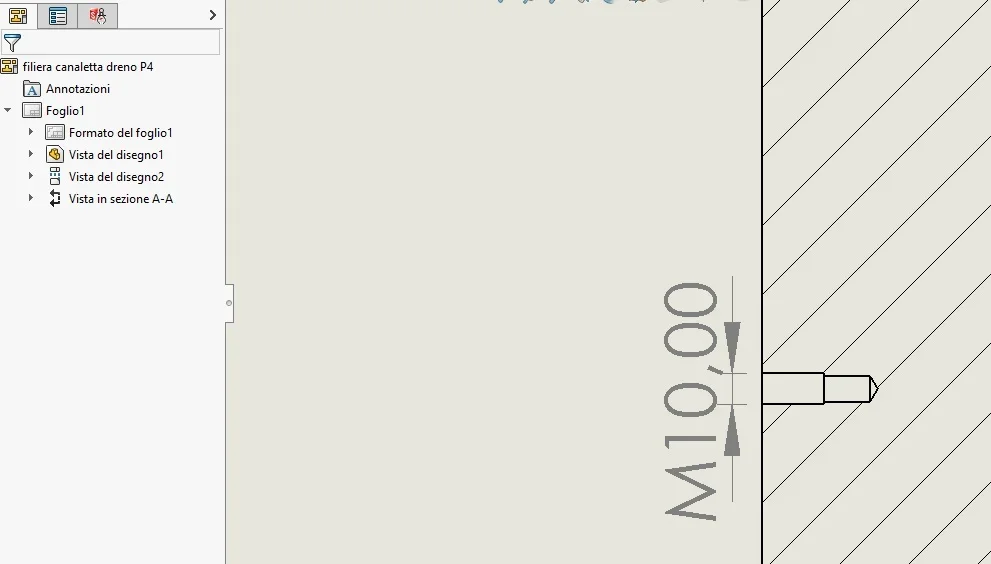
I don't want there to be 3d thread just because it weighs down the file. but I want that in the 2d there is the indication of the thread as from technical manual. I do not care to see the thread represented in 2d.
 
I don't want there to be 3d thread just because it weighs down the file.
Okay, but you made it, you didn't get self-materialized.
when you make the hole with the creation wizard holes, put the tick on display cosmetic thread.
if you have doubts about how a function works on the top right there is a question mark, press it and you will open the guide to the function page; or f1 prizes
 
Okay, but you made it, you didn't get self-materialized.
when you make the hole with the creation wizard holes, put the tick on display cosmetic thread.
if you have doubts about how a function works on the top right there is a question mark, press it and you will open the guide to the function page; or f1 prizes
Thank you. You opened my eyes. Now I can delete all cosmetic threads and make threaded holes normally.
 

Attachments

  • Immagine1.webp
    Immagine1.webp
    25.3 KB · Views: 12
  • Immagine2.webp
    Immagine2.webp
    18.9 KB · Views: 13
There was also this command that deceived me. I read one of them is the depth of the blind hole.
 

Attachments

  • Immagine3.webp
    Immagine3.webp
    25.4 KB · Views: 17
Now I can delete all cosmetic threads and make threaded holes normally.
Of course, sin that cosmetic threads are the purely graphic threads you want to have and the normal threads are... I don't know what they are.
in the table the thread should be represented if you want to make a correct design
There was also this command that deceived me. I read one of them is the depth of the blind hole.
Of course because of size.
 
Of course, sin that cosmetic threads are the purely graphic threads you want to have and the normal threads are... I don't know what they are.
in the table the thread should be represented if you want to make a correct design

Of course because of size.
is the Italian version. so if we talk about the depth must be a "p" and not a d.

Everything is clear to me.

Thank you.
 

Forum statistics

Threads
44,997
Messages
339,767
Members
4
Latest member
ibt

Members online

No members online now.
ciao
Back
Top