• This forum is the machine-generated translation of www.cad3d.it/forum1 - the Italian design community. Several terms are not translated correctly.

coclea with cylinder mixed profile - conical - cylinder

  • Thread starter Thread starter Cla
  • Start date Start date

Cla

Guest
Good afternoon,
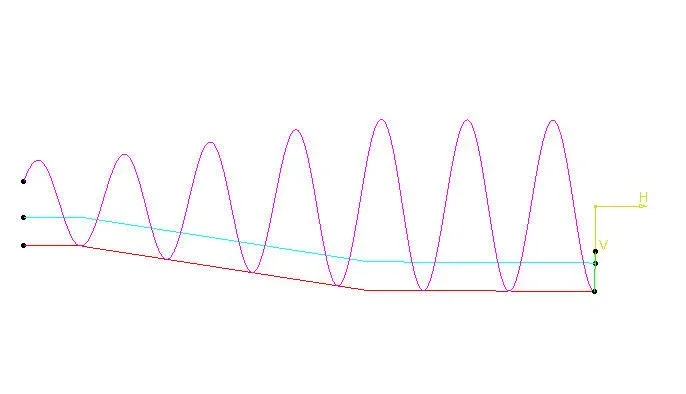
I should realize a coclea with a mixed cylinder profile - conical - cylinder (at the time of indicative size, I then need to make ansys evaluations), but I am finding not a few difficulties, let's say that the goal is to model with few features the coclea.

Do you have any advice?

I personally did the basic profile, the external profile (an offset of the basic one), a propeller that follows the basic profile. The alternatives to me were then 2:
- create a solid that simulated the tooth of the cochlea with the coast command (with a section to my liking)
- create a sweep surface with direction of extraction the axial one that followed the helix (and then thicken it solid coem)

In both cases I can't go on... any advice?

I would like to do something clean without having to put hands on many surfaces.
I attach an image to be a little lighter

Thank you!
 

Attachments

  • 1.webp
    1.webp
    12.3 KB · Views: 17
but must be done with catheia? If you better explain how it is done I can do it with you if you like it.
 
but must be done with catheia? If you better explain how it is done I can do it with you if you like it.
not necessarily in catia, but I had started it in catia and I would like to solve the problem in catia, also because at the moment I do not have creo

It's just a contour auger like an image.
 
Surely there's a way to do it in the cat but I can't help you.
I try to organize myself with creo, what version do you have? ?
but I don't want to do 2 million surfaces and a tailor's work that no longer ends
 
Hello, cla,

But where do you stop?

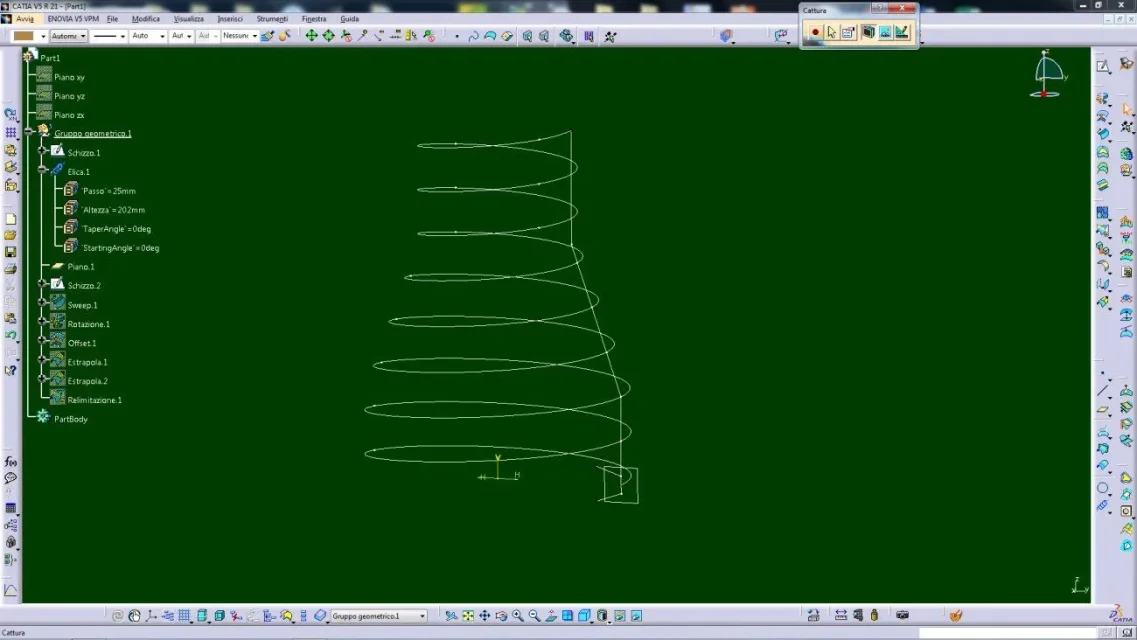
1) create external sketch
2) Create the propeller following the sketch
3) insert a normal plane to the propeller
4) create a sketch in which you project a propeller building point and tooth profile
5) with the sweep create the profile (surface) following the propeller
6) with the offset create the internal surface
7) Relics
Capture_103.jpgCapture_104.jpgCapture_105.jpg
 
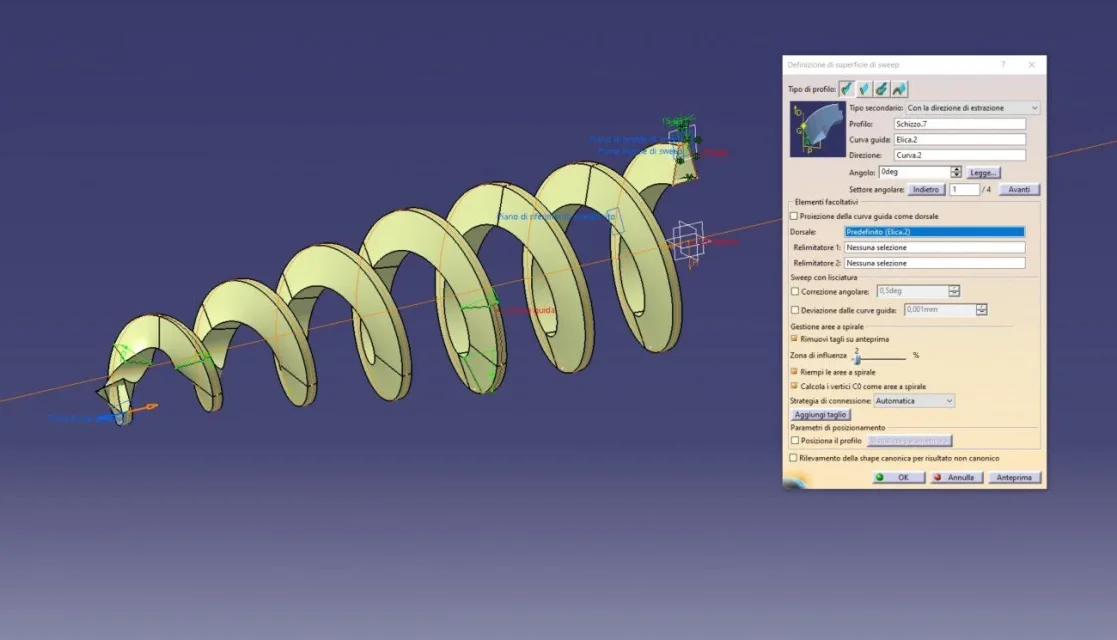
I did so, it makes me mistake though ... I can't do the sweep, I attach the file catia ....
 

Attachments

Hello, cla,

sweep with extraction direction
profile sketch7
propeller guide curve 2
curve2 direction (low direction)

if you have the r21 I send you the file

Let me know.
Capture_106.jpg
 
to me by mistake...

What the hell am I supposed to do?? What balls! !
 

Attachments

  • Cattura.webp
    Cattura.webp
    109.6 KB · Views: 18
My version succeeds, but it has extra parameters... you did not show me the type of error, but I imagine (as always happens in the sweep) that the driving curve does not continue in tangency it bothers him, so try to smooth it in tangency and remake the sweep (guide curve no spiral but smooth spiral)

courage you will come out
 
I believe that in cla, the function “calculates the c0 vertices as spiral areas” is missing, because activating and/or deactivating the function goes or not the sweep..................
 
I'll go to catia v5 - r28, and I'll go on a little easier, thank you.
it would be good if you managed to fix it with smoothing, so that other users later can use the post.

Usually the adjustment of the revision is based on that of customers and suppliers. . .
 
removing the option “calculating the c0 vertices as spiral areas” , I had to put angular correction in the smoothing at 3rd.................. and he went.
try with your version
 

Attachments

  • a.webp
    a.webp
    53.1 KB · Views: 10
it would be good if you managed to fix it with smoothing, so that other users later can use the post.

Usually the adjustment of the revision is based on that of customers and suppliers. . .
I couldn't solve ... cmq soon I will update to 28 and check if it works
 

Forum statistics

Threads
44,997
Messages
339,767
Members
4
Latest member
ibt

Members online

No members online now.
Back
Top