• This forum is the machine-generated translation of www.cad3d.it/forum1 - the Italian design community. Several terms are not translated correctly.

come creation texture con canale alpha per revit 2010

  • Thread starter Thread starter Alexeij
  • Start date Start date

Alexeij

Guest
Hello, everyone. It's the first time I've been writing on this forum, although I've been following it for a long time, and I can almost always find the answer to my questions... then congratulations to all the participants !!!
I have a problem, I would like to create a texture for a wall covering that has a specific texture, consisting of matt parts and transparent parts.
I tried to do this by drawing my textue with a lot of alpha channel, however when I go to render, the parts that should be transparent become black. I imagine that the error is in choosing the basic material or in inserting the texture.. .
How does anyone solve this problem?
I attach an image to make you understand the desired effect and thank you in advance for the attention.
 

Attachments

  • Immagine12.webp
    Immagine12.webp
    791 KB · Views: 55
do you mean matt and transparent in the same material?
I do not think it is possible, as transparency management settings cannot be differentiated on the same material.
to achieve a matt effect and a transparent one you have to manage the two materials separately, for example by dividing the wall into many rectangles and applying to the transparent zones the replacement of the material with the appropriate one (transparent)
 
Hi.
go see my discussion
"images of trees with alpha channel"
there is a rar file to download
on the falsity of that maybe you can solve
Your problem
and let us know and see
Hi.
 
First of all I thank gfrank for answering me. . .
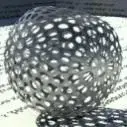
However, my idea was born of the fact that there are some materials in revit that have effectively this property, that is to be in some opaque parts and other transparent. precisely these materials are the metals: steel screen, brass screen, chrome screen and fence. in fact these are constituted by a color jpg image and then a white/black that should be the alpha channel. I imagine that there is the possibility of making similar custom textures. What do you think?
 
thank you make54... Actually, I've already read your discussion. and also from there came the certainty that I had some hope to realize what I had thought. I will certainly make other tentative. Hi.
 
ps: I attach the image of the material I referred to in the previous post.
 

Attachments

  • t_Metal-028.webp
    t_Metal-028.webp
    5.8 KB · Views: 81
that is the image of the ball of the material with the alpha channel that is a black and white mapping of balls
Just create one of them and solve the problem
I believe that alpha channel with gray tones create different degrees of transparency
but I have not yet experienced
after several tests I had to map the tree on a wall of two thin layers
I created two materials one with the tree and its alpha channel that made the contours transparent
and a black material with alpha channel completely black for which it was a transparent material
on the outer layer I put the tree map on the inside layer the black/transparent map
If I made a layer I only found the tree on the back face
Hi.
 
thanks for the answer... I'll make an attempt soon. But I would like to know if you left by duplicating a specific basic material. . .
Hi.
 
Yes from the image of the tree with photo paint of chorel I created a color mask and colored the bottom of black, then I reversed the mask and deleted the image for which I remained the white hole
After that I saved the file
 
kavolo+kavolo I have a problem...and who has it? ?
then I resurrected an old design executed with revit 8 and loaded, prudenziale and after making 10 copies, with revit 2009 while using- with regular license- revit 2010. apart from all or almost material mappings disappeared by enchantment including lights, and it goes well this is not a drama, but what I can't understand for what reason the rpc can no longer insert them. or better they appear as black and desolate men when I have a lively collection of rpc (in part processed by me, you know how to make the image of the customer appear in a rendering is not bad they get excited. .even if the parcel remains the same)
You know how to help me and two to solve the ark? ?
Thank you all.

ps x gfrank (the great) excuse if nn I answered you but I in the photo are the ummm + big and from that comes the name ball ;o)
 
does not see them, since 2009 he has dedicated rpc
at least that told me the one team technician
that we must buy them
However, rpc families cannot change them
so I think it's true

to a demonstration of 4d cinema the technician has created a face 3d without thickness
placed over the bitmap of a plant with alpha channel, activated the option
follow the camera and in making the game was made
Maybe the autodesk are too smart to do things
simple
 
kavolo+kavolo I have a problem...and who has it? ?
then I resurrected an old design executed with revit 8 and loaded, prudenziale and after making 10 copies, with revit 2009 while using- with regular license- revit 2010. apart from all or almost material mappings disappeared by enchantment including lights, and it goes well this is not a drama, but what I can't understand for what reason the rpc can no longer insert them. or better they appear as black and desolate men when I have a lively collection of rpc (in part processed by me, you know how to make the image of the customer appear in a rendering is not bad they get excited. .even if the parcel remains the same)
You know how to help me and two to solve the ark? ?
Thank you all.

ps x gfrank (the great) excuse if nn I answered you but I in the photo are the ummm + big and from that comes the name ball ;o)
see if it can help you:http://www.cad3d.it/forum1/showthread.php?t=7024&highlight=piante
 
thanks render54...:finger:
I went to retrieve your tree file and looked at it... I realized where I was wrong. I had to choose the generic material as the basic material, so as to have all the freely available options. . .
I repeat for those interested:
in "general material property" I put under the color item the image file (colored) from me created, and under the heading crops/perforations I put the corresponding alpha channel created with photoshop. and so the game is made... in areas where alpha channel is black in phase of rendering will result transparent.
greetings to all... Hi.
 

Forum statistics

Threads
44,997
Messages
339,767
Members
4
Latest member
ibt

Members online

No members online now.
Back
Top