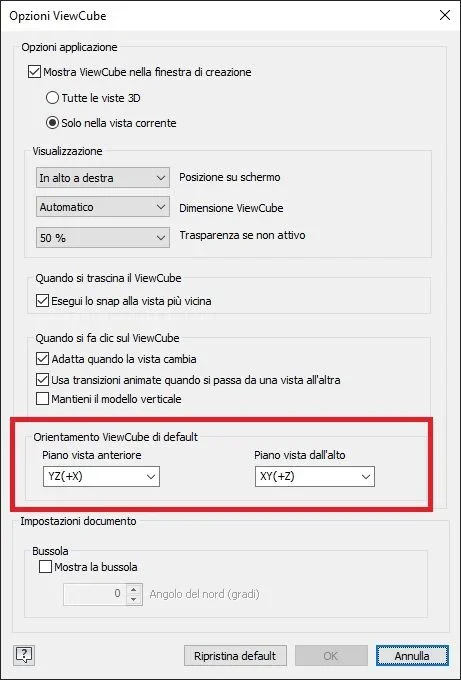
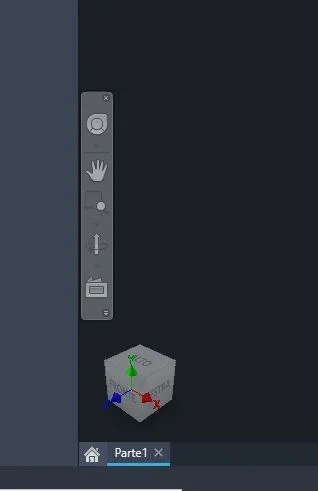
I take advantage of an inherent question: Does anyone know why when I start the sketch on a plan always starts it with randomly turned axes? for example starting the sketch on the "top" I find myself practically head down and I have to rotate the 180° design if I want to reposition in a "correct" wayok found , maybe it can make it convenient to someone, after making the changes you have to click restore front , then direct the viewcube correctly and click set current view as start.
p.s. as always changes should be made in the template file if you want to find them in the new files
The sketches follow the direction of the face on which they are created, the global coordinate system is rotated (visually) accordingly. if that's what you mean otherwise I didn't understand the questionI take advantage of an inherent question: Does anyone know why when I start the sketch on a plan always starts it with randomly turned axes? for example starting the sketch on the "top" I find myself practically head down and I have to rotate the 180° design if I want to reposition in a "correct" way
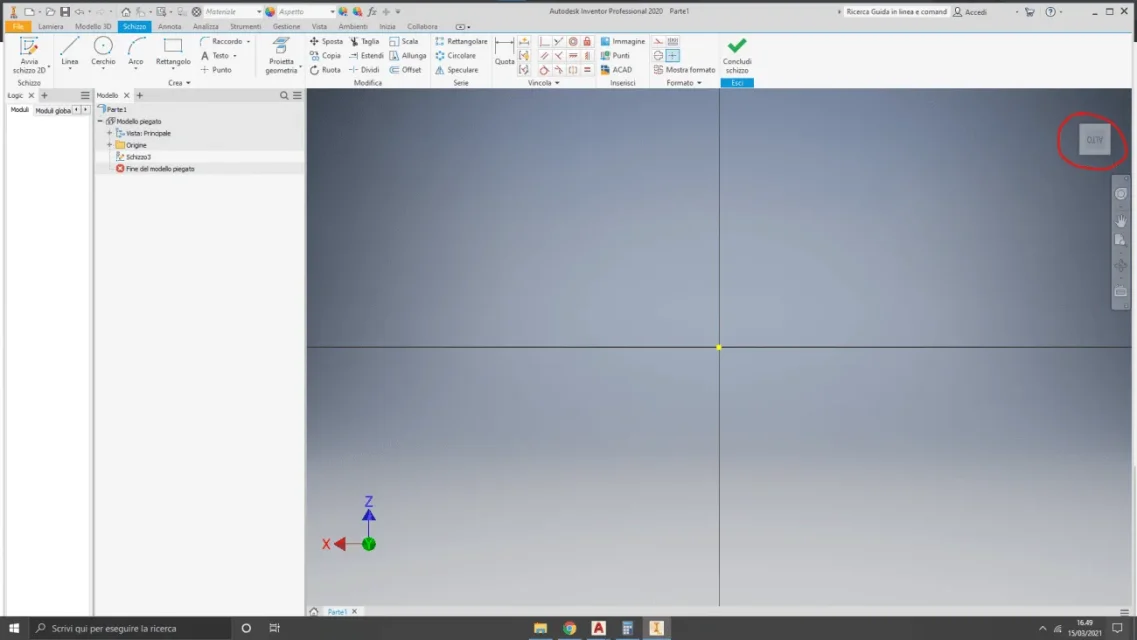
try to set the current view differently as high, dx mouse on the case over the cube should depend on that , however it is only display what counts is the coordinate systemI mean that with the sketch tool pressing for example on the "top " starting from any view I find myself like this:View attachment 61299I don't know if it's normal but with every view when I open the sketch I'm rotated
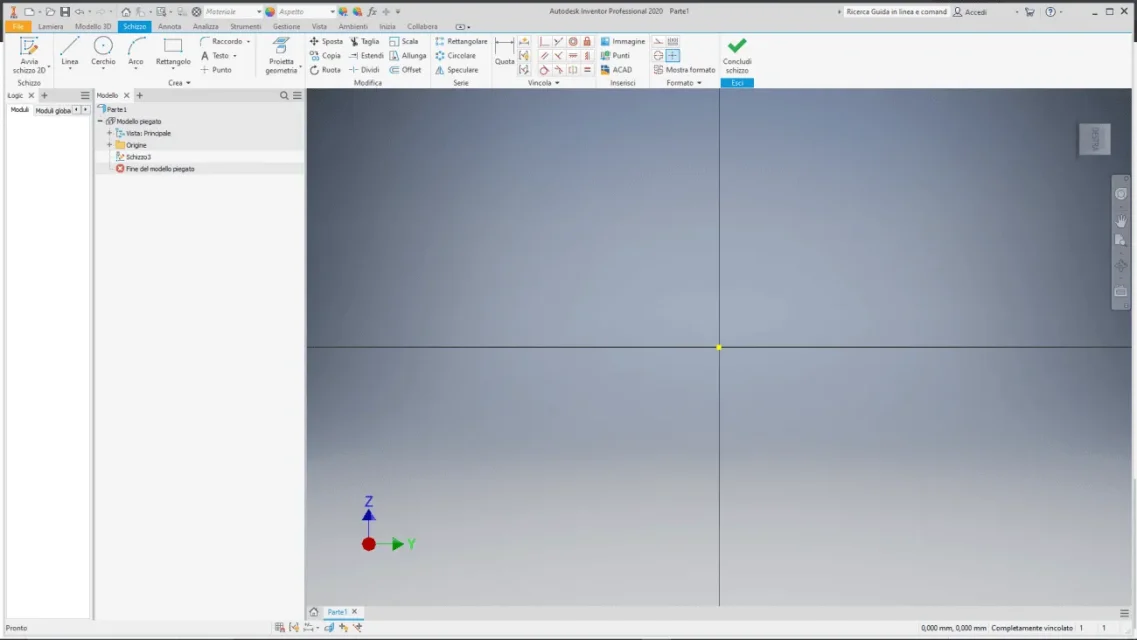
other example:View attachment 61300
I probably explained badly, place the top view in the plant by clicking on the top sign on the viewcube, then rotate it with the arrows of the viewcube in step 90 degrees until the writing is straight, now you can set the current view as high.yes it is only visual and in fact it is not an insurmountable problem but it is a bit annoying.
in any case it doesn't work, even setting the current view as high when I go in sketch mode insists that I want to work rotated as from previous images
Yes, you explained well, but it doesn't change anyway, when I go to the sketch, I always flipI probably explained badly, place the top view in the plant by clicking on the top sign on the viewcube, then rotate it with the arrows of the viewcube in step 90 degrees until the writing is straight, now you can set the current view as high.
I don't know.Yes, you explained well, but it doesn't change anyway, when I go to the sketch, I always flip