• This forum is the machine-generated translation of www.cad3d.it/forum1 - the Italian design community. Several terms are not translated correctly.

configuration

  • Thread starter Thread starter sofa80
  • Start date Start date

sofa80

Guest
Hello
I ask your help to understand if I can manage the distances between the plans I have created with the configurations, I spice better:

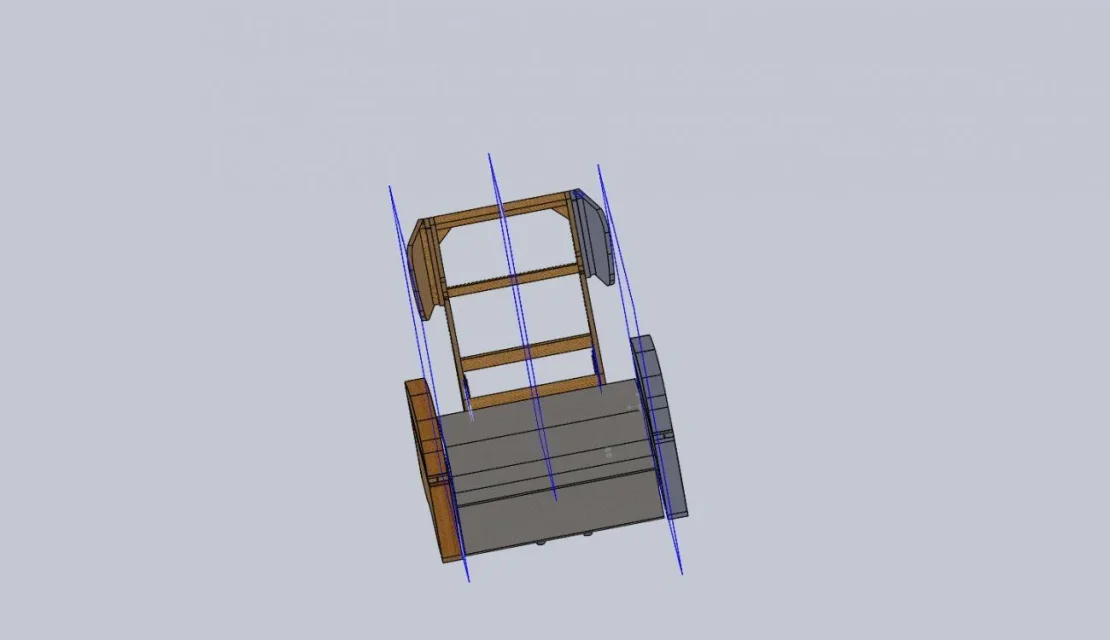
I built an armchair on the right floor, which acts as a symmetry floor, then I created another 2 floors respectively to the right and left of the symmetry plane which were used as a reference to build the various components of the armchair in such a way that changing the distance of the floors I can parameterize the width of the armchair, so I would have been useful to have various configurations for various sizes of armchair .
I attach some pictures to better try to spy on me.

Thank you.
 

Attachments

  • A1  00.webp
    A1 00.webp
    27.7 KB · Views: 18
  • A1.webp
    A1.webp
    29.9 KB · Views: 18
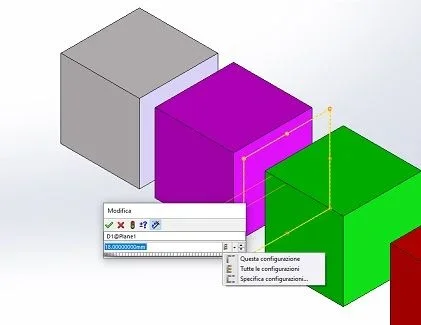
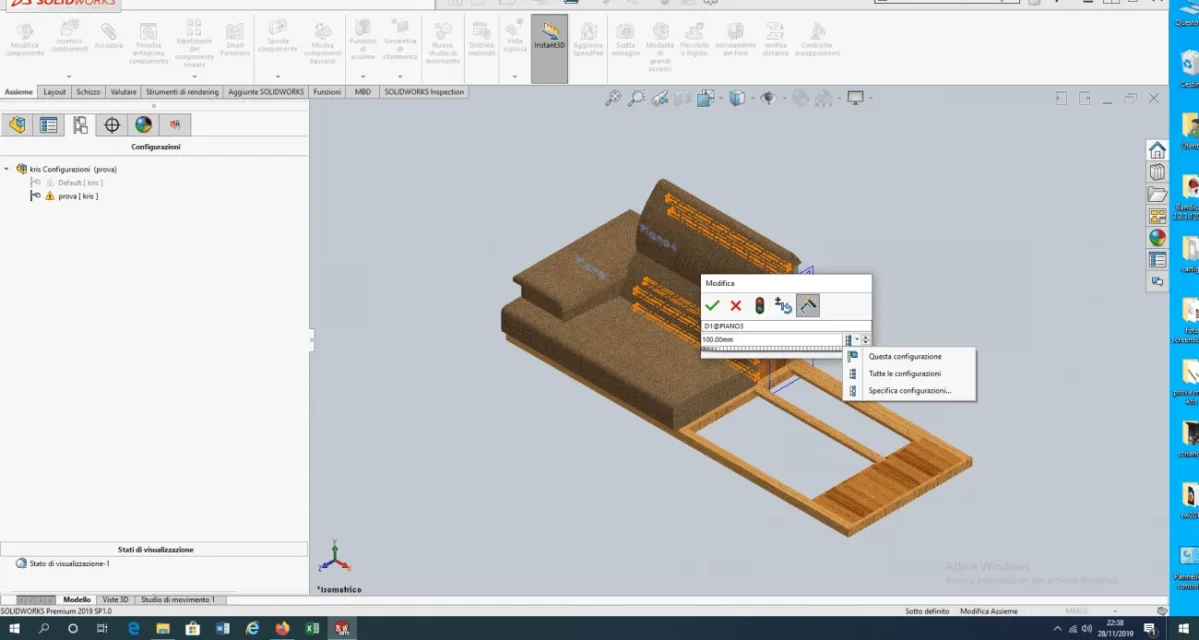
create various configurations with different names. click on the plane and you will appear the quota, right click and choose the option to specify the parameterized quota depending on the configuration... and it is done.
 
it would also be useful to specify in what environment you work
double click on the distance that manages the plans, change the quota and specify only for this configuration.
If you want to do the magic you can create a global variable that manages the two distances, if they have a constant between them, then you just need to change one parameter by assigning it to the specific configuration.
are the basis of soildworrks parameterization
 
create various configurations with different names. click on the plane and you will appear the quota, right click and choose the option to specify the parameterized quota depending on the configuration... and it is done
I do not display the option to specify the parameterized quota
 
it would also be useful to specify in what environment you work
double click on the distance that manages the plans, change the quota and specify only for this configuration.
If you want to do the magic you can create a global variable that manages the two distances, if they have a constant between them, then you just need to change one parameter by assigning it to the specific configuration.
are the basis of soildworrks parameterization
I am in the environment together,
after changing the quota I do not see the option to select the configuration,
what variable should I create to vary one parameter? ?
 
if you do not right click as specified mechanicalmg can not appear anything
edit:Immagine.webp
 
select Customize menu below, expand the menu, flag the affected item.
of course the same thing you do also by entering change share with double click and using the curtain that I showed in the image. and reading the guide link
a little initiative
 
I don't understand what's wrong.

I'll try to revive sw.
 

Attachments

  • Screenshot (27).webp
    Screenshot (27).webp
    59.8 KB · Views: 3
  • Screenshot (29).webp
    Screenshot (29).webp
    56.7 KB · Views: 2
Isn't that part of that? is the only way I'm not presenting the configuration command
 
I managed to change files , in the previous file I do not visualize the voice configures quota
 

Attachments

  • Screenshot (31).webp
    Screenshot (31).webp
    58.2 KB · Views: 6

Forum statistics

Threads
44,997
Messages
339,767
Members
4
Latest member
ibt

Members online

No members online now.
Back
Top