jim78b
Guest
I've read everywhere how to do it, but I don't understand a conversion thing.
when converting a solidworks model to dwg and opening some lines are positioned on layer 0 and have as thickness bylayer
but other types axes have 0.00 thickness and not bylayer .
I don't understand how it can be done so that it converts into dwg the design has all the lines with the original thicknesses of solidworks.
example geometry line thickness 0.25
0.18 thickness centering line
place an image of my conversion table
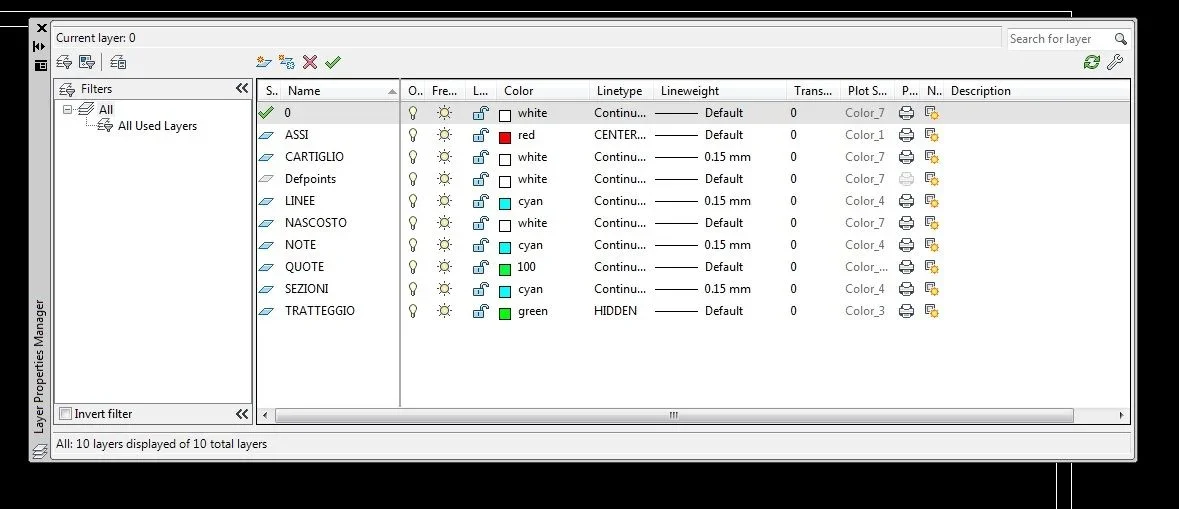
and that of the layers in the converted dwg file
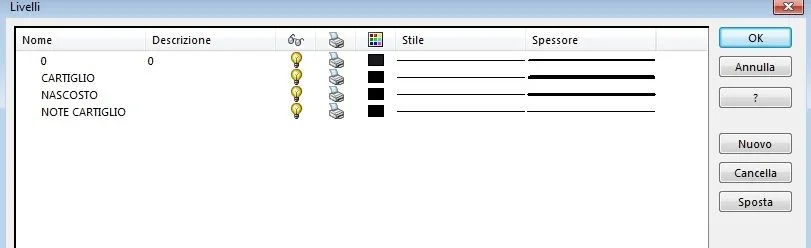
and lastly the layers I have in the template file and dwg file
If you can help me figure out how to do it, I'd be grateful
when converting a solidworks model to dwg and opening some lines are positioned on layer 0 and have as thickness bylayer
but other types axes have 0.00 thickness and not bylayer .
I don't understand how it can be done so that it converts into dwg the design has all the lines with the original thicknesses of solidworks.
example geometry line thickness 0.25
0.18 thickness centering line
place an image of my conversion table
and that of the layers in the converted dwg file
and lastly the layers I have in the template file and dwg file
If you can help me figure out how to do it, I'd be grateful