• This forum is the machine-generated translation of www.cad3d.it/forum1 - the Italian design community. Several terms are not translated correctly.

converti in lamiera

  • Thread starter Thread starter Esselle
  • Start date Start date

Esselle

Guest
Good evening, I've been looking, but uselessly. . .

using the "sheet converge" command, can I use my sheet template and not the default inventor template?
 
What does default mean?
converts to sheet metal transforms your open file without using any external template;
then load your standard saved in the library (maybe that's what you need) applying the correct thickness of the model
and said done!!
 
What does default mean?
converts to sheet metal transforms your open file without using any external template;then upload your saved standard to the library (maybe that's what you need) applying the correct thickness of the model
and said done!!
That's what I didn't know. How do you do that?
 
That's what I didn't know. How do you do that?
In fact, even if you have your own template with your sheet rule, when you use the "sheet converge" command, it's not like you're in
Automatic fishing the rule of your template, you have to tell it.
to make a rule:
-tab set
-Default sheet values
-click on the pencil icon next to "sheet rule" and choose new
- proposes the copy of the current ruler, you renounce and put the various custom explanation options,
in the same window there is still a pencil icon under "explaining rule, if necessary create a customization of the explanation (e.g. factor k) act similarly above.
save everything.
Obviously you have to do it in the template, and of course your rule will have to be set as default rule in the template.
When you do part of a "sheet converge", you will have to go to "default sheet values" and choose your rule.
 
Good morning, what you're illustrating I've already done. I have my own sheet template, with the various rules. the "problem" is that when I make "sheet converges" these rules are not available and I don't understand how to do it.
 
by pigiando the button "converts in sheet" the file is converted, then by pressing "default" values are only available "default" and "default_mm", while if I create a sheet with my template I see all rules that I have appointed according to the thickness, with unique names.
 
By force, your settings only have them in the sheet file template, so they are local, and if not
What do you think you're gonna get them back? ?
You have to save your style in the library, at that point, it is indifferent to create it initially from the template , indeed, it is better not
so you keep it clean.
 
By force, your settings only have them in the sheet file template, so they are local, and if not
What do you think you're gonna get them back? ?you have to save your style in the library , at that point, it is indifferent to create it initially from the template , indeed, it is better not
so you keep it clean.
So that's what I can't do, can you give me some indication? Thank you.
 
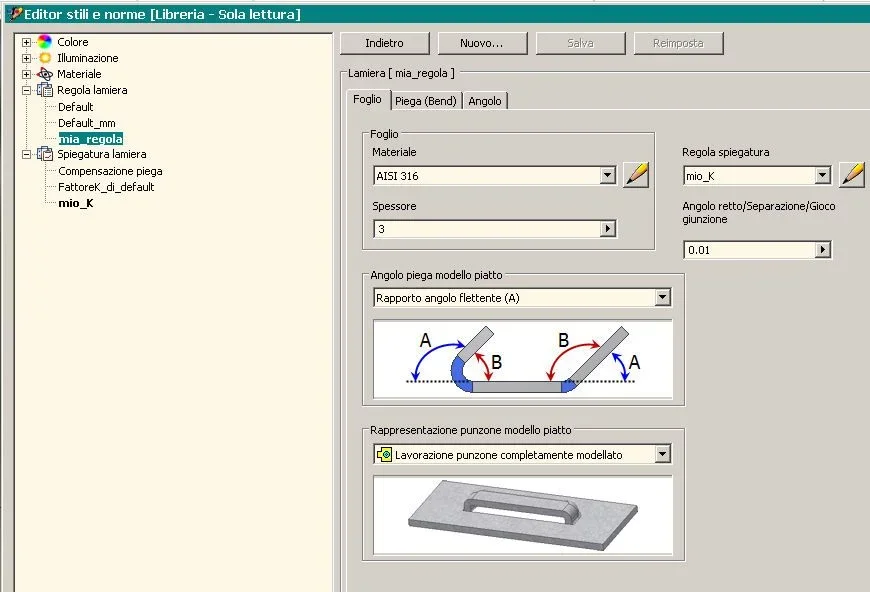
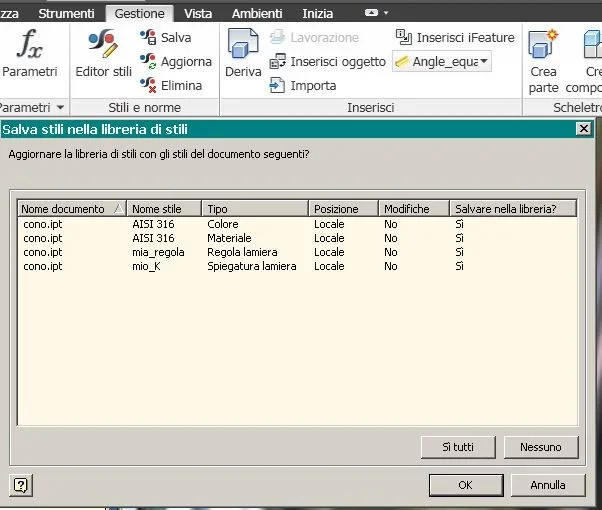
imposed the current project with libraries --> reading-writing Image3.webpthen create your style in the file you want --> Image1.webpand save it in the library --> Image2.webpnow it is available on all files even the old ones
 

Forum statistics

Threads
44,997
Messages
339,767
Members
4
Latest member
ibt

Members online

No members online now.
Back
Top