• This forum is the machine-generated translation of www.cad3d.it/forum1 - the Italian design community. Several terms are not translated correctly.

convertire mesh in solido

  • Thread starter Thread starter Trial4life
  • Start date Start date

Trial4life

Guest
Bye to all,
I am trying with no few difficulties to convert a mesh into a solid, so you can read it in software like solid edge, autodesk inventor etc.

I have mesh in various formats (such as .stl, .dwg, .dxf); I have already tried with the _meshtonurb command, but then it does not export the file to formats like .iges, parasolid or .step. these are the errors that are displayed when I try to export the converted surface (believe):


Do you know other methods to convert mesh? or am I wrong in converting it?
 

Attachments

  • 301n1ib.webp
    301n1ib.webp
    25.3 KB · Views: 50
Last edited by a moderator:
Bye to all,
I am trying with no few difficulties to convert a mesh into a solid, so you can read it in software like solid edge, autodesk inventor etc.

I have mesh in various formats (such as .stl, .dwg, .dxf); I have already tried with the _meshtonurb command, but then it does not export the file to formats like .iges, parasolid or .step. these are the errors that are displayed when I try to export the converted surface (believe):


Do you know other methods to convert mesh? or am I wrong in converting it?
Hello

I try to simplify the concept, even if in other forum posts this has already been treated.

mesh (straight triangles) are not cloud surfaces.
interchange formats for cads as step, iges,parasolid etc. They only export nurbs surfaces, from here you understand the sense of error messages you receive.

the command you used ( _meshtonurb) is actually limited to converting each single triangle into a flat cloud surface, giving rise to very heavy and unusable craps.
In my opinion this command should be eliminated due to the expectations that it generates in people, and that then they are translated into a lot of disappointments.
The only way to obtain a solid is to reshape the object represented by mesh, this method goes under the name of reverse engineering and automatic there is nothing unfortunately, in rhino you do everything to "evil".

The time we use depends on the complexity of the object in question.

ps : I modified your post, inserting images as attachments so that in a few years the images will be seen again and the sense of your question will not be lost. If you want to post again, please use the attachments:)
 
Last edited:
the operation of _meshtonurbs depends a lot on mesh, if it is an object with all flat surfaces, then it works, but at the end you do first by hand, if instead the triangles go to represent curved surfaces, as said mariuss there is need of the so-called reverse engineering. by hand you can do with considerable difficulty in rhino otherwise there are plugins that take care of the very facilitate the operation, look for rhinoresurf that is specific, and sometimes if the model is simple can do the operation "almost" automatically, but to judge from the cad in which you carry the models, I presume it is a precision job, so it would be good to use other features, or tspline that has a specific function that allows to "stendere" the surfaces at hand. both have one month trial.
 
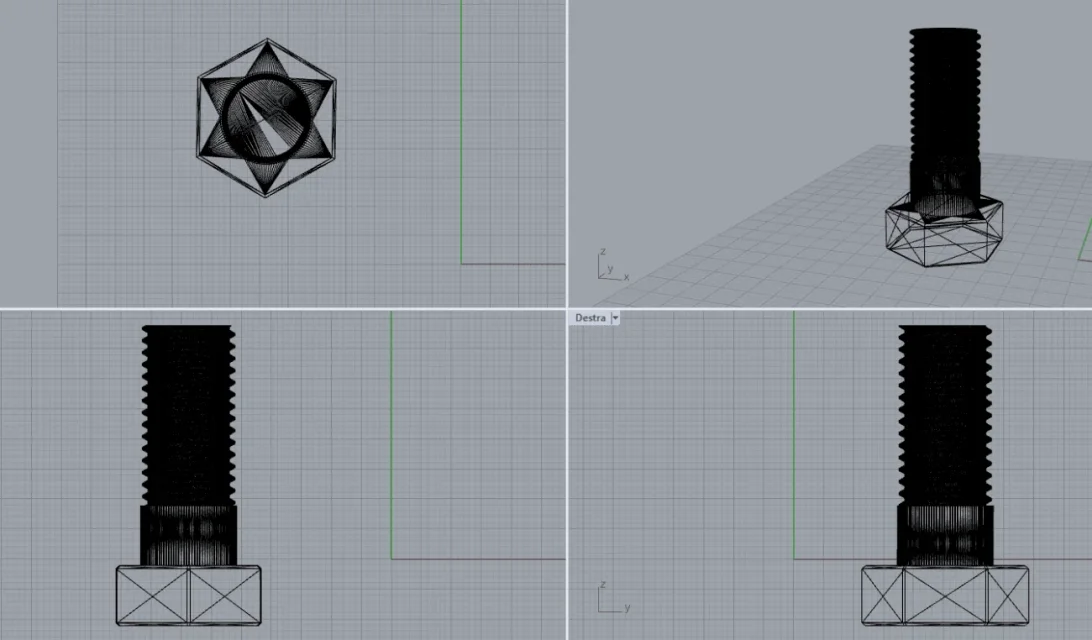
This is an example, but with the createsolid command it does not let me select it.
 

Attachments

  • Stl solido.webp
    Stl solido.webp
    51.6 KB · Views: 12

Forum statistics

Threads
44,997
Messages
339,767
Members
4
Latest member
ibt

Members online

No members online now.
Back
Top