• This forum is the machine-generated translation of www.cad3d.it/forum1 - the Italian design community. Several terms are not translated correctly.

correct inserting bolted connections

  • Thread starter Thread starter GianniM
  • Start date Start date

GianniM

Guest
Hi.
are asking for some delucidations about creating bolted connections.

1) when I create a connection with the appropriate command I realize that the screw is free to turn inside the hole. reading the forum seems to me to understand that this is not correct, the screw should be blocked even in rotation. How do I proceed?
2) When I create the connection through the guided process I impose the bolt size according to the calculated parameters. Now if I simply need to insert a m10 screw, without making calculations, I must first insert cutting values, traction etc that allow the program to verify this size. is it possible to say simply put a m10, why has the value already been calculated?

Thank you!
caiuz
 
Hi.
are asking for some delucidations about creating bolted connections.

1) when I create a connection with the appropriate command I realize that the screw is free to turn inside the hole. reading the forum seems to me to understand that this is not correct, the screw should be blocked even in rotation. How do I proceed?
caiuz
when I insert a bolted connection the screw is always free.. you can lock it with a hi corner bond
 
I don't know how much it can serve to bind a screw to the rotation, I personally never did, it seems to me a waste of time and a possible error point in case of change... But maybe there's a problem I don't know.

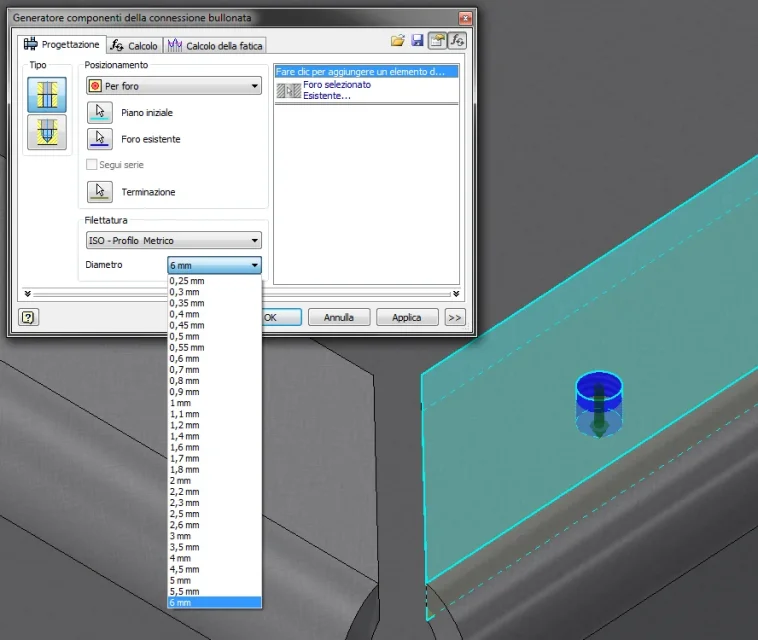
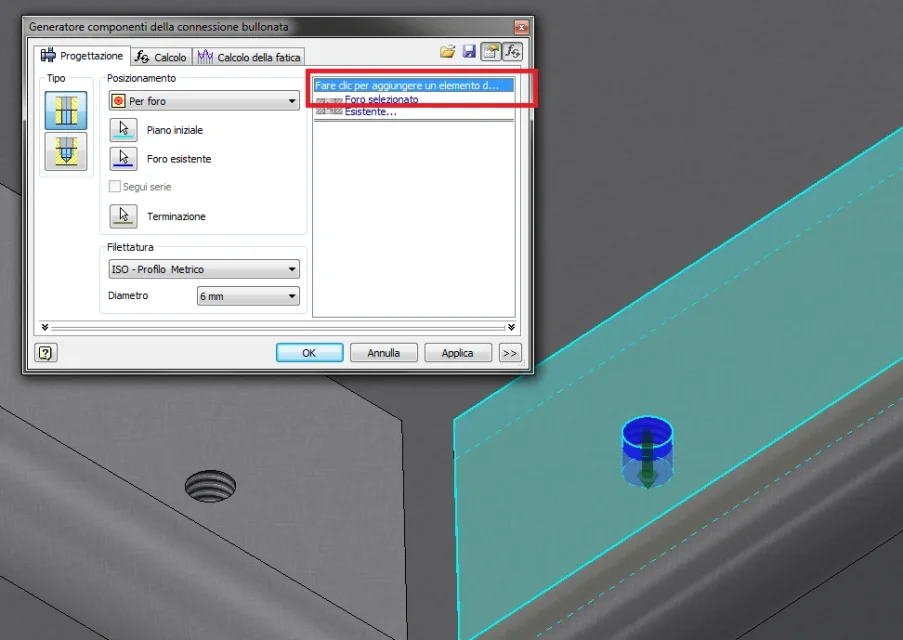
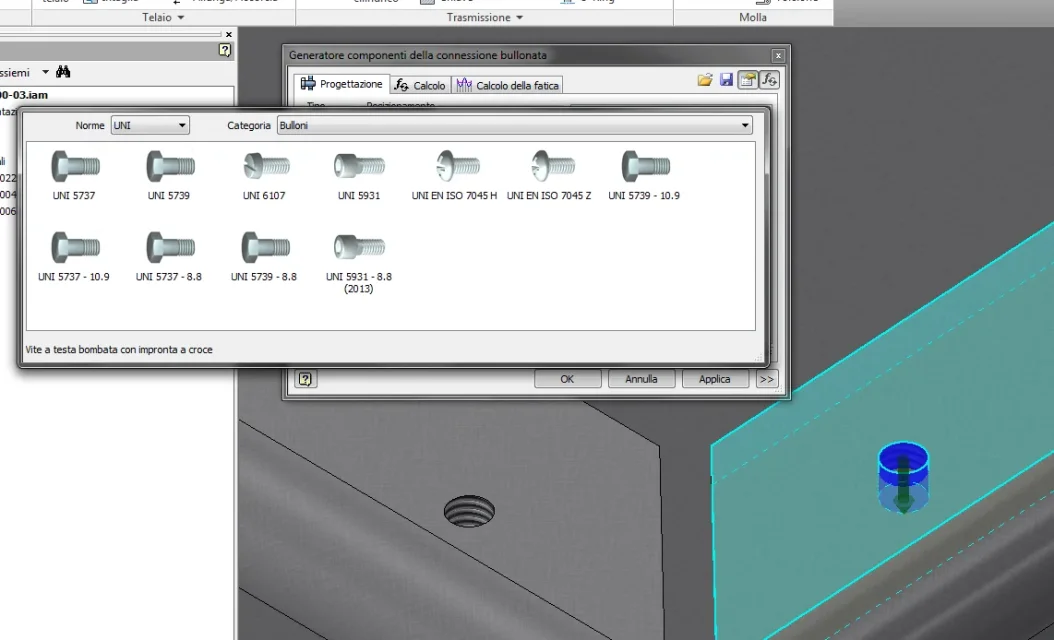
As for positioning, when you go to "bucket connection" use this window and follow these steps, it is easier to do than to explain :-):
Immagine.webpImmagine1.webpImmagine2.webp
 
thanks to all, in particular to the Ilario that posting the image, to fatt dares that I noticed that I could not choose the diameter because in the window (image 1) I had active the check on the computer at the top right.
 
hi Ilario, I wanted to ask if you also see red flashes once you insert bolted connections and not on all some you don't.... Can you tell me why? I always use them to scruple always every alarm and it works well but these red flashes that remain in the general list tree really bother. I wanted to understand why and if you noticed her...
Thank you.
 
Yes, I do, too. appear against changes even if they do not specifically affect the bolted connection. I never understood why and it doesn't create big problems, even because if you change the connection and everything is ok, from the confirmation and the red flash disappears... Sometimes I don't even consider them... different is if you lose references that then I fix it, but usually I realize if that connection has a "real" problem or it's just the usual useless lightning. . .
 
according to you which is the best method of making holes so that they follow the constraints, example two solids fixed with holes if I change in the sketch the location of the m10 seats for example the relative threaded hole should follow in turn the shift. what method do you use?
Thank you.
 
if it is only for the position of the holes in the project phase (or avanproject), I abuse the adactivity, which I eliminate at the end of the project or once I decided where to put the components. if instead they are changes to make on each machine depending on the model sold/request of the customer I go of ipart
 
understood thanks, let's say that I'm looking for the most suitable method to be able to design the holes by modifying the positions if necessary and I would like not to worry about the relative position of the threads, with the sketches as I do now on all the parts sometimes happens a review, I would like to avoid it.
with iparts how do you do it?
 
I know the adactivity but I do not trust to use it as it is also not the solution, the threaded holes do not follow the positions of their holes and if the disactive is likely to forget the position of the hole that is no longer concentric to its seat. e.g. projecting the circumference of the seat on the face of the interested part and then with the hole function to make the hole on the point of the adaptive projection it is good is fast and easy but if change the location of the seat the hole remains in its old position however. it seems to me that in the design section bolted connections is the most suitable but even if you forget to make it the hole however remains in the old position, I to avoid this we say that bond the holes so inv. It is obliged to give me a mistake and therefore I understand that the seat has moved and therefore August accordingly.
 
to avoid errors (or reduce them as much as possible) I give an eye when I move the holes if the sketch has projected references or not...... .

the speech to use ipart is valid only if they are components with predefined modifications for already finished machinery to design (options already 'to catalog, customer wants machine x and scegle the option brackets y that involves moving holes tot and tot)
 

Forum statistics

Threads
44,997
Messages
339,767
Members
4
Latest member
ibt

Members online

No members online now.
Back
Top