fabrizio_brescia
Guest
Good evening, I have a problem that I couldn't solve.
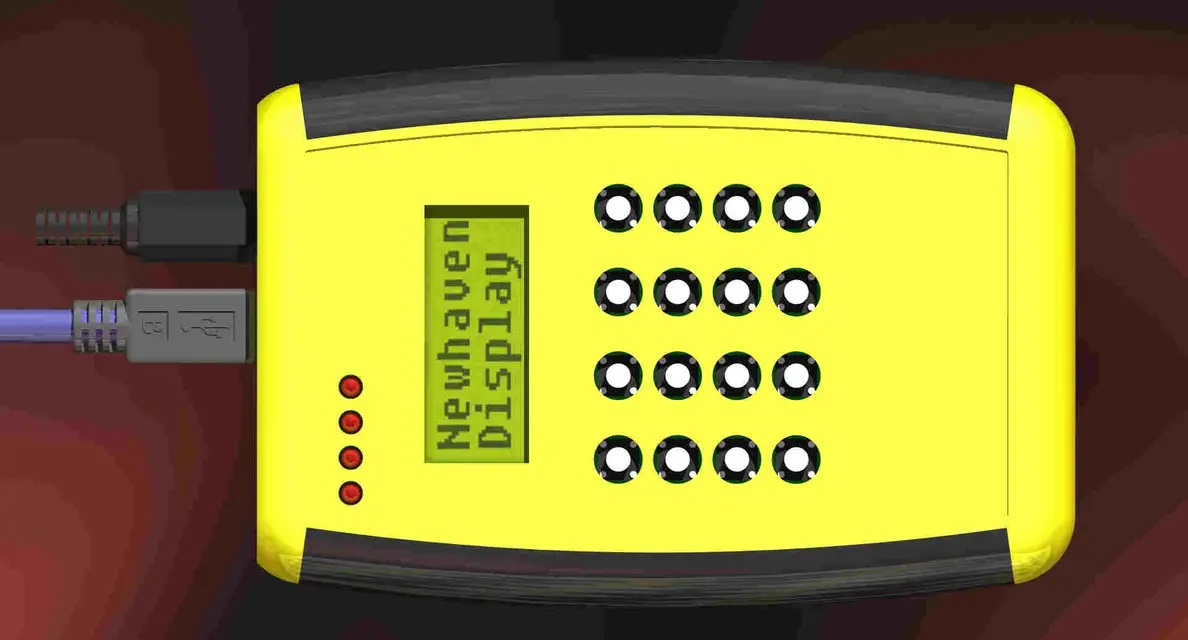
I have to draw an adhesive Ethiopian to paste on the surface of the palmare of which I attach the rendering.
reasoning as part, I made an extrusion of about 0.2mm that simulates the polycarbonate of the label using as material the glass (must be transparent to display the texture under the display and the leds).
I designed the etycehtta in jpeg and then turned it into tx4 with the internal editor taking care to assign the alpha channel to zero for the dispaly area and the led points.
I applied this decal on a glass extrusion face (label).
then I assembled the etycehtta on the upper part of the body.
I expected to see in transparency led and display instead I see nothing.
What did I do wrong?
Besides, can someone tell me how to use wrinkles and what are the myriad formats that the image editor can save? (now I limit myself to tx4 for the decals).
thanks for the advice
bookmarks
I have to draw an adhesive Ethiopian to paste on the surface of the palmare of which I attach the rendering.
reasoning as part, I made an extrusion of about 0.2mm that simulates the polycarbonate of the label using as material the glass (must be transparent to display the texture under the display and the leds).
I designed the etycehtta in jpeg and then turned it into tx4 with the internal editor taking care to assign the alpha channel to zero for the dispaly area and the led points.
I applied this decal on a glass extrusion face (label).
then I assembled the etycehtta on the upper part of the body.
I expected to see in transparency led and display instead I see nothing.
What did I do wrong?
Besides, can someone tell me how to use wrinkles and what are the myriad formats that the image editor can save? (now I limit myself to tx4 for the decals).
thanks for the advice
bookmarks