• This forum is the machine-generated translation of www.cad3d.it/forum1 - the Italian design community. Several terms are not translated correctly.

courtesy: i ask creation cnc program iso from my model swx16

  • Thread starter Thread starter reggio
  • Start date Start date

reggio

Guest
Hi, I recently found out that my external turning machine could load cnc iso program on his car,
it could be the opportunity to speed up the times and make a little thought at the upgrade sxw (if I didn't understand bad the ns version 2016 did not have it, but from the 2018 version they integrated the possibility to export the models in cnc.

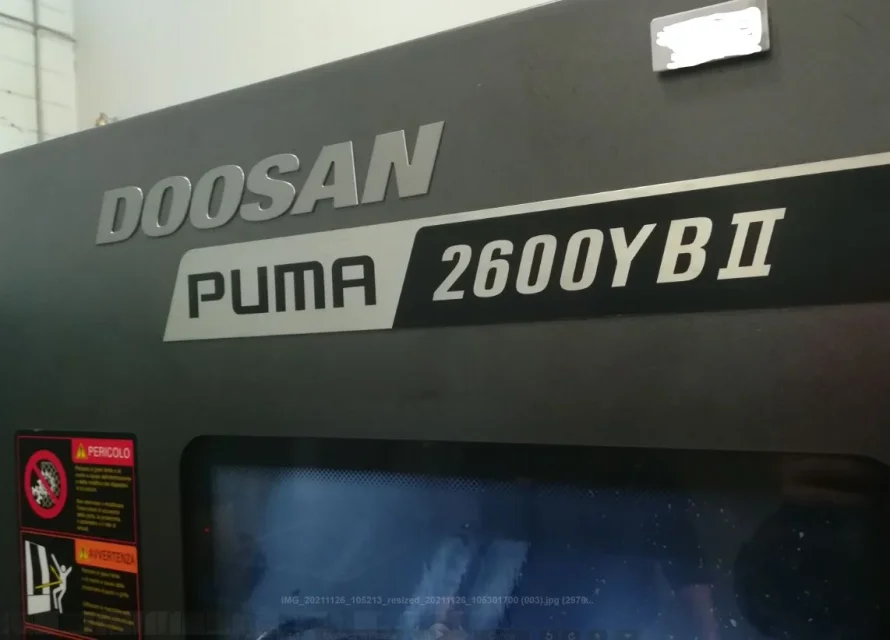
I ask the courtesy to those who have swx2018 or superior to turn "tree test-40257-c1_034_00_410.zip" into cnc iso for lathe doosan puma 2600y bii (or other lathe - to what I understood he will use only the coordinates, fixing the tool type and initial data hand program) to make a first test with the lather.

Thank you in advance
 

Attachments

I have 2019, but I don't understand what export you're talking about.
in what format/extension?
 
in cnc iso format, those lathes mount a fanuc type control
to do it however it takes a cam, I do not think swx base the integri
I looked through the rescue extensions and found no iso.@reggio wrote that since 2018 this function has been integrated, so I expected it to be possible without additional modules
 
. I mean you find it aggratiss under options/addition or is it €paid?
starting from 2018 or later??
You find it free, with 2019 I deleted it from the installation because I don't need it. This is a limited version, there is a paid "full" package. I don't know, it's not my job, and I never put my nose on it.
 
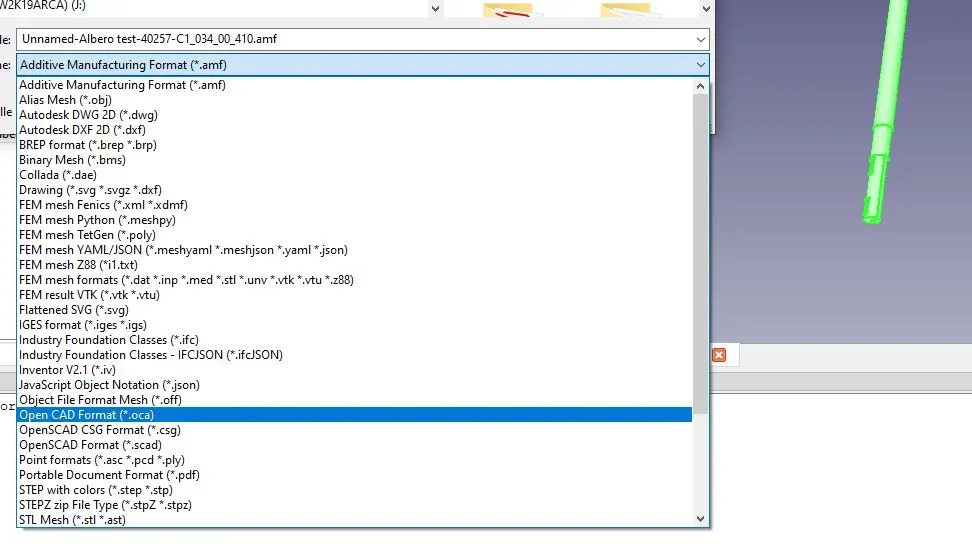
Hello, thank you I have seen and I am trying, I have imported a step but I can't export the correct gcode, puts only the initialization but you don't see anything of the coordinates piece - maybe with only step can not recognize the processing?

Moreover with the 1st method I do not even have "g-code" in export ... maybe I have to activate something?

you managed to export something correctly?NO-GCODE.webp
 
... maybe even with freecad you must follow a procedure as exhibition here ..
... in practice you must start from zero...
 
it could be the opportunity to speed up the times and make a little thought at the upgrade sxw (if I didn't understand bad the ns version 2016 did not have it, but from the 2018 version they integrated the possibility to export the models in cnc.
Hello, I am facing the cam with inventor but more or less is equal,
If I understood your request the language iso is nothing but a basic cnc programming method that not using dedicated macros is good for all types of control and machines, that is not that it can export a model as if you export it in step but you have to work the file giving origins by establishing a working strategy knowing that type of tools and machine you have available in order to insert n° turn cutting speed and other lubrication.
Once set up and optimized, you can perform the post processor that generates the program in the various languages including the iso.
 
Hello, thank you I have seen and I am trying, I have imported a step but I can't export the correct gcode, puts only the initialization but you don't see anything of the coordinates piece - maybe with only step can not recognize the processing?

Moreover with the 1st method I do not even have "g-code" in export ... maybe I have to activate something?

you managed to export something correctly?View attachment 63906
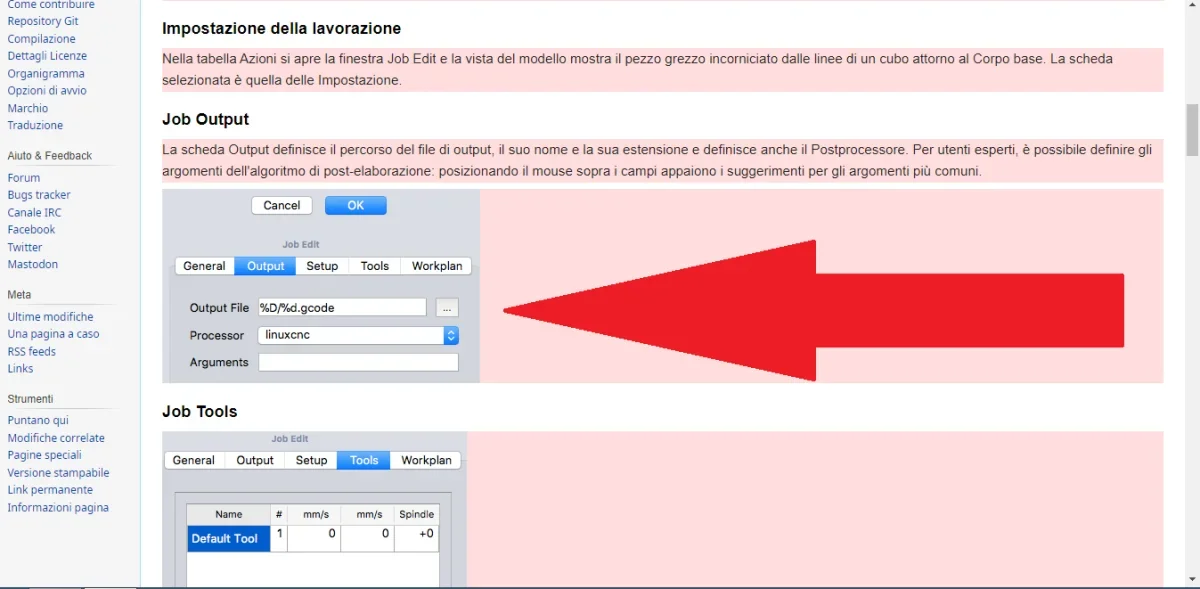
you do not export the gcode read this, although it is dated but gives you an idea path guide for impatients - freecad documentation
 
from what has been reported on the cam license in solidworks it is understood that a 2-1/2 axis milling package is included, it is not understood whether turning is included
there would then be a speech about post-processors.. .
 
since 2018 they have added a cam 2assi and a half but does not support turning;
the iso file that reggio looked for it can be generated with any cam as long as post processed correctly for the machine that will have to read it, with a little luck the machine can be present here:1638194812345.webpotherwise you will need to contact both the dealer cam and machine assistance and they will create a dedicated post processor
 
@+forte @stevie @stefanodeutz :) "guide for impatient" is cool - tonight study and text
Ah... but without lathe, of the milling I do nothing
In fact, the external turning pointer would have been pleased to have even only the iso with the "coordinates" without machine specification or tools ... but I understand that it is more complicated than I imagined.

in any case, I have a less reason to update sw and a stimulus to understand why frecad to mè does not give the option "Save with name - gcode" ...
that you know, other free cads with cnc for lathe or cnc free for lathe are you around?
I for now found only pissed or paid robes ..
 
@+forte @stevie @stefanodeutz:) "guide for impatient" is cool - tonight study and text
Ah... but without lathe, of the milling I do nothing
In fact, the external turning pointer would have been pleased to have even only the iso with the "coordinates" without machine specification or tools ... but I understand that it is more complicated than I imagined.

in any case, I have a less reason to update sw and a stimulus to understand why frecad to mè does not give the option "Save with name - gcode" ...
that you know, other free cads with cnc for lathe or cnc free for lathe are you around?
I for now found only pissed or paid robes ..
Get out of here, can you see the arrow? ? ?
 

Attachments

  • gcodeUntitled.webp
    gcodeUntitled.webp
    47.9 KB · Views: 14
@+forte @stevie @stefanodeutz:) "guide for impatient" is cool - tonight study and text
Ah... but without lathe, of the milling I do nothing
In fact, the external turning pointer would have been pleased to have even only the iso with the "coordinates" without machine specification or tools ... but I understand that it is more complicated than I imagined.

in any case, I have a less reason to update sw and a stimulus to understand why frecad to mè does not give the option "Save with name - gcode" ...
that you know, other free cads with cnc for lathe or cnc free for lathe are you around?
I for now found only pissed or paid robes ..
According to me there is a big bottom misunderstanding, a iso file is not a simple export format but a file containing the instruction for the tool machine with all the info you need to perform the movements, turn on the refrigerant, reverse the direction of rotation etc.
you will never find, even in the most evolved cam a button "Save with name" with the iso format.
what your turner wants should be made to the cam, deciding the processing strategy, parameters, tools etc.
once the whole process is done in the format suitable for the tool machine that will be used, whether it is, heidenhain, fanuc or others.
in everything and for everything, it is a job, well qualified and that requires knowledge and experience.
I don't understand why he doesn't do it himself, it's his job.
 
@+forte @stevie @stefanodeutz:) "guide for impatient" is cool - tonight study and text
Ah... but without lathe, of the milling I do nothing
In fact, the external turning pointer would have been pleased to have even only the iso with the "coordinates" without machine specification or tools ... but I understand that it is more complicated than I imagined.

in any case, I have a less reason to update sw and a stimulus to understand why frecad to mè does not give the option "Save with name - gcode" ...
that you know, other free cads with cnc for lathe or cnc free for lathe are you around?
I for now found only pissed or paid robes ..
In addition to that already said, I would point out one thing:
the iso file for the cnc, can not only contain the coordinates, but must take into account the used tool.
Basically, if your supplier uses different tools (for roughing, finishing, etc...) by exporting the coordinates for gcode, you must take into account the different form of the tools used.
This is a trade that does the cam, and cannot be a simple "save as".
 

Forum statistics

Threads
44,997
Messages
339,767
Members
4
Latest member
ibt

Members online

No members online now.
Back
Top