GiuseCAD81
Guest
Good morning guys are not new to the forum I have been writing for a long time and I always find a lot of useful tips by browsing these pages. . .
I come to the
I would like to write a command that automatically draws me 3 line or poly, at a fixed distance... I need to draw pipes in 2d...
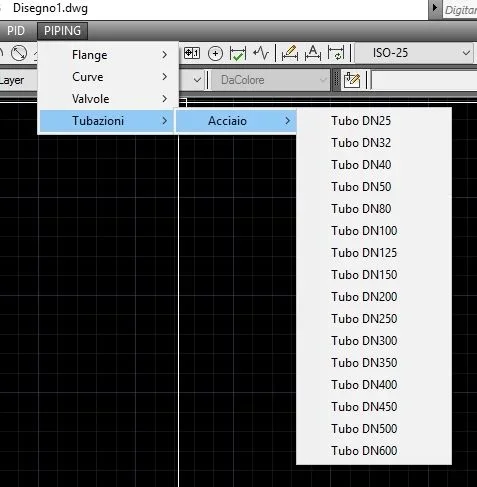
for example from drop-down menu --> pipe --> steel-- nd100.
and once clicked on nd100 draws two distance lines of 114.3mm with a central axis. therefore 3 line at distance of 57.15mm.
the question is that I can't get a sequence of actions with macros... Give me some info? Thank you in advance!
I come to the
I would like to write a command that automatically draws me 3 line or poly, at a fixed distance... I need to draw pipes in 2d...
for example from drop-down menu --> pipe --> steel-- nd100.
and once clicked on nd100 draws two distance lines of 114.3mm with a central axis. therefore 3 line at distance of 57.15mm.
the question is that I can't get a sequence of actions with macros... Give me some info? Thank you in advance!