• This forum is the machine-generated translation of www.cad3d.it/forum1 - the Italian design community. Several terms are not translated correctly.

create forms

  • Thread starter Thread starter IDAndreaS
  • Start date Start date

IDAndreaS

Guest
Hello everyone.. .
excuse my ignorance, I have to create solids with revit 2011, on the guide explains you to use a "create form" button, but I don't find it anywhere, I just have to create simple solids. until now I have always used revit 2008 and 2009, on the drop down menu of the modeling there was creates, 2011 is different and also in English.
Can you help me? ? ? ? ? ?
Thank you.
 
If you have it in English you can't find a "create form" button:biggrin:
the "create form" button only finds it in the modeling of the masses. What are you doing?
 
hi! ahahaha, I called the button creates froma because I have the guide in Italian and for convenience. However even in the masses the key is not there. Where do I find him??? ? ? ? ?
 
v_images.php
Look at these pictures. .
 
Hello, attached the screen pictures, tell me if you see them.
 

Attachments

  • Inizio.webp
    Inizio.webp
    183.2 KB · Views: 10
  • Massa.webp
    Massa.webp
    173.9 KB · Views: 8
I saw the video, but I don't have the created form command, how do I see it? is there not a customization of the keys like autocad?
 

Attachments

  • modifica.webp
    modifica.webp
    104.4 KB · Views: 5
I've seen that many keys I see in the video I don't have them, even that of families.
 
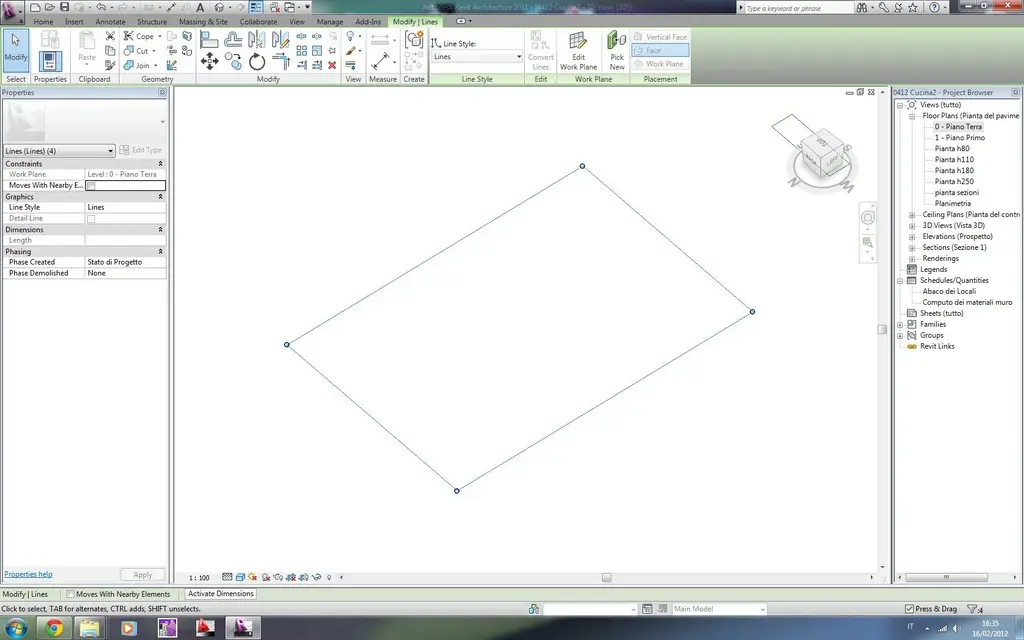
you need to open a conceptual mass (new conceptual mass)

then draw anything any (e.g. a circle)

will appear the button creates shape

if you want to create a local model...from your local component-model screen
 
ah..so to create a solid in a design, all the time I have to open a new design and insert it into my project? It's uncomfortable. .
 
ah..so to create a solid in a design, all the time I have to open a new design and insert it into my project? It's uncomfortable. .
no, not necessarily, you can also create local models (what you want) in a unique design, but I'm afraid you didn't understand revit. If you want to shape the pongo maybe it's better that you download sketchup
 
ah..so to create a solid in a design, all the time I have to open a new design and insert it into my project? It's uncomfortable. .
It's not like that. I recommend reading a manual on revit.. there are system families, local and loadable and then the conceptual masses

...I had not seen that he had already answered you tristan
 

Forum statistics

Threads
44,997
Messages
339,767
Members
4
Latest member
ibt

Members online

No members online now.
Back
Top