• This forum is the machine-generated translation of www.cad3d.it/forum1 - the Italian design community. Several terms are not translated correctly.

creating surfaces around a solid: aid

  • Thread starter Thread starter Ing_G_A
  • Start date Start date
Good morning to all...I contact you to kindly ask you an information about the views of the design that creates the program when I step in drawing mode...especially in addition to the views on the plans: top,front and right....how can I do to get the view on a plan I defined?

Thank you very much to all.. .

ps:I defined the plan in part mode, then in drawing mode I did right-click: add auxiliary view; but nothing happens. . .
 
Good morning to all...I contact you to kindly ask you an information about the views of the design that creates the program when I step in drawing mode...especially in addition to the views on the plans: top,front and right....how can I do to get the view on a plan I defined?

Thank you very much to all.. .

ps:I defined the plan in part mode, then in drawing mode I did right-click: add auxiliary view; but nothing happens. . .
You have to use the datum plane. and immediately after you use it for the sketch.
 
Do I find the datum audiences in design mode? and the plan must I put it in part mode or design mode?
 
the plan fits before the sketch.
if you give it as a reference an axis you can do it angled or offest if you indicate a reference plan.
 
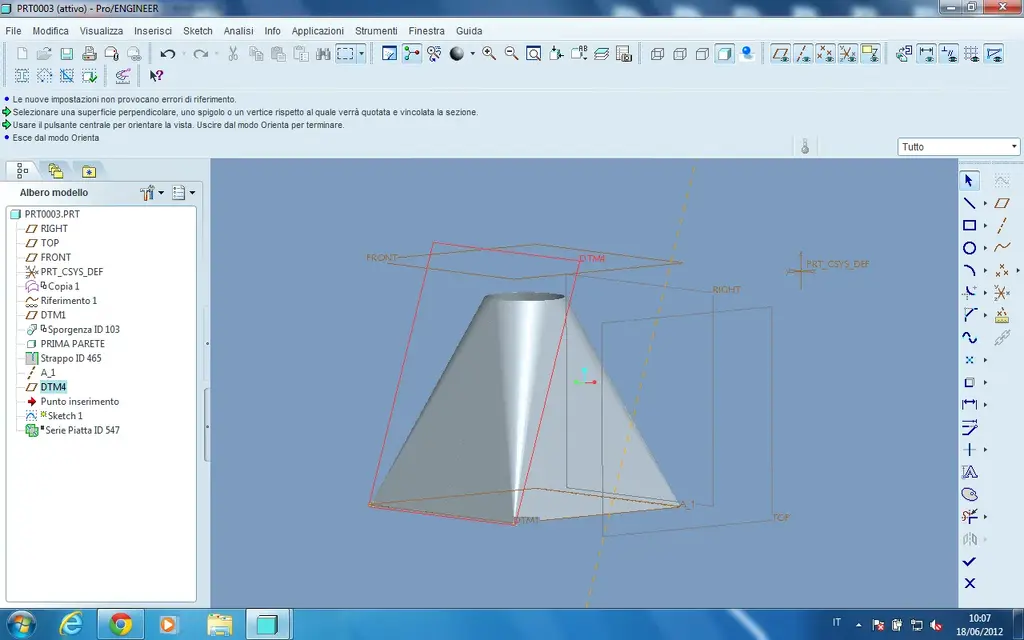
hi trotto, I inserted the reference plan(that in the attached image is called dtm4) I then step to the relative design but I can not enter the view that I have on this plane, always me the top plan,right and front...can you please tell me how I could do?
Thank you very much
 

Attachments

  • piano_DTM4.webp
    piano_DTM4.webp
    68.1 KB · Views: 4
I thought you wanted to do a sketch, but rereading well I see you talking about a view.
I would rotate the piece and when I found the right angle I would save my sight with a name so I could call it back when and where I want.
waiting in any case someone experienced.
 
Create a personalized view as I told you and you can use it even in the table. I didn't create my hand, otherwise I'd tell you the steps to follow, but it's nothing complicated.
 
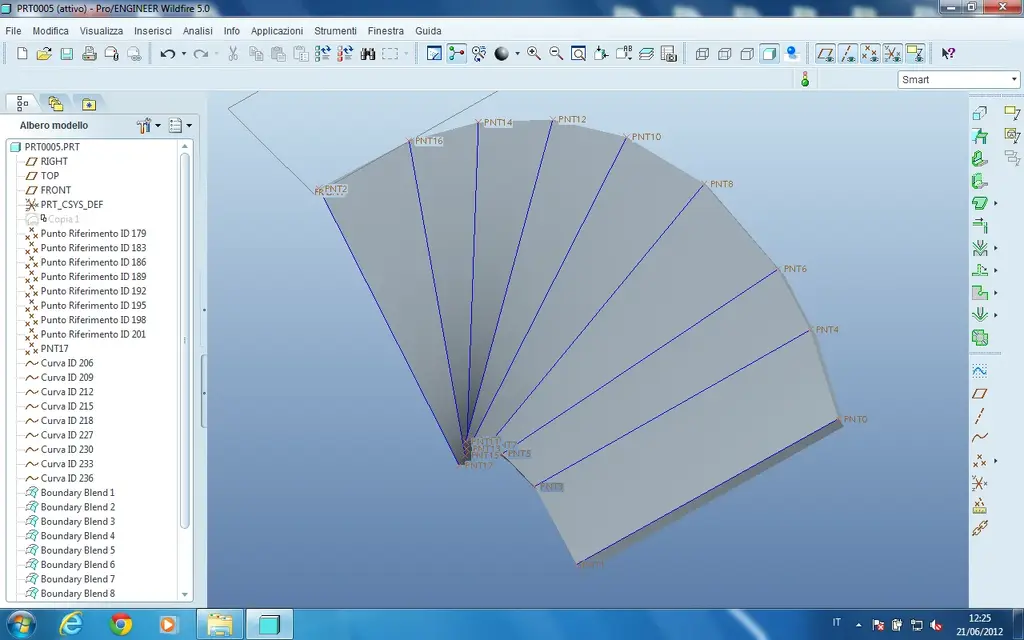
Hello everyone, I contact you because I'm finding it difficult to spy on this surface obtained with a set of limit blend that I then joined and finally used the often command to then switch to the functions of the sheet metal... I attach the file of the pro and in addition I attach the photo of the piece that I can't spy on... is the component prt0005... I hope you can help me! thank's :smile:
 

Attachments

  • blend_da_spianare.webp
    blend_da_spianare.webp
    81.9 KB · Views: 10
  • prt0005.prt.rar
    prt0005.prt.rar
    205.3 KB · Views: 1
Hello everyone, I contact you because I'm finding it difficult to spy on this surface obtained with a set of limit blend that I then joined and finally used the often command to then switch to the functions of the sheet metal... I attach the file of the pro and in addition I attach the photo of the piece that I can't spy on... is the component prt0005... I hope you can help me! thank's :smile:
dubito can be developed in sheet metal environment.
Think about it... how do you make it in the past?
You could do it with "undressed surfaces."
 

Forum statistics

Threads
44,997
Messages
339,767
Members
4
Latest member
ibt

Members online

No members online now.
Back
Top
