
• This forum is the machine-generated translation of www.cad3d.it/forum1 - the Italian design community. Several terms are not translated correctly.

creation circle for each block

  • Thread starter Thread starter luca.rgn
  • Start date Start date

luca.rgn

Guest
Good morning!
I would need to understand whether it is possible, or with scripts or in some way, to automatically draw a circle for each block.This is my case: I have an infinite set of smoke detectors (block) scattered for my design and I have to create circles for each block that indicate the range of action. the circle cannot be drawn together with the blockCattura.webp.
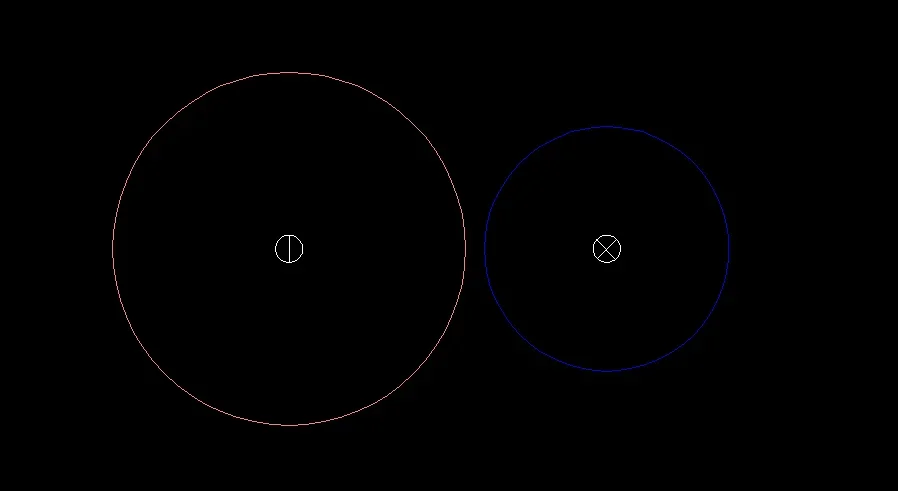
Any idea?
 
Good morning Luca,
I can't understand the result you want to get, anyway I still try to help you because I think you could use a useful trick.
from what I understand it is not possible to change the block and insert inside the circle, you obviously need the primitive circle to be able to edit individually for each detector.

The solution I would adopt is this:
copy all interested blocks on a new design (select faster with selerapid - copy - paste on original coordinates in the new design).
in the new design, change the block, insert the circle inside and eliminate the rest of the primitive inside.
Explode all blocks in the new design, select all circles and return them to the previous design using the same coordinates.


I think it could be a feasible method, if I didn't understand the final intention. Bye.
 
via lisp the thing is very feasible, but it could also be worth (for the future) creating the block with selectable "action drives" via pop
change the block and add as many circles as you want to give, then with n status parameter you can choose (for each inserted block), which radius to display.
I'll give you one example.
 

Attachments

via lisp the thing is very feasible, but it could also be worth (for the future) creating the block with selectable "action drives" via pop
change the block and add as many circles as you want to give, then with n status parameter you can choose (for each inserted block), which radius to display.
I'll give you one example.
the problem is that I cannot change for any reason the block...I am bound
 
if the names of the blocks are always equal please indicate:
- the block name for radius 6.5
- the one for the 4.5 radius
- the design layer of the circle
 
if the names of the blocks are always equal please indicate:
- the block name for radius 6.5
- the one for the 4.5 radius
- the design layer of the circle
Then:
block to associate radius 6.5 is called riv_est on layer fumi_est
block to associate the 4.5 radius is called riv_int on fumi_int layer
 

Forum statistics

Threads
44,997
Messages
339,767
Members
4
Latest member
ibt

Members online

No members online now.
Back
Top