• This forum is the machine-generated translation of www.cad3d.it/forum1 - the Italian design community. Several terms are not translated correctly.

current version file update

  • Thread starter Thread starter teseo
  • Start date Start date

teseo

Guest
Good morning,
It's a problem I'm gonna have to solve...
I have solid files from the 2004-2008 version and should bring them to the 2017 version.
I know that there is a tool called planning utility or task scheduler; but I have the standard pdm and when obviously try to open the file to update it tells me that it is read only: Now I thought I'd check out general but I'm worried a little.....
I remember that this tool gave me a lot of trouble even when I didn't have pdm....
And that's why I never used it. . .

now: is there anyone who uses it for this reason? how do you get the files updated at the last realase or almost? or better update them or keep them old?

thanks to the rest

Hi.
 
I usually keep them to old versions, automatic update tools frankly frighten me; to process 13 years of drawings automatically to some utility can be a jump in the dark.
Bye.
 
Okay, thank you, but how old? .....my doubt is that in a few years I will go to open an old and solid file will tell me that you can't open it or down of them......... seen the last few cases committed.....

Hello and thank you
 
all older versions are read.
in your case you have to make a ceckout of everything and with the utility update and save, then ceckin. If you sew something you have the status of ceckout and you can restore.
solidworks has always said that updating old files to new releases allows you to handle files faster.
If you just want to do some components that you're going to reuse, it would be better anyway.
 
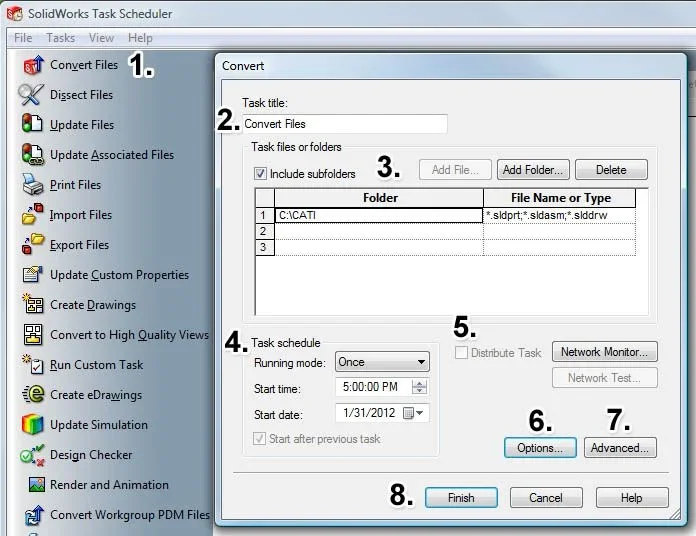
SolidWorks Task Scheduler.webp1. Click convert files to the sidebar or click the Task menu and select convert files.
2. in the convert dialog box, type a title for the task or leave the default value.
3. select the files or folders to convert. Just click the Add File or Add Folder button and select the files or folder to update and click Open. repeat to select other files or folders. if you do not want to include subfolders, uncheck the option include subfolders. to delete a file or folder from the list, click its number or location, and then click Delete.
4. in task planning, set the execution mode (specifies the running frequency of the task: ounces, daily, weekly or monthly), start time and start date.
5. for distributed activities: click Network Monitor if it is not running. select distribution task. click Network Test (recommended) to check access to files and folders of reading and writing of the group.
6. click options to change conversion options and backup locations.
7. click advanced to change the workbook, time-out values and other options.
8. click on end.
 
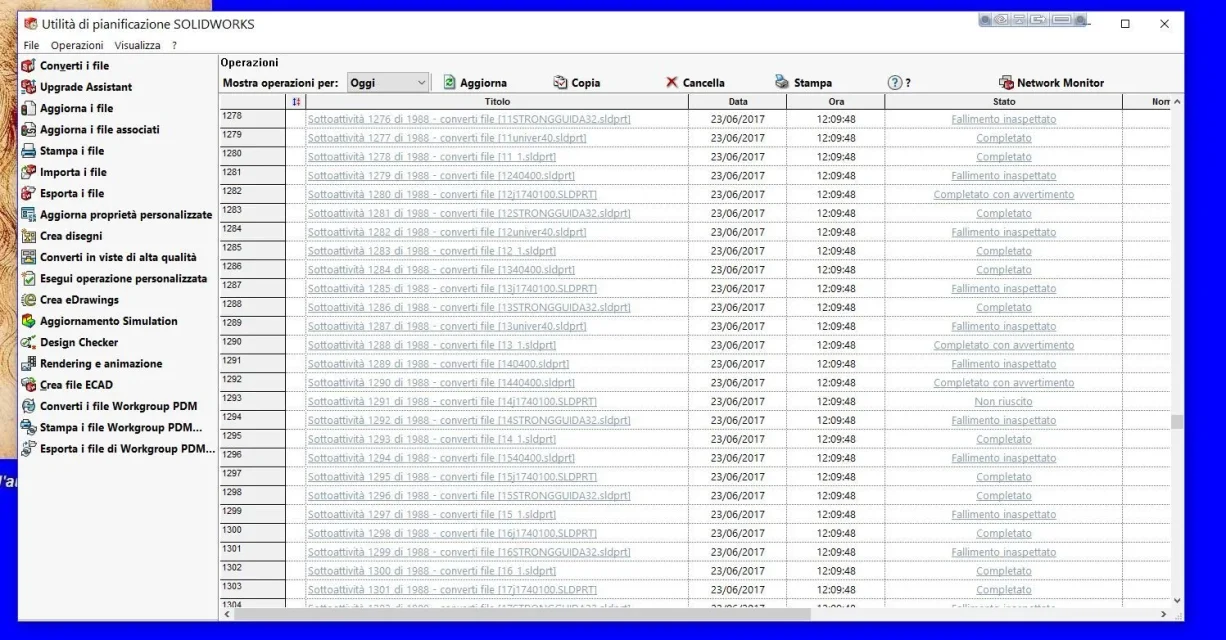
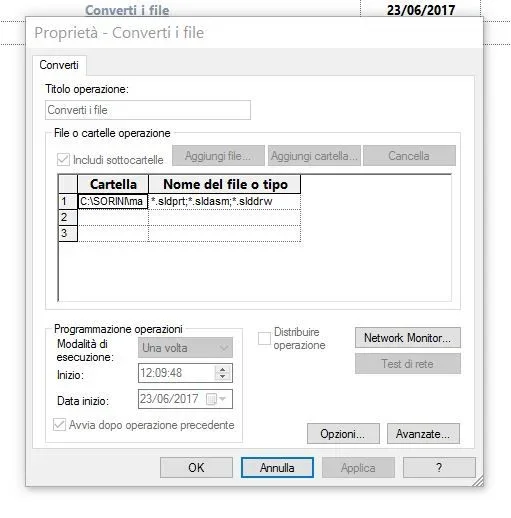
Thanks guys but it doesn't work to me in fact remember a lot of problems with that application.... I attach pictures gives me a lot of unexpected failure. . Someone knows how it can be.Cattura.webpCattura2.webp
 
If you're in the pdm, you need to make file ceckouts or you don't overwrite anything.
that utility in the pdm does not always work. depending on the pdm you have, you should have tools to do as desired.
You have to do some evidence.
 
the pdm and that of solidworks and I checked out of a folder, some files do others no....
I had found this problem in 2012 without pdm....
 
Are you sure those files aren't reported in other folders and then mixed references?
 
Good morning,
It's a problem I'm gonna have to solve...
I have solid files from the 2004-2008 version and should bring them to the 2017 version.
Hi.
Sorry why you want to convert all the files to the new release? Also from me there are files that date back to version 2006 and I was advised to save them to vers. 2017. sincerely I tried with the application "planning utility-convert files". I tried with about a hundred files...then since sometimes it was wrong I left everything.
also because there is the risk that they skip functions or lose some reports or other cases.
in my opinion I do not see what usefulness there can be to convert an entire archive to the new release.
greetings
 
I also quote that from pritio72. I have encountered errors with the application and therefore I no longer perform updates in that way, unless I understand to open and edit files of previous versions that when saved they are updated in the current version. the need to convert a priori I find it a mere commercial question. ...
 

Forum statistics

Threads
44,997
Messages
339,767
Members
4
Latest member
ibt

Members online

No members online now.
Back
Top