• This forum is the machine-generated translation of www.cad3d.it/forum1 - the Italian design community. Several terms are not translated correctly.

custom properties components in separate materials

  • Thread starter Thread starter asblo
  • Start date Start date

asblo

Guest
Good morning to all

I can't find a discussion where the question is resolved. I have set custom properties for my parts and assemblies, which with annotations with the connection to the property I go to highlight in the carts. It's okay.

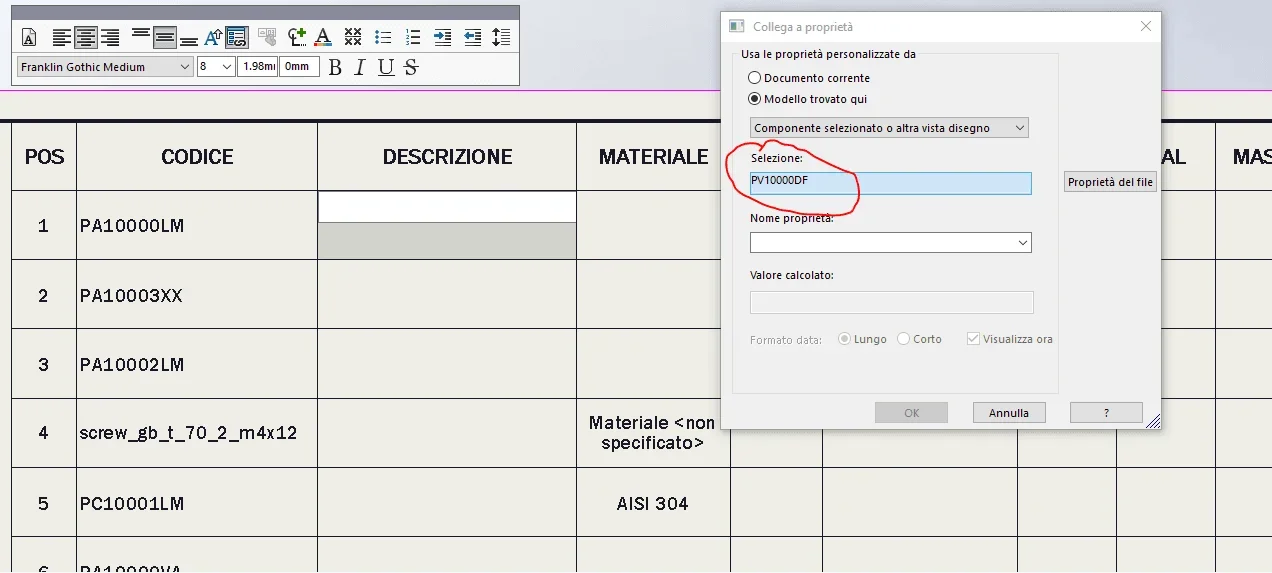
in the case of separate materials, however, I cannot find a suitable property link that I go to list the properties of each single component in list. As you can see from the attached image, if I go to connect properties on the line of the pa10000lm component he fishes the properties of the total pv10000df, which is in fact the axieme to which the commission on which I am working is connected.
 

Attachments

  • proprietà.webp
    proprietà.webp
    35.6 KB · Views: 21
You don't understand anything you want to do.
that card connects to property only refers to what is contained in the reference view. if you put a file together in the view you can only connect to its properties, if you insert a file of part (meaning that directly the part and not isolating it from the axieme) you can only connect to its properties.
the duistinta materiali refers to the properties of the specific files, if you have not entered property nothing can appear to you. in practice in the pa10000lm file you will need to insert the properties description, material, mass etc....

if you answer this Your discussion would be a good thing
 
the properties of the individual components are already inserted, only that in the separate materials of the axieme do not know how to connect the property to the component of the line and not to the total.
 
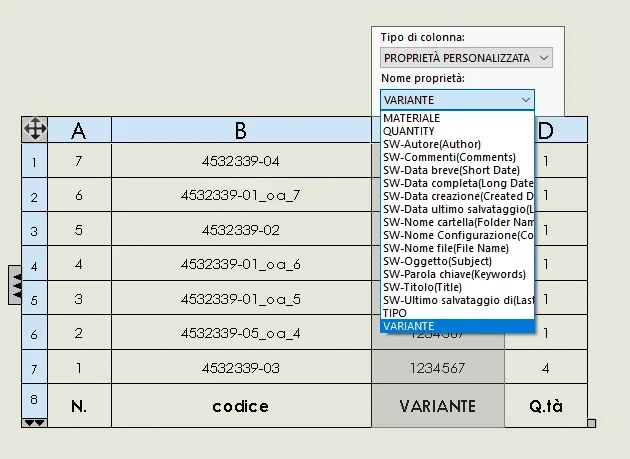
you have to select the column header (e.g. material) and see what properties it recalls.
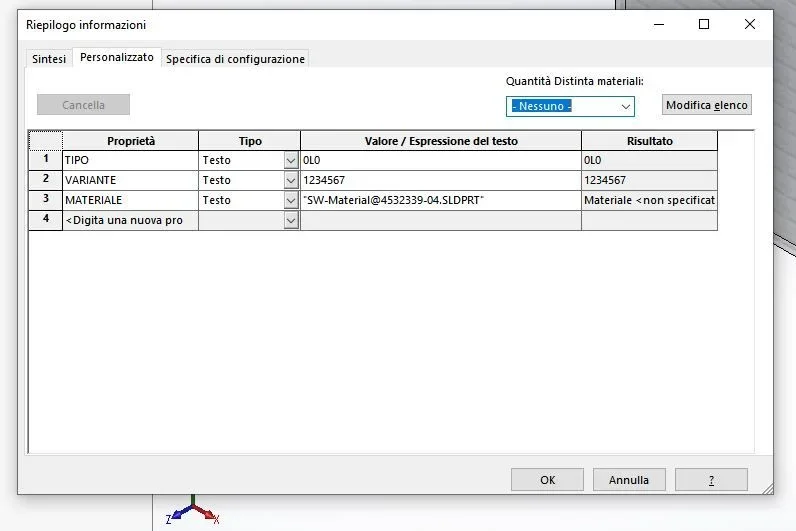
if in the pc10001lm file you called the material property and in the pa10000lm file you called it material (it is an example) in the first property, as you see, is read in the second no.
then:
all files must have the various properties with the same title
in the column of the separate materials must be recalled the correct title
 

Attachments

  • cattura2.webp
    cattura2.webp
    30.3 KB · Views: 17
  • Cattura1.webp
    Cattura1.webp
    21.1 KB · Views: 14
solved! Thank you very much. I tried to look for it by double-clicking from the single box, instead you have to select the top of each column, where there is the progressive letter, and make " column property"1600780458777.webp
 

Forum statistics

Threads
44,997
Messages
339,767
Members
4
Latest member
ibt

Members online

No members online now.
Back
Top