• This forum is the machine-generated translation of www.cad3d.it/forum1 - the Italian design community. Several terms are not translated correctly.

customization of a command

  • Thread starter Thread starter francesco14
  • Start date Start date

francesco14

Guest
good evening community designers, I wanted to ask for a delucidazione, regarding, the customization of a command, that I would like to have it at hand maybe in the All-In-One bar, or anyway that immediately is ready for frequent use, we are talking about the command (correspondence with property), now I would like to know if you can move this command, since in autocad 2018, and inside the property screen, how could I move only this command, and not change all in advance?
 
Hello excuse, if you know how to change the command position, can you tell me the steps, I go on options, customize and then?
 
thank you so much of your time occasionally, but practically when I go on customize property matching, it doesn't tell me by any, change shift command or something, it just tells me the properties of the command
 
Let's see if we understand each other:
1546339577545.webpfrom "other commands" go search correspondence with property and add it to the list (as in my case)
 
Here I have another interface that is classic autocad 2018 is not customized and not the fast access menu barar as I should do?
 
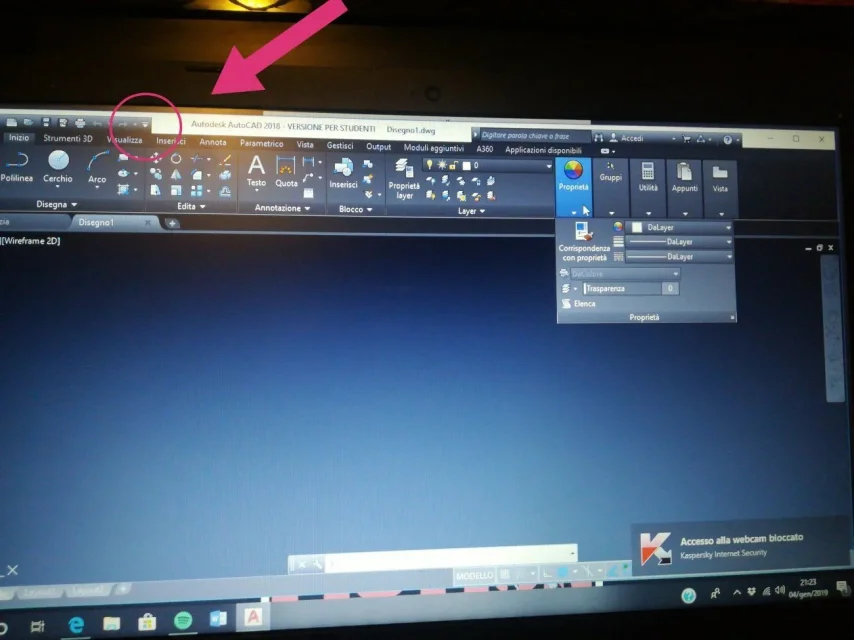
I am pleased to answer you but know that with the online guide (f1) you get the answers much faster, however it seems strange to me that you do not have the bar, maybe it is low... generally by default is visible and is located on the top left. if you don't have to go to the bar customization tool
 
alternatively make a screen of your monitor so I'll tell you immediately if there is or not
 
I wanted to know how I could move the property command with this autocad interface, I can't find the settings thanks to a thousand of your availability
 
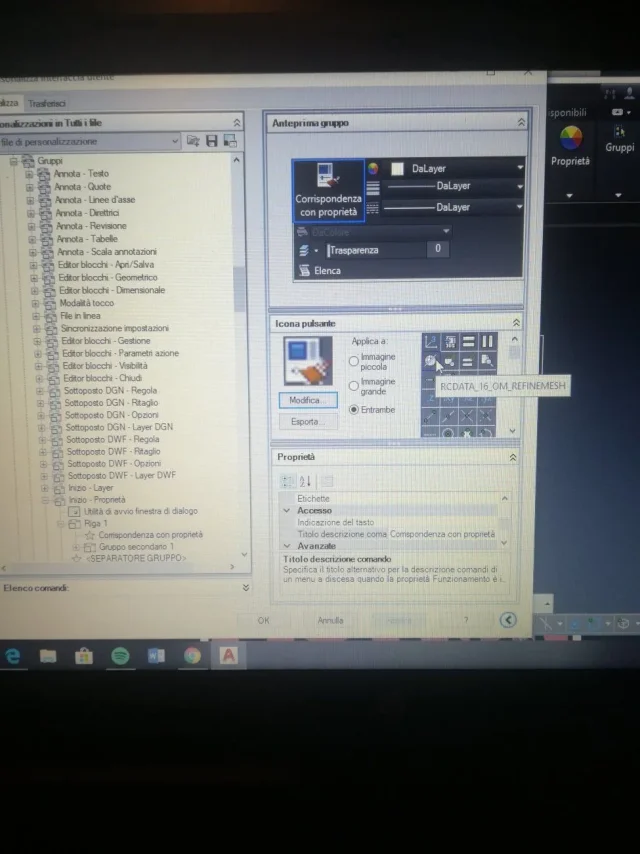
launch the command
go to multifunction bar
open the data sheet (start-2d in your case)
clicks on the affected item (attention are in alphabetical order and not as you see on screen)
the move where you want
 
correct what has told you massive, but in my opinion it is easier to do as I have already explained, read my messages, in your screen on the top left you see the quick access bar, next to the title of the file you have a french opening a drop-down menu, start from there.
 

Attachments

  • IMG_20190104_225424.webp
    IMG_20190104_225424.webp
    102.8 KB · Views: 2
ok arrived at this point as I move it where I want, I would like to move it in the function bar though without going on property before :d
 

Attachments

  • IMG_20190104_225224.webp
    IMG_20190104_225224.webp
    114.7 KB · Views: 5
Can't make a screenshot as you have through the pc? 'These photos of the cell phone not if they can see...
then I wrote go in Cardboard interested and you show groups.
 
I moved to the quick access bar but can't put it directly in the graphical interface? anyway so could go thanks a thousand
 

Forum statistics

Threads
44,997
Messages
339,767
Members
4
Latest member
ibt

Members online

No members online now.
Back
Top