• This forum is the machine-generated translation of www.cad3d.it/forum1 - the Italian design community. Several terms are not translated correctly.

derived parts: move, copy, wheel, ...

  • Thread starter Thread starter Stefano_68
  • Start date Start date

Stefano_68

Guest
Good evening to all,
I have a problem with the derivative parts, when I insert a position automatically on a point,
I wish I could move, copy, mirror, ...
Is it possible? I can't find any commands.
thanks for the attention
 
Hi.

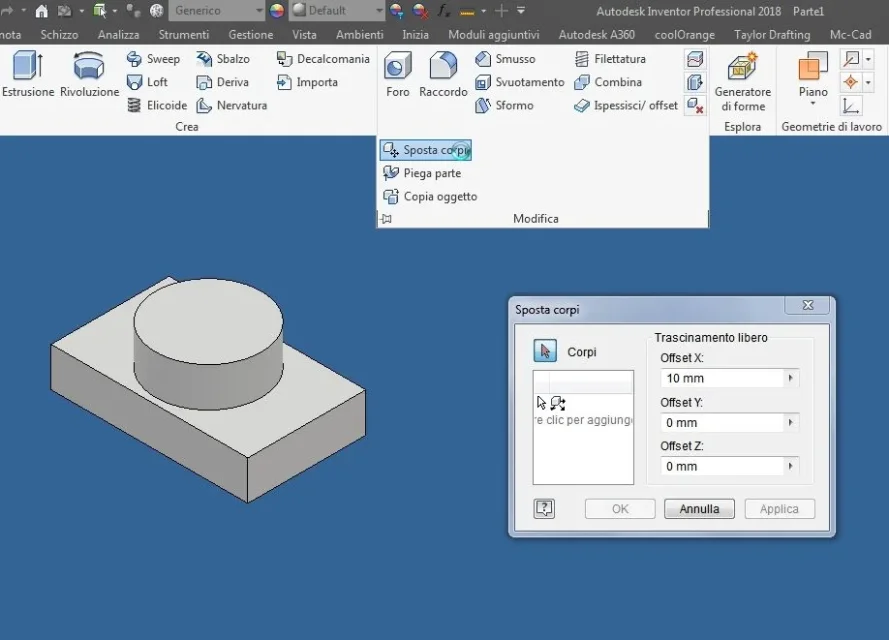
you can use the following commands:
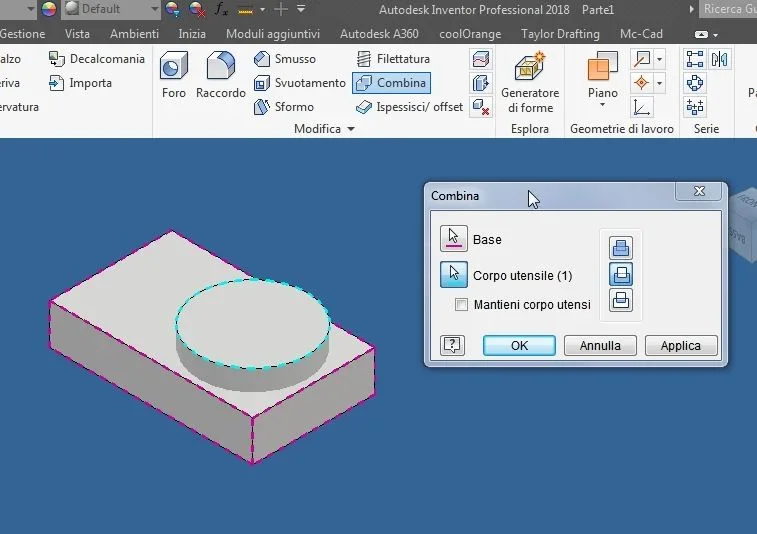
_foto__148.webpthis gives you the possibility to move and rotate "multybody" bodies or derivative objects to determine their positions
correct and use them as "punzoni" in the solid modeler
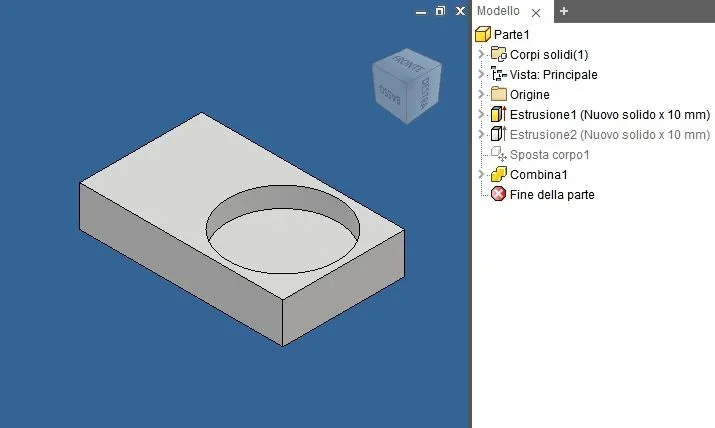
link autodesk:http://help.autodesk.com/view/invntor/2018/ita/?guid=guid-993a4c8c-867e-4f87-8c50-ee90c61a7f3athen you can use Boolean operators to perform sums - subtracts - intersections
_foto__150.webp
_foto__151.webp

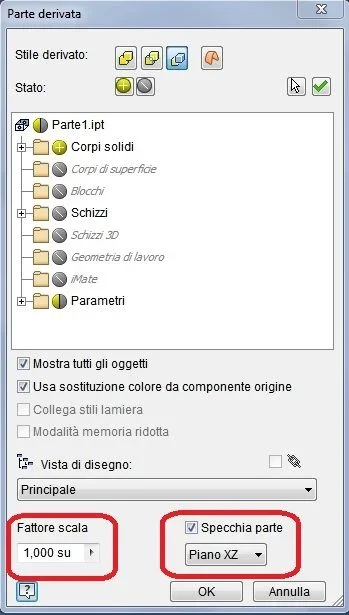
link autodesk:http://help.autodesk.com/view/invntor/2018/ita/?guid=guid-349c84ee-2d24-4dfc-a239-afd55e5441adfor the "spec" and the "scale" , you must manage them from the interface of the derived part
_foto__152.webp
 
Good morning and thank you matteo,
but if you want to move according to points, is it possible? how do you define the starting and arrival point?
can you move compared to faces or references how do you do with the binding command?
 
no, unfortunately it is only done with x,y,z, it would be in contrast with the axioms
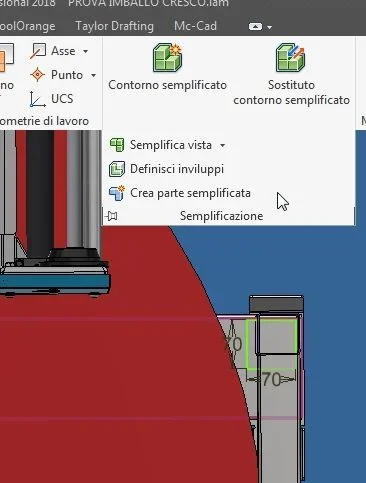
verify if, do not agree to make assemblies and then turn them into single parts with the command creates simplified part
_foto__160.webp
 

Forum statistics

Threads
44,997
Messages
339,767
Members
4
Latest member
ibt

Members online

No members online now.
Back
Top