
• This forum is the machine-generated translation of www.cad3d.it/forum1 - the Italian design community. Several terms are not translated correctly.

design a corrugated tube

  • Thread starter Thread starter Stes
  • Start date Start date

Stes

Guest
Hey, guys.
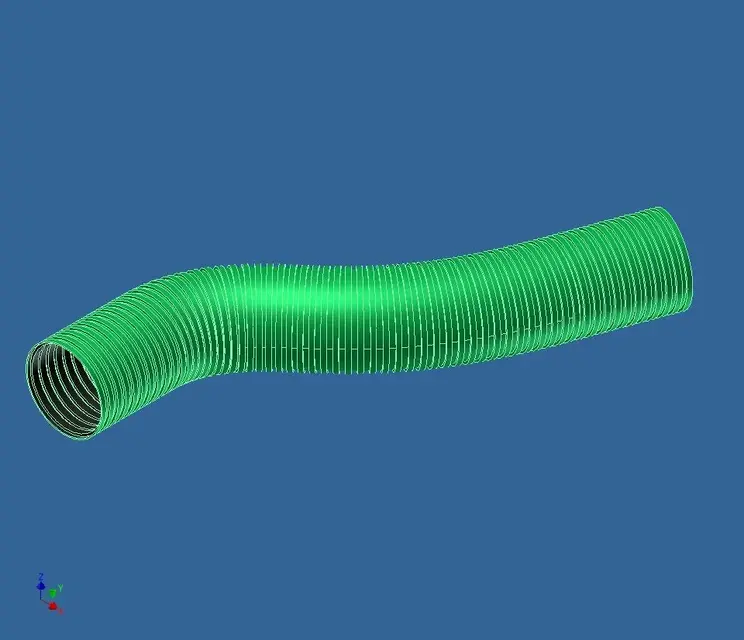
I would have a little problem: how do you draw a corrugated tube?

In essence it is a normal round tube that presents a continuous crushing-solco of the external part of step and variable depth. . I just don't know where to do this.

Any suggestions?
 
Hey, guys.
I would have a little problem: how do you draw a corrugated tube?

In essence it is a normal round tube that presents a continuous crushing-solco of the external part of step and variable depth. . I just don't know where to do this.

Any suggestions?
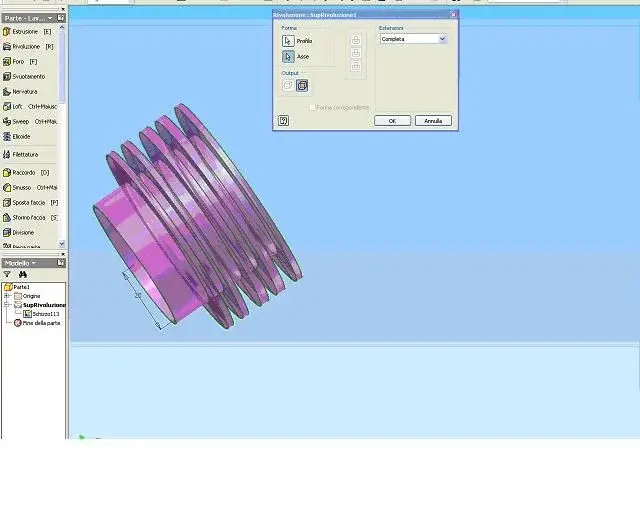
to draw the corrugated tube draws you like a comb in the sketch, I placed you just an image to make you understand (very coarse), then you will define the sketch as you say that this tube is crushed, execute a revolution, after which you perform a series of lofts to represent the step groove and variable depth
 

Attachments

  • Tubo.webp
    Tubo.webp
    24.9 KB · Views: 148
But do you really need it? suck a lot of memory for something that design does not need. if anything attacks a bitmap as you do for threads.
 
Bye to all,
I have not found the forum for the presentation so I take advantage of it to greet you all.
My name is adele and I write from roma.
Today my problem with autocad is inherent to the problem in question, that is to draw a tube (in my case of corrugated type) in 2d, starting from a default trajectory and a straight standard block.
Now, I ask you if this function exists, or if I have to do the drawing "by free hand".
Hi.
 
Bye to all,
I have not found the forum for the presentation so I take advantage of it to greet you all.
My name is adele and I write from roma.
Today my problem with autocad is inherent to the problem in question, that is to draw a tube (in my case of corrugated type) in 2d, starting from a default trajectory and a straight standard block.
Now, I ask you if this function exists, or if I have to do the drawing "by free hand".
Hi.
I think you should put the question in the autocad section,
If you want to introduce yourself to us, the presentation link is at the top of the inventor forum pagehttp://www.cad3d.it/forum1/showthread.php?t=132
 
I answer here because in the autocad forum I can't find it! according to me you can try with the command divides:
draws a block that represents a ring of the corrugated tube, draws the trajectory with a single spline, uses the divid command and when it asks number of segments write b (block), put the name of the newly designed block and, in the end, put an appropriate number of blocks.
try and see if it's your case....
 
I answer here because in the autocad forum I can't find it! according to me you can try with the command divides:
draws a block that represents a ring of the corrugated tube, draws the trajectory with a single spline, uses the divid command and when it asks number of segments write b (block), put the name of the newly designed block and, in the end, put an appropriate number of blocks.
try and see if it's your case....
perfect, the only problem is that you'll have to be careful not to bend too tight, no rings overlap. . . .
 

Forum statistics

Threads
44,997
Messages
339,767
Members
4
Latest member
ibt

Members online

No members online now.
Back
Top