&Marco&
Guest
Bye to all,
First of all a proper greeting to all since I am a neophyte of this forum. I have a problem for you.
I have recently installed the version of sw 2012 to 64bit and had problems in setting up the table, instead of disposing the views with the European method has arranged them with the American one.
However no problem I found a discussion in the forum that spoke about this issue and solved the problem.
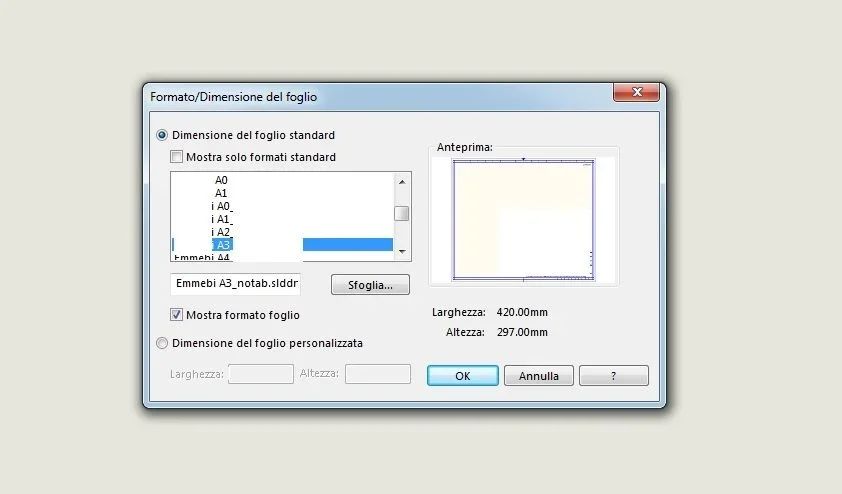
the bega comes after and that is every table that I open proposes it again with the American method. I would like to understand if there is a way to save the configuration of the drawing sheet so that every time you do not have to change the type of projection with which I want to draw. I have already tried to save the sheet format with the various changes but surely I mistake some passage because the settings do not save. a thank you in advance to all those who will respond.
First of all a proper greeting to all since I am a neophyte of this forum. I have a problem for you.
I have recently installed the version of sw 2012 to 64bit and had problems in setting up the table, instead of disposing the views with the European method has arranged them with the American one.
However no problem I found a discussion in the forum that spoke about this issue and solved the problem.
the bega comes after and that is every table that I open proposes it again with the American method. I would like to understand if there is a way to save the configuration of the drawing sheet so that every time you do not have to change the type of projection with which I want to draw. I have already tried to save the sheet format with the various changes but surely I mistake some passage because the settings do not save. a thank you in advance to all those who will respond.