• This forum is the machine-generated translation of www.cad3d.it/forum1 - the Italian design community. Several terms are not translated correctly.

details not visible in the table

  • Thread starter Thread starter fabietto75
  • Start date Start date

fabietto75

Guest
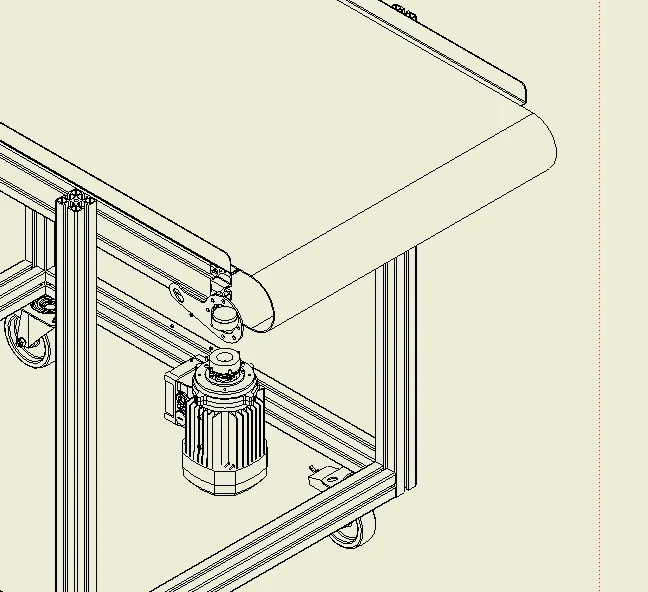
hi to everyone, working with inventor2020, sometimes I happen that in 3d I see all the details, and I have no messages of error, but in the table, as by magic, some details disappear, I attach photo to explain myself better,
Did someone have the same problem? I can kindly help me find a solution.
Thank you in advance!
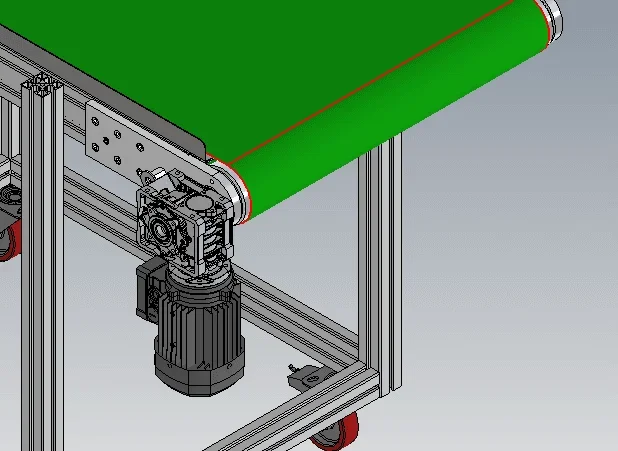
 

Attachments

  • esempio.webp
    esempio.webp
    31.9 KB · Views: 10
  • esempio 2.webp
    esempio 2.webp
    34.4 KB · Views: 9
the reducer could be a surface and it could be that you don't have the snack that allows you to put the surfaces on the table.
There are commercials, which discharge from the manufacturers, which must be adapted to be able to use them at best.
 
It may also be that you changed the reducer after creating the table, it also happens that you have to make the piece visible in the table, go to the view tree and check.
 
hello, as you said before, surely it is surface bodies (or in specific cases of mesh bodies).
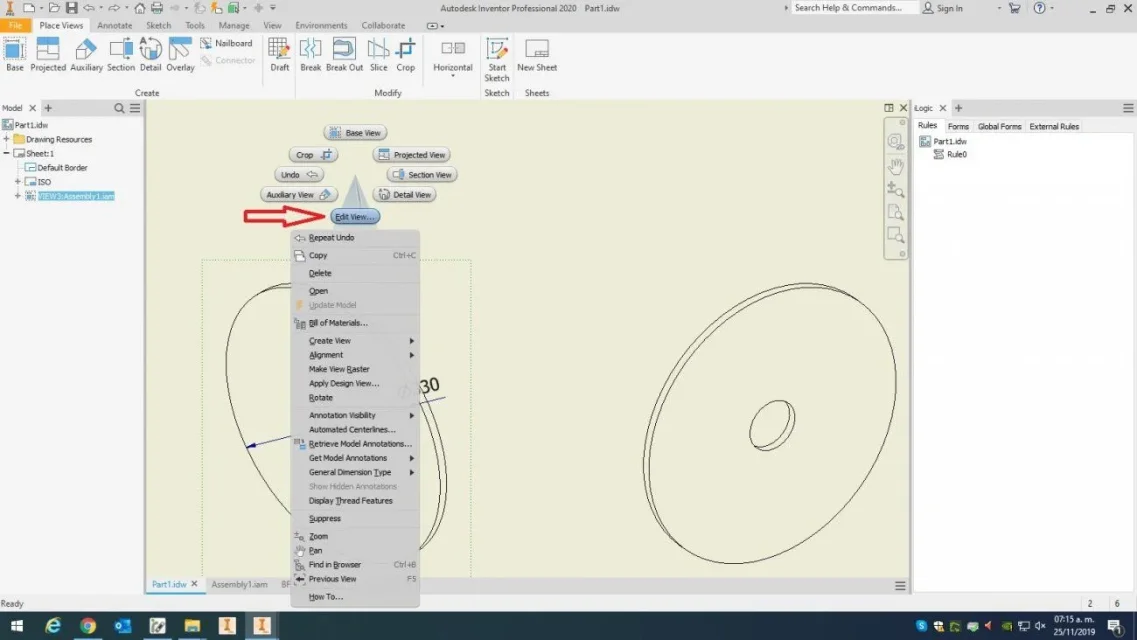
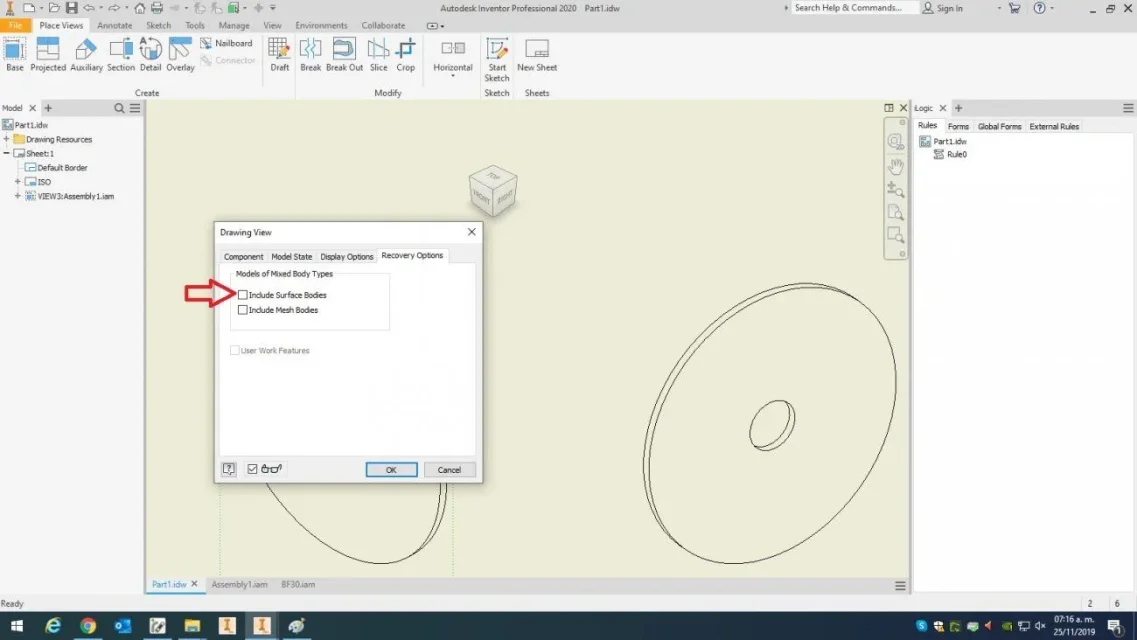
to correct this, I suggest you change the design view and then activate the board that includes surface bodies (you can also activate mesh bodies here)1.webp2.webpI hope this helps with your problem. greetings
 

Forum statistics

Threads
44,997
Messages
339,767
Members
4
Latest member
ibt

Members online

No members online now.
Back
Top