
• This forum is the machine-generated translation of www.cad3d.it/forum1 - the Italian design community. Several terms are not translated correctly.

Developed Sheet Development

  • Thread starter Thread starter Daniel13
  • Start date Start date

Daniel13

Guest
Good morning.
I tried to look at the forum but I couldn't find the answer I'm looking for.
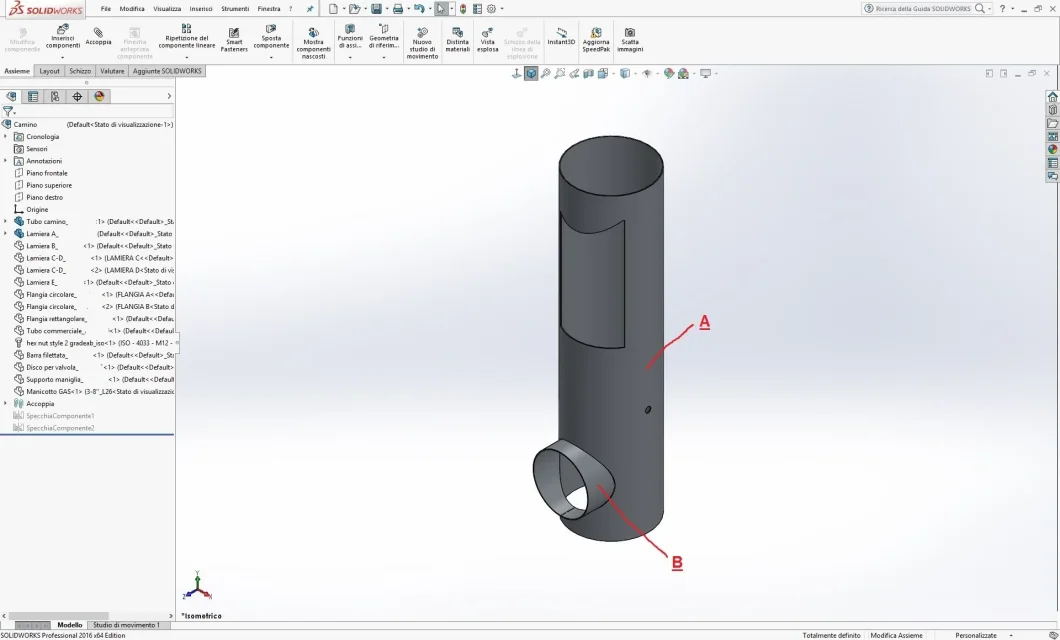
I have to make this "t-connected pipe" with a sheet metal.
As for the piece "b", I don't understand why when I go into the design environment to scare and I have to quote the development of the sheet, I can't quota the rays of the curved lines.
Am I wrong with the procedure for creating the piece?

attached place the piece which in the image is indicated with letter b.
Thank you.
Tubo raccordato a T.webp
 

Attachments

from that image you understand little, it was also necessary to add one of the table with development.
but I would say that by extending the sheet the curves are transformed into spline and therefore not quotaable directly. in theory should appear, even if for a few seconds, a message of error type "impossible to quote a nonlinear or curved element" (approximate notice due to memory defect)
what you can do is stretch the sheet, trim it with curved entities and fold it.
 
Yes, the curves are turned into spline and the error message you mentioned appears.
Can you explain to me what you're up to when you say, "Round with curved entities"? I don't understand what I should do and what I command to use once the sheet is spread.
Thank you very much for your help.
 
trimming means making a cutting function, or extrusion if you prefer to have excess margin, which follows the spline profile using lines and curves. can be even only 1mm, just to eliminate the spline. Moreover it is a welded tube inside another, the precision is of the order of the millimeters if the carpenter is of the good ones
 

Forum statistics

Threads
44,997
Messages
339,767
Members
4
Latest member
ibt

Members online

No members online now.
Back
Top