Emergent
Guest
Hello.
I attach a file and some pictures to try to make me understand better.
I am following tutorials on surface use but I am with some inconveniences that I cannot solve.
I wonder if there's anyone who could help me.
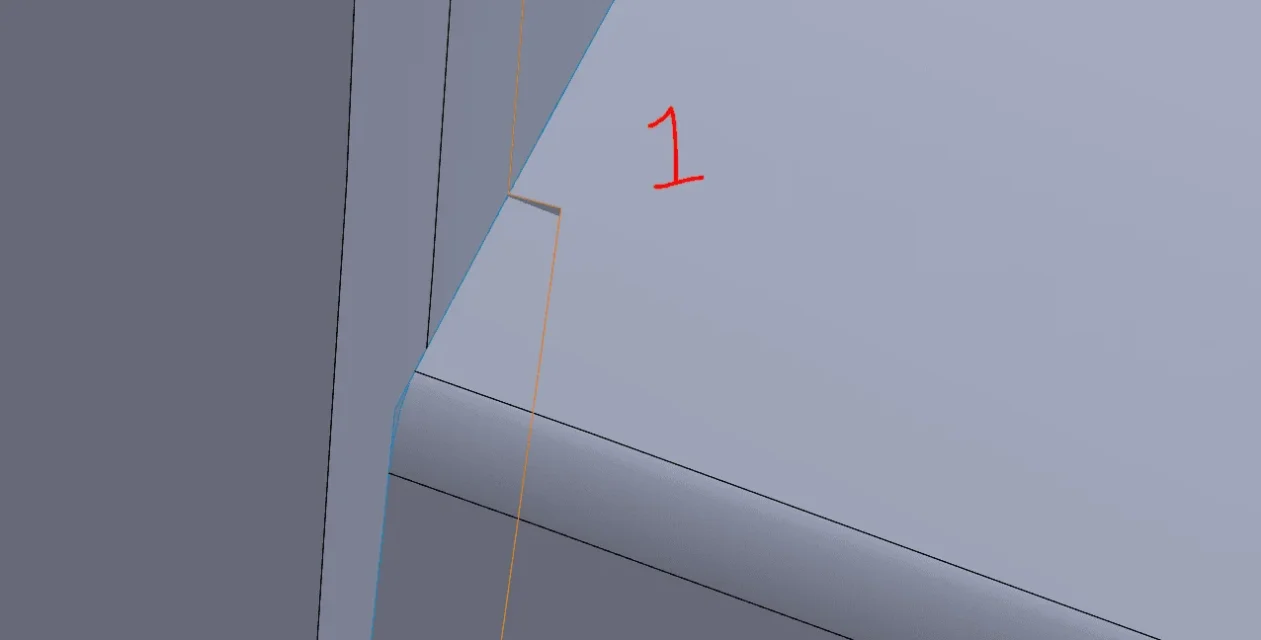
- with trimmed surface cut the part I don't need, as you see in the image.
In image 2 you can see, however, that remains a very small part of surface that I can no longer remove.
Is there a reason why, with a trimmed surface does not take everything away from me in a single blow?
- in image 3 you see other material that I want to remove with trimmed surface.
in image 4 I avoid the problematic area.
in image 5 you see the problem. the surfaces are not "saved".
issue of visualization or really are not among them attacked?
going into tools-> options-> document-> image quality I tried to bring to the maximum quality (with slides), but always sees everything scaled (it should not be a problem of my pc, having a nvidia rtx 2070).
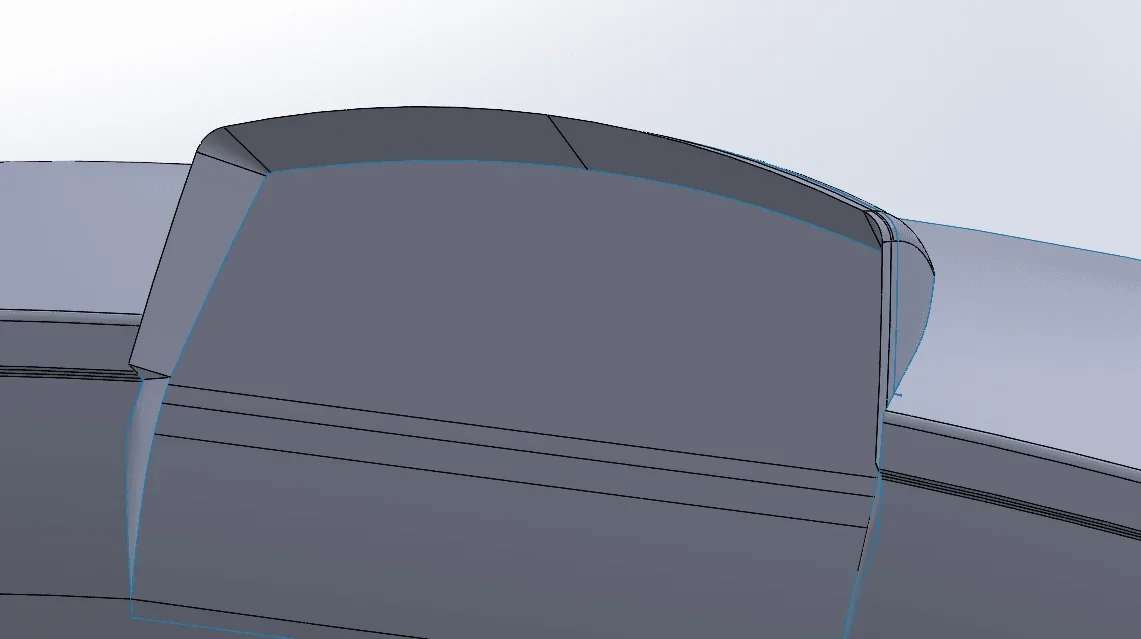
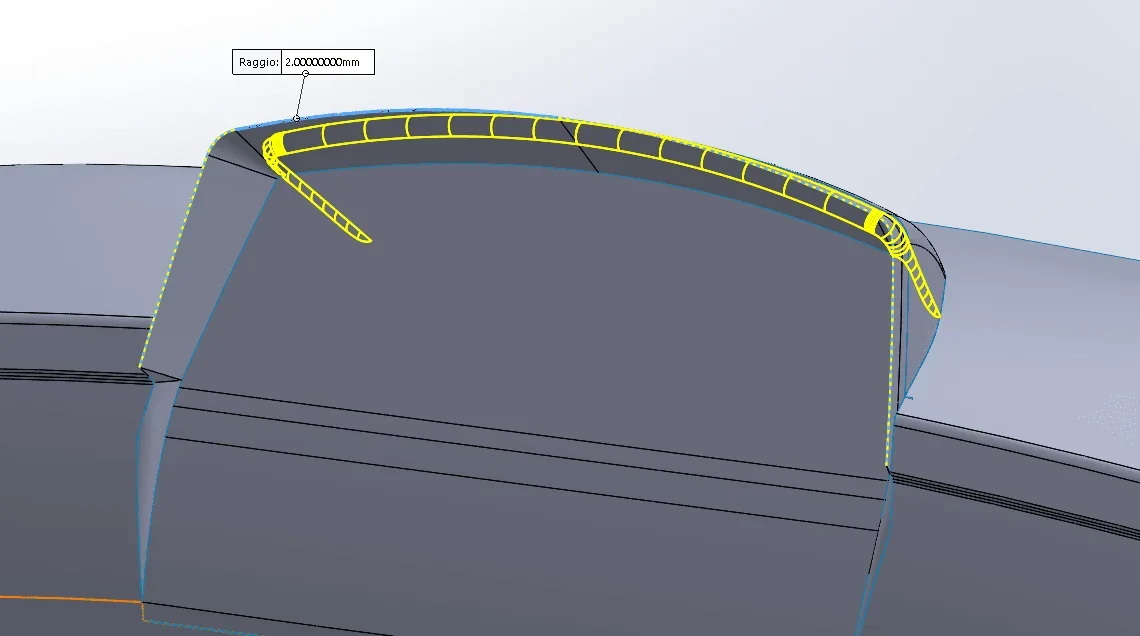
- in pictures 6, 7 and 8 you see the chord I want to do and what comes out.
I can't find a way to collect the profile that in image 7 you see selected and dashed.
- in image 9 tells me that the laminar edges cannot be connected.
Is there any other way to create a fitting, maybe adding material?
- with solidworks are there plugs in, to work with surfaces, better than the tools present by default in the software?
I hope I didn't make too much fuss.
I attach a file and some pictures to try to make me understand better.
I am following tutorials on surface use but I am with some inconveniences that I cannot solve.
I wonder if there's anyone who could help me.
- with trimmed surface cut the part I don't need, as you see in the image.
In image 2 you can see, however, that remains a very small part of surface that I can no longer remove.
Is there a reason why, with a trimmed surface does not take everything away from me in a single blow?
- in image 3 you see other material that I want to remove with trimmed surface.
in image 4 I avoid the problematic area.
in image 5 you see the problem. the surfaces are not "saved".
issue of visualization or really are not among them attacked?
going into tools-> options-> document-> image quality I tried to bring to the maximum quality (with slides), but always sees everything scaled (it should not be a problem of my pc, having a nvidia rtx 2070).
- in pictures 6, 7 and 8 you see the chord I want to do and what comes out.
I can't find a way to collect the profile that in image 7 you see selected and dashed.
- in image 9 tells me that the laminar edges cannot be connected.
Is there any other way to create a fitting, maybe adding material?
- with solidworks are there plugs in, to work with surfaces, better than the tools present by default in the software?
I hope I didn't make too much fuss.