
Simus89
Guest
having changed version of cad, I have a small snap activation problem that I can't fix .. I have x farza of things having forgotten to activate something ..anywhere both when I go to draw any form on autocad (see example below )
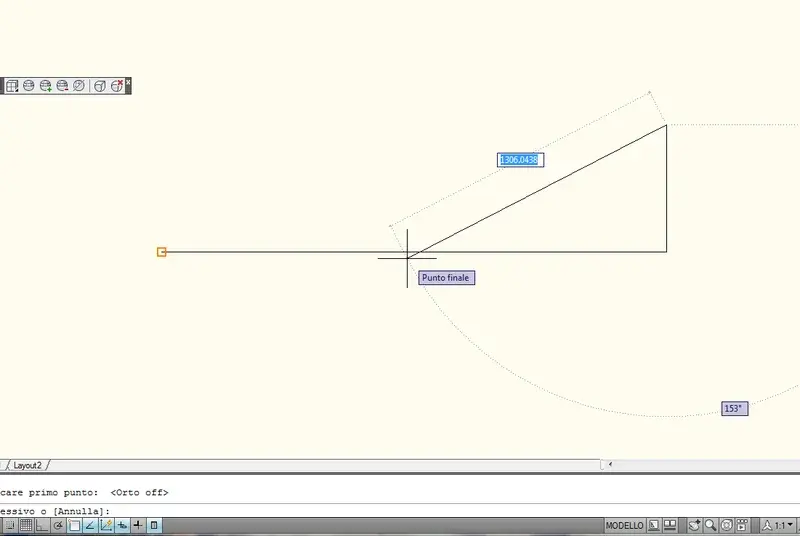 I find myself with the annoying situation of the impossibility to dissect a line with another line (as you see in the drawing, as soon as I approach half' or cmq I try to dissect the line in example, the snap that is activated is the angle and as soon as I click the straight intersect systematically in that point >_<" ...) now ... my situation regarding snap and similar robes is this
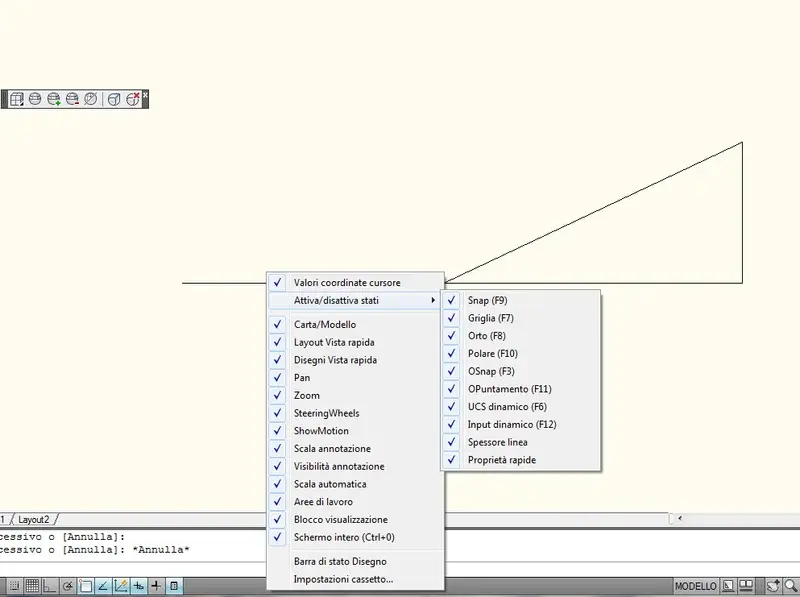 . the first time I put my hand on cad had already been set up by my friend and now unfortunately I pay the shake ^^"... thanks again for the help
I find myself with the annoying situation of the impossibility to dissect a line with another line (as you see in the drawing, as soon as I approach half' or cmq I try to dissect the line in example, the snap that is activated is the angle and as soon as I click the straight intersect systematically in that point >_<" ...) now ... my situation regarding snap and similar robes is this. the first time I put my hand on cad had already been set up by my friend and now unfortunately I pay the shake ^^"... thanks again for the help
Last edited by a moderator:
