• This forum is the machine-generated translation of www.cad3d.it/forum1 - the Italian design community. Several terms are not translated correctly.

display states

  • Thread starter Thread starter Marco Mazzocchi
  • Start date Start date

Marco Mazzocchi

Guest
Hello, everyone.
Is there any way to hide the display states?
in the feature tree they can hide, but they are only related to that aid...I would like something that always hides them, without having to go into the menu every time.
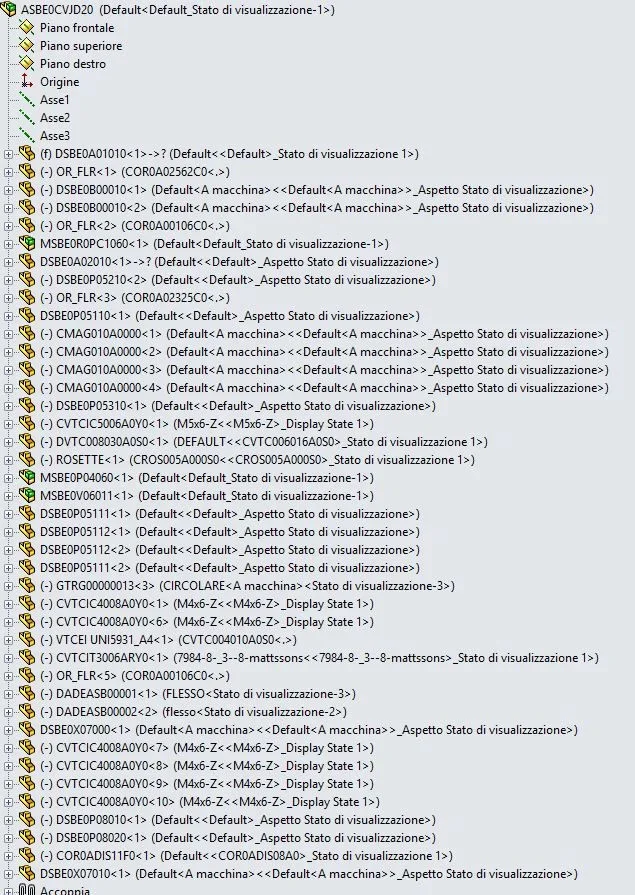
 
This is our feature tree, and it is practically incomprehensible unless you have a 50-inch monitor." .Cattura2.webpif I click with the right button on the axieme---> tree view---> display status names (deselecting it)
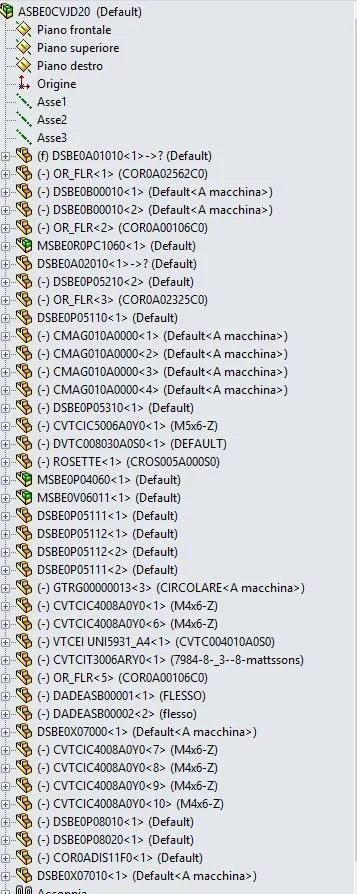
the result is thisCattura3.webpall the more readable
sin that this change is bound only in this context and not to all our assemblies, I wondered if there was a way to make it standard
 
If you edit it in the template, however, it wouldn't automatically apply to all old drawings when you reopen, would it?
 

Forum statistics

Threads
44,997
Messages
339,767
Members
4
Latest member
ibt

Members online

No members online now.
Back
Top