• This forum is the machine-generated translation of www.cad3d.it/forum1 - the Italian design community. Several terms are not translated correctly.

distinct structured components and miniatures

  • Thread starter Thread starter chares82
  • Start date Start date

chares82

Guest
Hello everyone
I'm literally arguing with inventor 2018, I have two main problems for the moment:
1) I can't export the distinct structured, I can only export the first level, where am I wrong? Is there any setting to set in the set?
2) Is there a possibility to export thumbnails to excell without resorting to external or complicated software?
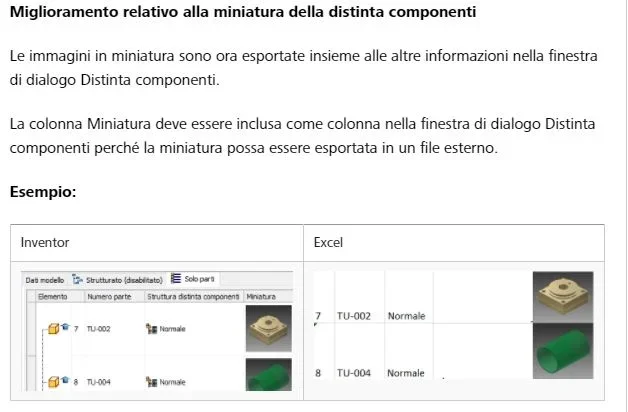
 
if you update the cad, with 2018.1 the automatic export of thumbnails in excel
iv2018.1.webp

per quanto riguarda la struttura, ho sempre fatto o copia incolla o tramite ilogic che ti allego qui sotto:


nome_file=thisdoc.filename(true) 'with extension (false) without extension
nome_file_no_est=thisdoc.filename(false) 'with extension (false) without extension
percorso=thisdoc.path
estensione = right (nome_file,3)

'{9c464203-9bae-11d3-8bad-0060b0ce6bb4} = lamiera
'{4d29b490-49b2-11d0-93c3-7e07060000000} = parte
'{bbf9fdf1-52cd-11d0-8c04-0800090be8ec} = tavola 2d
'{e60f81e1-49b3-11d0-93c3-7e0706000000} = assieme

tipo=iproperties.value("project", "document subtype")
if tipo <> "{e60f81e1-49b3-11d0-93c3-7e0706000000}" then
messagebox.show("eseguire il comando da un file di assieme (.iam).", "!!attenzione!!")
exit sub
else
end if

dim odoc as assemblydocument
oxls = thisdoc.pathandfilename(false) + "bom-structuredalllevels.xls"
odoc = thisapplication.activedocument

'set a reference to the bom
dim obom as bom
obom = odoc.componentdefinition.bom

'set the structured view to 'all levels'
obom.structuredviewfirstlevelonly = false

' make sure that the structured view is enabled.
obom.structuredviewenabled = true

'set a reference to the "structured" bomview
dim ostructuredbomview as bomview
ostructuredbomview = obom.bomviews.item("strutturata") '("structured")

' export the bom view to an excel file
ostructuredbomview.export (oxls, kmicrosoftexcelformat)

'define excel application object
excelapp = createobject("excel.application")
'set excel to run visibly
'change to false if you want to run it invisibly
excelapp.visible = true

'open the workbook
wb = excelapp.workbooks.open(oxls)

'set all of the columns to autofit
excelapp.columns.autofit
'suppress prompts (such as the compatibility checker)
excelapp.displayalerts = false

''add a new sheet to the xls file
'excelapp.sheets.add.name = "sheet1"
''select the original exported sheet
'excelapp.sheets(2).select
''select range to copy
'excelapp.columns("g").copy
''select sheet to paste to
'excelapp.sheets("sheet1").select
''select range to paste to
'excelapp.columns("a").select
''paste the selection
'excelapp.activesheet.paste
''reset selected cell to a1
'excelapp.cells(1,1).select
''delete the original sheet
'excelapp.sheets(2).delete()

'save the workbook
wb.save
 
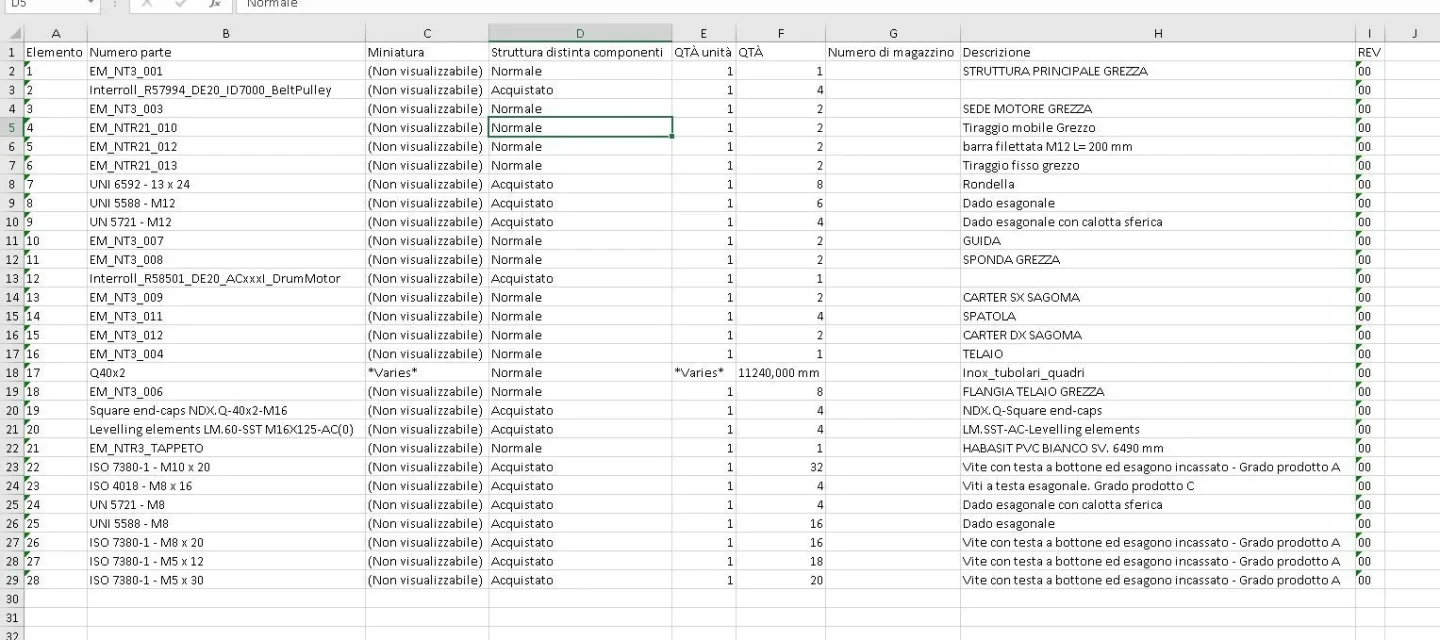
thanks for the answer, but the results of export in excell is this:
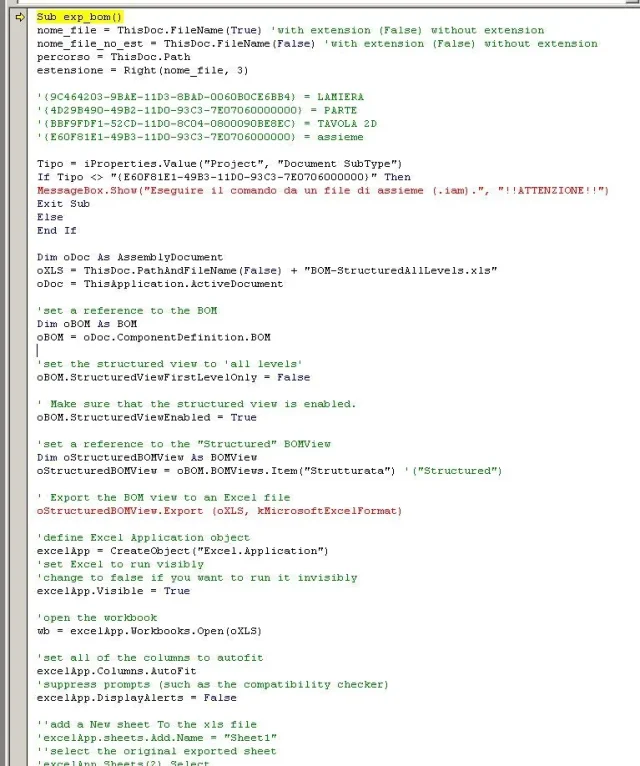
excell distinta.webpInstead the ipart gives me error of syntax (discussed but programming I do not understand anything):
exp_bom.webp
 
Hi.
attention, it is not a visual basic command but ilogc, so you have to launch it from the rules
View drop-down menu - user interface - activate "ilogic"

go to the external rules tab, dx key - create a new rule and paste them listed
then let it go

the export in excel with miniature takes place only from 2018.1
 

Forum statistics

Threads
44,997
Messages
339,767
Members
4
Latest member
ibt

Members online

No members online now.
Back
Top