• This forum is the machine-generated translation of www.cad3d.it/forum1 - the Italian design community. Several terms are not translated correctly.

divide a thickness surface into two parts

  • Thread starter Thread starter Damians82
  • Start date Start date

Damians82

Guest
hello to all, I am using for a course version 4 of pro engineer.I modeled a complex shape with the surfaces and then I have thickened it.
the surface also contains a recess. I created a trajectory for cutting in two separate parts for assembly.
But now I don't know how to divide it... can you divide a solid using a surface created with a sweep? or are there any other ways? :confused:


ps forgive a neophyte.. .
 
if your intent is to use the two half in the assembly there are various ways.
the most immediate that comes to mind is to make two cuts that you will insert into family table.
if you want to use the upper half active the lower cut in its variant.
if you want to use the lower half activate the upper cut.

If your question was related to something else, put at least one image that makes us understand the problem.
 
but the cut is done with a surface? Can you help me understand how the family table works? :redface:

I forgot, I also wanted to make small changes in the piece, screw locations, snap-fit.. .

Thanks for the help!
 
Last edited:
the cut you do it with an extrusion that excludes the desired half.
of cuts you have to make two (one for each half).

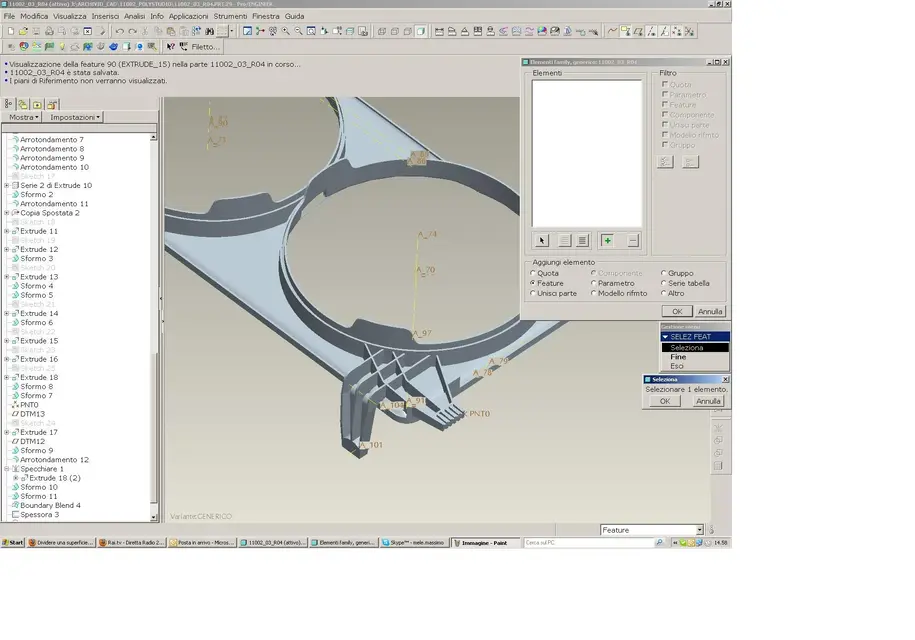
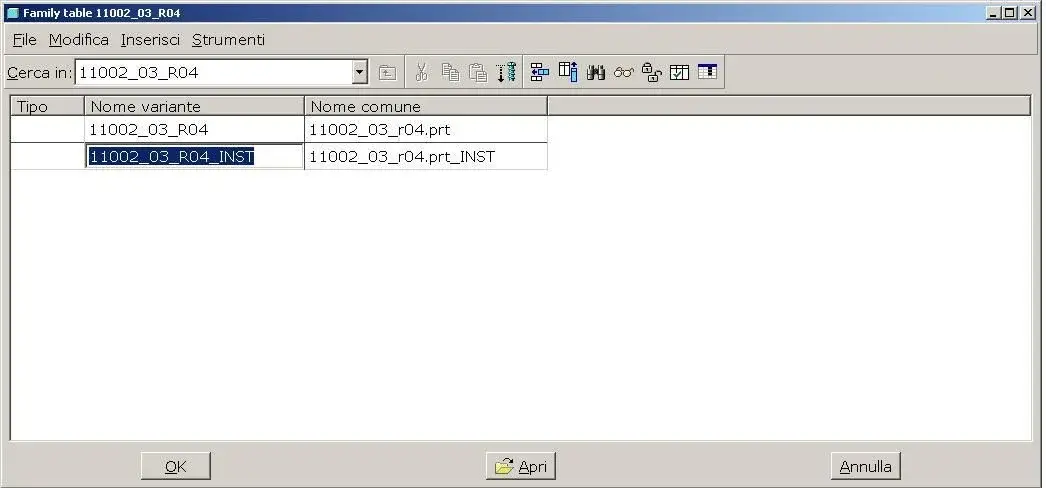
go to instruments>family table
insert a line that will represent a variant of the main model (image 1)
insert a column in which you will enter the features you intend to hold active or suppress depending on the variant (image2).

cuff a little and read some page of the internal guide, if you have problems let us know.
 

Attachments

  • Immagine2.webp
    Immagine2.webp
    162.7 KB · Views: 22
  • Immagine1.webp
    Immagine1.webp
    21.6 KB · Views: 14
Thank you!
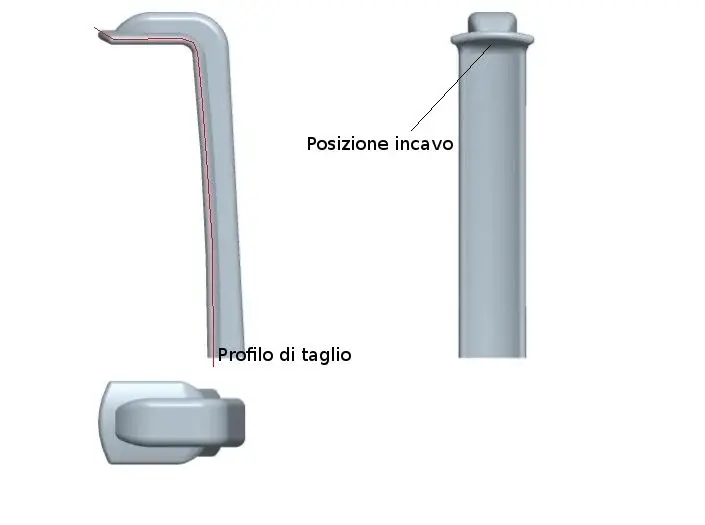
But I will have to use a blend or sweep of solid then. Unfortunately the object I wanted to split into two parts to function with attacks and ribs has a profile to l! and contains a recess along the cutting line!

I built a complicated object and now I regret it!

ps I hoped I could also subtract the first solid division from the whole object! :tongue:
 

Attachments

  • Corpo lampada2.webp
    Corpo lampada2.webp
    7.8 KB · Views: 11
I try to see if I understand:
with the family table I can save the two parts by creating two variants that include one or the other cut performed with a cut feature.

question: Can I also exclude a part of the object from the cut feature that moses its head?
 
yes, with the family table you can build all variants that follow conditional rules (yes/no) on the features, or dimensional variants related to the quotas (for example a family of screws for which the variable is length, or length and diameter).
you can do many other things... for the moment try these two areas.
 
yes, with the family table you can build all variants that follow conditional rules (yes/no) on the features, or dimensional variants related to the quotas (for example a family of screws for which the variable is length, or length and diameter).
you can do many other things... for the moment try these two areas.
I understand the base. can I ask you in my specific case a advice on how to set the procedure?

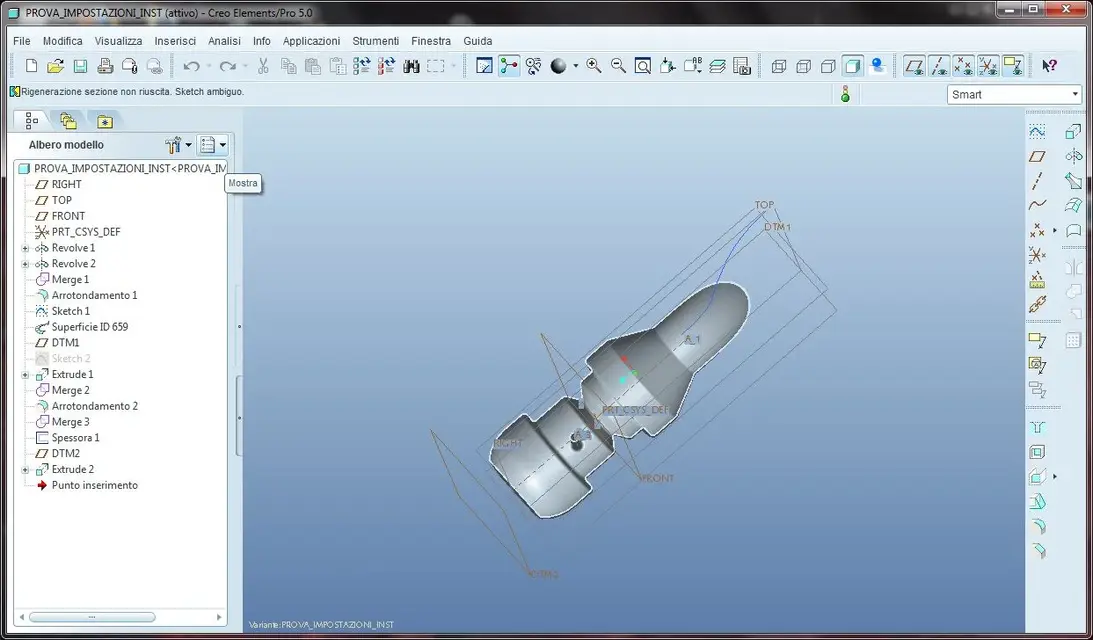
I explain, the internal protusion that I don't want to cut with the cut feature belongs to a thick merge surface that I cut with the cut solid.
I'll get you an image of the test file I'm on.

How can I save extrusion 1 which is part of the union from cutting the head? :confused:
 

Attachments

  • Prova.webp
    Prova.webp
    69.3 KB · Views: 11
Last edited:

Forum statistics

Threads
44,997
Messages
339,767
Members
4
Latest member
ibt

Members online

No members online now.
Back
Top