• This forum is the machine-generated translation of www.cad3d.it/forum1 - the Italian design community. Several terms are not translated correctly.

double slope ramp?

  • Thread starter Thread starter rosposan
  • Start date Start date

rosposan

Guest
Hello, everyone!
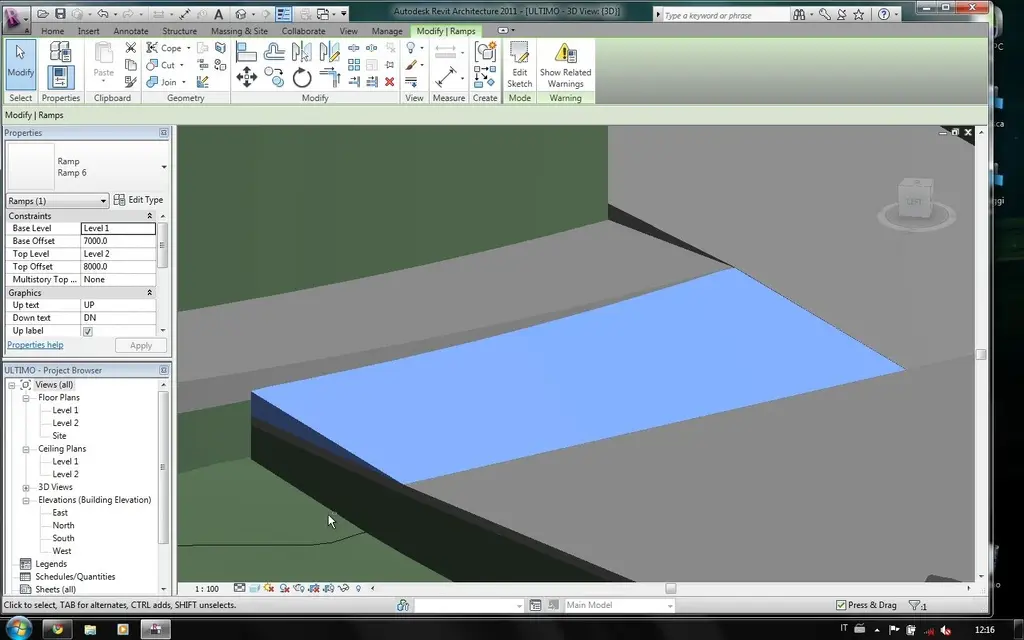
use revit 2011 - English version - from about ten days and with some difficulty I managed to shape a ground and level it with the building pads, also managing to calculate the cubic meters moved. My problem now is to collect plans at different height. the idea is to model a ramp that however has a double slope...the two tops of the upper part must have two different heights and also follow the profile of the wall from which the ramp begins.
I place the image because it is not easy to explain in words!
Can anyone help me? ? !
Thank you in advance! :biggrin:
 

Attachments

  • ScreenShot001.webp
    ScreenShot001.webp
    88.5 KB · Views: 17
Welcome to the forum
if the slopes (in both directions) are constant you can use the floor and then change the quotas (grip) to the corners (terminals).
or create ad hoc solids with extrusions.
or use the masses....

in the forum there are other discussions on the same question. use the "search in the forum" button on the top right in the revit forum
 
Welcome to the forum
if the slopes (in both directions) are constant you can use the floor and then change the quotas (grip) to the corners (terminals).
or create ad hoc solids with extrusions.
or use the masses....

in the forum there are other discussions on the same question. use the "search in the forum" button on the top right in the revit forum
thank you for the answer first!
I searched on the site before posting, but I did not find the answer I needed...if I missed something I apologize, I will check again! :
but I can't do what you recommended. . Once the tilted plane is created, I can't understand where the editing is to change the grip..
As for extrusions and masses, I don't know how to start. I use 3d studio for a few years but I can't find myself with the commands here in revit..
 
use command : start >flooring >flooring ...
(not the sloped ramp)
designed the floor, from the "modifies shape" zone in the menu above use the command "set secondary elements" turn on the grips.
by clicking on the grip, you activate the share that you can change to taste (plant view)
from a view of prospectus or section the grips can also be dragged "manually"
 
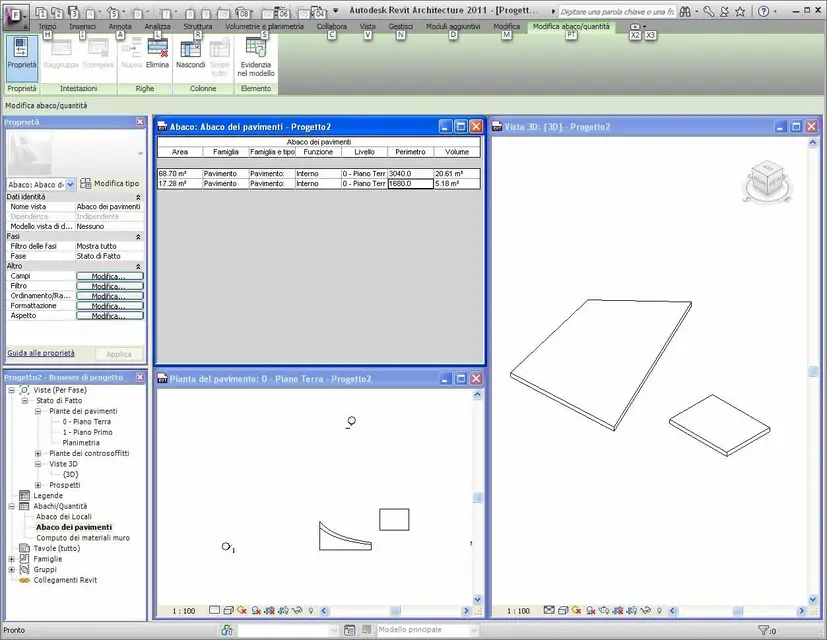
but so in the abachi, the ramp is not considered as a floor? How can it be differentiated?
 
designed the floor, from the "modifies shape" zone in the menu above use the command "set secondary elements" turn on the grips.
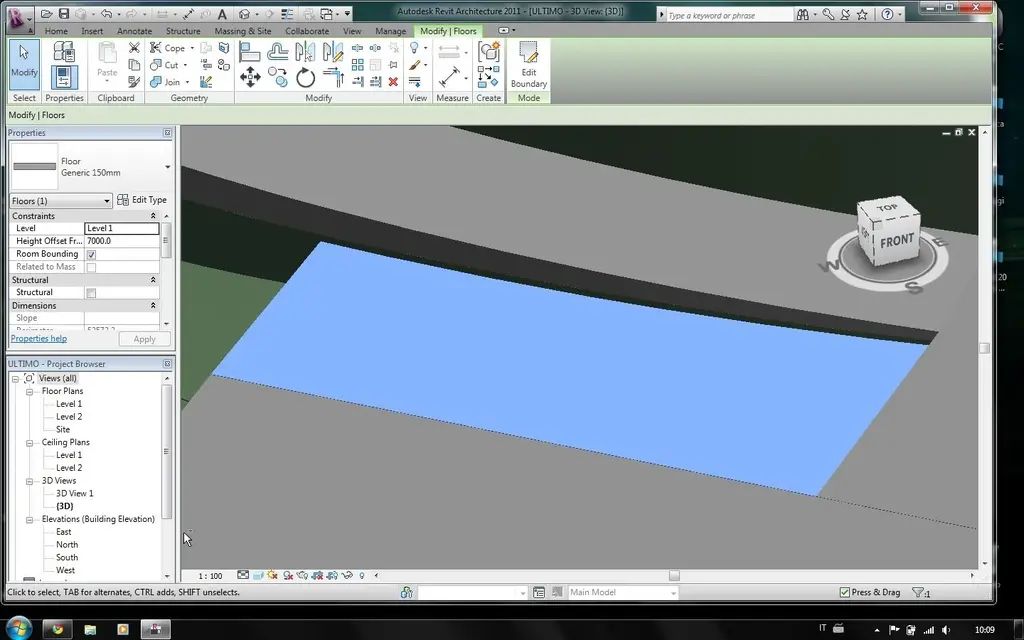
thanks for the info...but in the 2011 version I can't find the command you indicated me...I found screenshots of the 2010 truth but it's different from the next one and I don't find myself. placed the image of the program with the selected floor and one with the edited floor..magari can you see where it can be?! Sorry for the peeling, but face to face with a new program of pat is not easy. . .
then I wanted to ask even if it was possible to connect two "building pads" at different heights with a ramp and know how much land it takes. until now I have always created a third "building pad" that connected the two floors, doing it to the same height of the lower floor, and then I created a ramp, but the program does not give me information about the necessary land.
Thank you so much in advance to all!
 
le immagini...
 

Attachments

  • ScreenShot001.webp
    ScreenShot001.webp
    89.1 KB · Views: 20
  • ScreenShot002.webp
    ScreenShot002.webp
    98.6 KB · Views: 14
Well, I don't have the command. .
I don't know where I'm wrong, I'll try another way, thank you anyway.
 

Forum statistics

Threads
44,997
Messages
339,767
Members
4
Latest member
ibt

Members online

No members online now.
Back
Top