• This forum is the machine-generated translation of www.cad3d.it/forum1 - the Italian design community. Several terms are not translated correctly.

draw antivibrant: coated metal parts in rubber

  • Thread starter Thread starter stefer
  • Start date Start date

stefer

Guest
Good evening, everyone.
I'm going to give you a problem I've dealt with about ten days ago, I thought I'd solved and instead... Here I am.
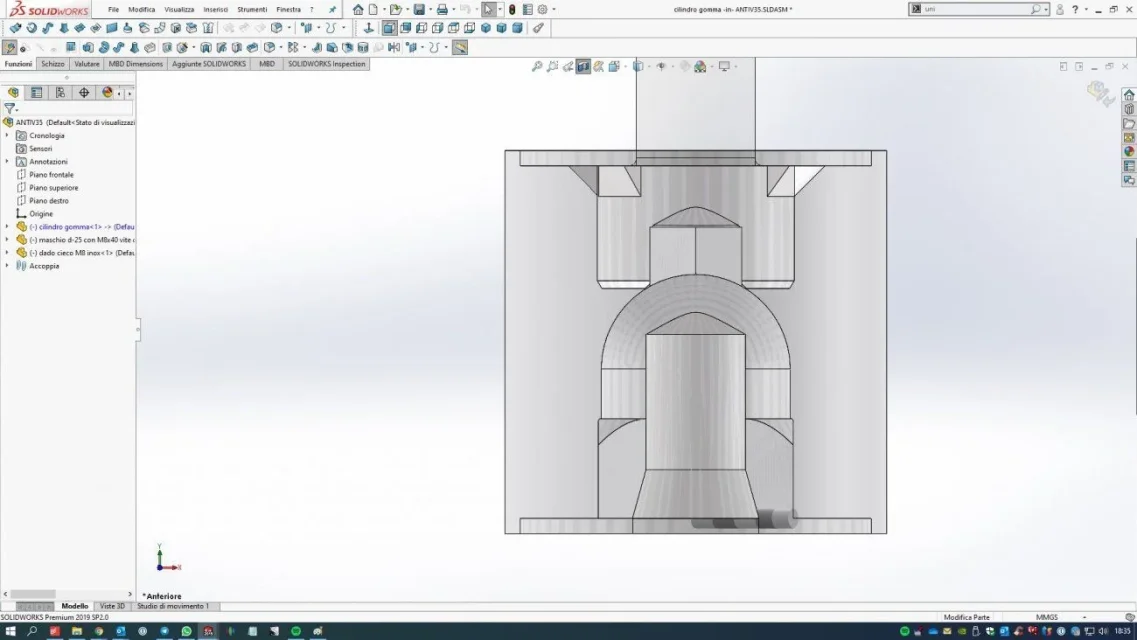
as you can see from the attachments, I have to draw an antivibrant. In practice two semi-finished metal parts are adhered to the rubber that is injected into the center, filling a worked compartment of a mold. the rubber goes to "abbrace" the internal metal parts. for this reason I cannot draw the rubber part with a revolution extrusion and then combine the metal parts. . because this ultratime would overlap with the inner rubber and when I go to make a section, you see everything as a unique body, as in the attached images.antiv35.webpI tried to make a section for the extrusion of revolution going to internally shape the metal parts.. But first I have to place them... then I have to go create the section, but when I return to the sketch, the female metal part disappears and so I can no longer use the shape as a guide... in addition to the fact that it is very difficult to pass over the lines when there are fittings and arches.
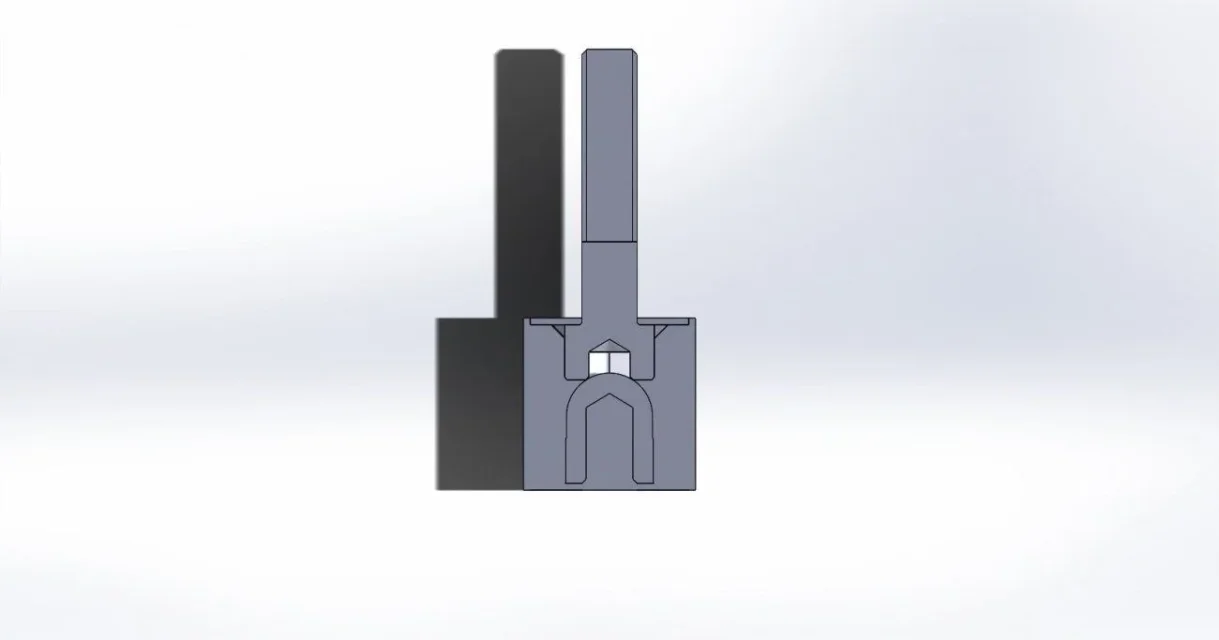
antiv35_2.webpAt this point I'm sure I'm following the wrong workflow... Can someone help me? Thank you!

steak
 
if you attach the file you can take a look at it.
in the tree feature manager of the part you must have 4 bodies:
1 screw
2 washers
1 central rubber cylinder.
If you don't have this condition you're wrong.
 
here is the attached file.
in the tree of the feature manager I have not exactly the bodies you have listed, because in reality the male semi-finished and the female semi-finished I created them as part in another file... and then I used the insert/part command to insert in another file the two semi-finished and where I created the central rubber cylinder. then in the shaft are the two semi-finished and the rubber cylinder. The latter, however, covers the metal parts inside the rubber... Unfortunately.

Hello and thank you!
steak
 

Attachments

in the feature manager you have 8 bodies
5 of the male part
2 of the female part
1 rubber rubber rubber

If you cancel the revolution by keeping the sketch you will see that it is placed above the insertion of the femnmin part.
the body shifts of the female part refer to the sketch4 which therefore is as the upper hierarchy. for this when you go to change the sketch the female part disappears, because the second is bound to the first.
what you can do is make a cut in revolution or use the intersectional function
 
other important thing, when you have to attach files with references or simply send them to someone else you have to pack&go otherwise all files are not loaded.
strangement ein this case I see them, but at the opening I am specified that certain files are missing
 
If you cancel the revolution by keeping the sketch you will see that it is placed above the insertion of the femnmin part.
the body shifts of the female part refer to the sketch4 which therefore is as the upper hierarchy. for this when you go to change the sketch the female part disappears, because the second is bound to the first.
what you can do is make a cut in revolution or use the intersectional function
Good morning and thank you for the answer. I tried to remake the drawing at least five times... I got caught up... is all about selecting the right workflow.

I attach the pack and go files (thanks for explaining it to me)... this is the flow:

1. vertical construction line;
2. inserted male part, rotated and bound with travel/copy;
3. sketch of the rectangle for the revolution... this to create the right height of the antivibrant and references to bind after entering the other female part;
4. inserting part female and rotated;
5. creation of the central part of rubber with revolution;
6. use intersectional command to create the vacuum in the part of the rubberized cylinder with the shape of the screw head and male washer;
7. binding of the female part on the cylinder (concentricity and hillyness);
8. intersect command to create the vacuum in the part of the gummed cylinder with the shape of the nut and washer of the female.

There are a couple of purely drawing mistakes, but I didn't go behind for lack of time.

the thing I found most difficult was to bind and place the metal parts inserted as part. some references can not be taken... see center of circles or ends... so I had to invent some escamotage to place them properly.

Do you think this could be a proper way of working?

Hello and thank you
steak
 

Attachments

Do you think this could be a proper way of working?
Why do you need to insert the parts? do you need files to stand?
If you may want to work in the environment together, if not, you should learn how to work in a multibody way
 
hi! you are right, the best system is to draw the semi-finished male as part, the semi-finished as female and a part composed simply by a rubber cylinder. I create the axieme, ignite in a much simpler way and then use the cavity command. and the result is like this:
Assieme5.webpI'm putting this flow on the table and from now on.

Thank you for your help! !

steak
 
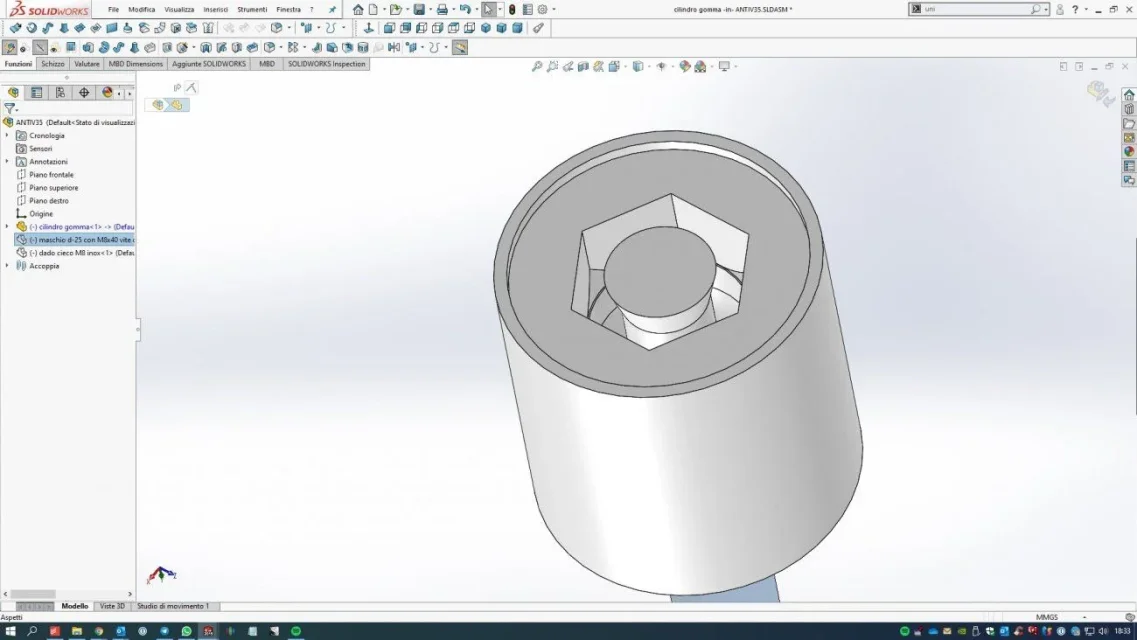
continuing... I still ask for help. I created the axieme and used the cavity control. . assieme.webp But controlling the cavity created in the rubber, in the part of the female semi-finished, the material, the rubber, seems to be filtered inside the photo and as you can see from the image forms a central cylinder that in theory should not be there. I also recreated the washer plus the blind nut in a unique body. but I can't understand why of that cog corresponding to the hole, it shouldn't be there. Thank you!cilindro gomma.webp
 
inside the rubber part you will have 2 bodies, with the function eliminates bodies delete what you do not need
 
Trying the cavity function you see that at the time of confirmation, if there are more bodies there is notice of which bodies to hold; if this notice does not appear means that there is only one body that in your case means that something in the modeling is not correct for the result you want to get
 
Perfect. perfect result... I eliminated the extra part... you are right, the notice to eliminate the bodies appeared, but I clicked on keeps all the bodies, thinking that it refers to the original bodies.
I'll attach you the appraisal of the drawing finally correct! thank you!! (now step at the table).
ANTIV35.webp
 
I'm still here, forgive me!
I'm putting on the table the said antivibrant.. the first problem I'm meeting is to be able to quote the partial thread of a screw.. cosmetic thread is regularly displayed, but it doesn't give me the opportunity to quote by selecting the thread start... Is there a solution?
other thing... I created a section... and the screw is also cut off with the restraint... Is there a way to avoid?

Thank you!
steak
 
No, I apologize. regarding quotating the partial thread obviously had to be some problem with the open sw instance because I restarted and now I can quota it without problems.
 
in the case of assembly it is possible to exclude components from the section.
right-click on the view>properties> box within the section> Select what to exclude
 

Forum statistics

Threads
44,997
Messages
339,767
Members
4
Latest member
ibt

Members online

No members online now.
Back
Top