• This forum is the machine-generated translation of www.cad3d.it/forum1 - the Italian design community. Several terms are not translated correctly.

dxf inventor

  • Thread starter Thread starter ALUTEK
  • Start date Start date

ALUTEK

Guest
Good morning everyone is new to the forum. I ask you kindly if you can help me is really important.
in my company we carry out the bending service sheet account thirds. in specific use we use amada
our client sent us dxf files made with inventor, once inserted in the bending machine control unfortunately the folds are not recognized. opening the file we realized that each fold is formed by three lines, this means that the machine does not understand is therefore not going ahead. we had to change the file with autocad by deleting the two lines and selecting the deduction of the central line. practically a job by risking wrong line etc. etc.
Can you please tell me how to solve this? or maybe what to suggest to the customer and then make changes to the design?
I hope I've been clear
thanks in advance.
greetings
 
Good morning everyone is new to the forum. I ask you kindly if you can help me is really important.
in my company we carry out the bending service sheet account thirds. in specific use we use amada
our client sent us dxf files made with inventor, once inserted in the bending machine control unfortunately the folds are not recognized. opening the file we realized that each fold is formed by three lines, this means that the machine does not understand is therefore not going ahead. we had to change the file with autocad by deleting the two lines and selecting the deduction of the central line. practically a job by risking wrong line etc. etc.
Can you please tell me how to solve this? or maybe what to suggest to the customer and then make changes to the design?
I hope I've been clear
thanks in advance.
greetings
now I have no inventor but from what richer:
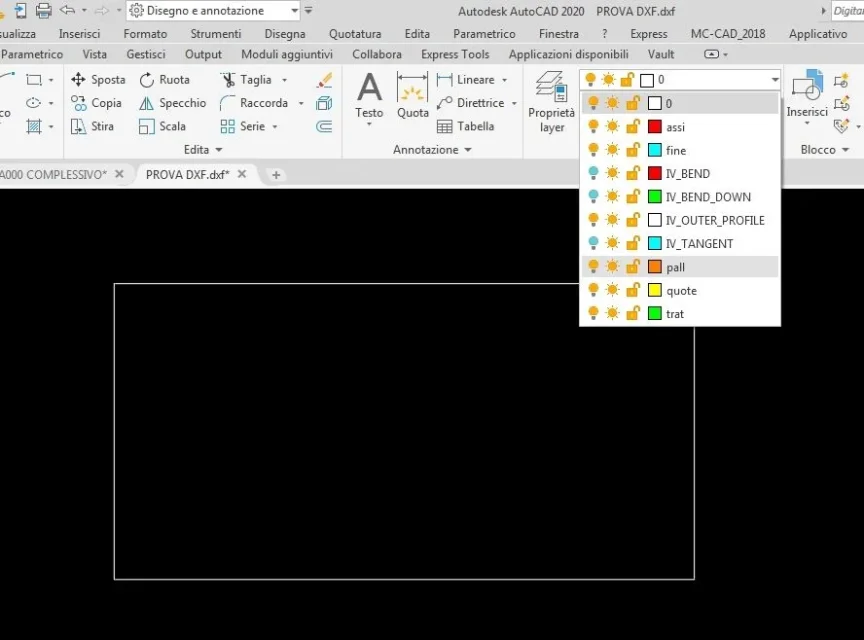
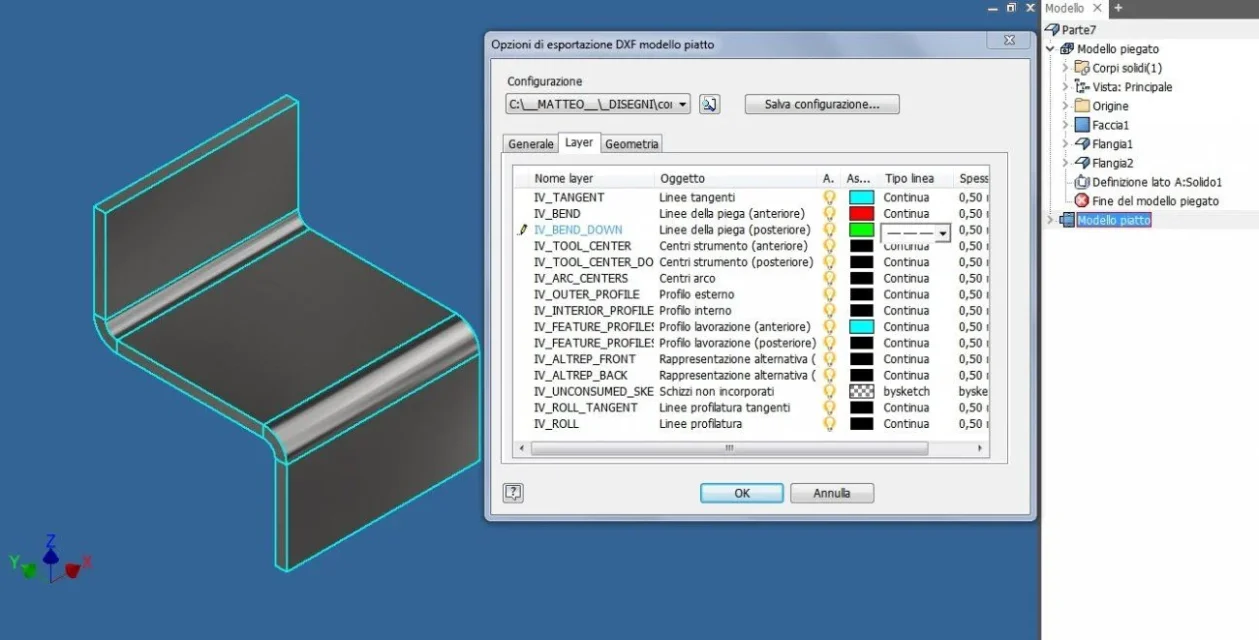
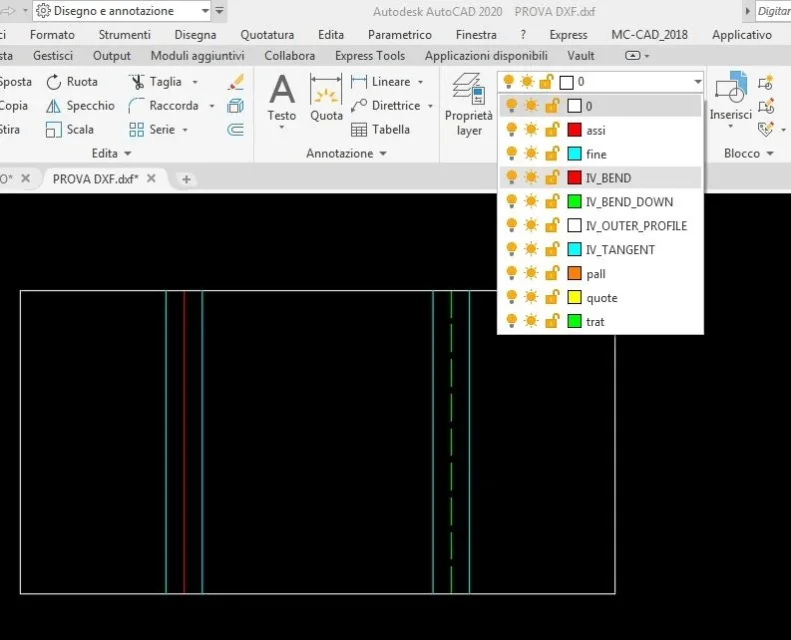
1. the customer can definitely do better . can set how to export the dxf. take a look at the link. and a discussion in English but there is a video that explains how to set up and you should understand well. in inventor you can decide which lines to set, colors and layer names. once saved that setting works automatically every time:https://forums.autodesk.com/t5/inve...-lines-in-exported-flat-patterns/td-p/84073402. customers often do not want to change. I'm pretty sure the two side and middle lines are different layers. You could turn off the layers you don't need in autocad. I know it's still long, you have to open all files etc. but the risk of canceling the wrong lines is not there.
 
now I have no inventor but from what richer:
1. the customer can definitely do better . can set how to export the dxf. take a look at the link. and a discussion in English but there is a video that explains how to set up and you should understand well. in inventor you can decide which lines to set, colors and layer names. once saved that setting works automatically every time:https://forums.autodesk.com/t5/inve...-lines-in-exported-flat-patterns/td-p/84073402. customers often do not want to change. I'm pretty sure the two side and middle lines are different layers. You could turn off the layers you don't need in autocad. I know it's still long, you have to open all files etc. but the risk of canceling the wrong lines is not there.
OK thank you so much I can’t wait for you to come tomorrow to try.
 
Hi.
As seen from the video, saving the sheet metal development file from the sheet metal environment, you can create customization (and save it or recall it) of the lines that will compose the dxf itself.
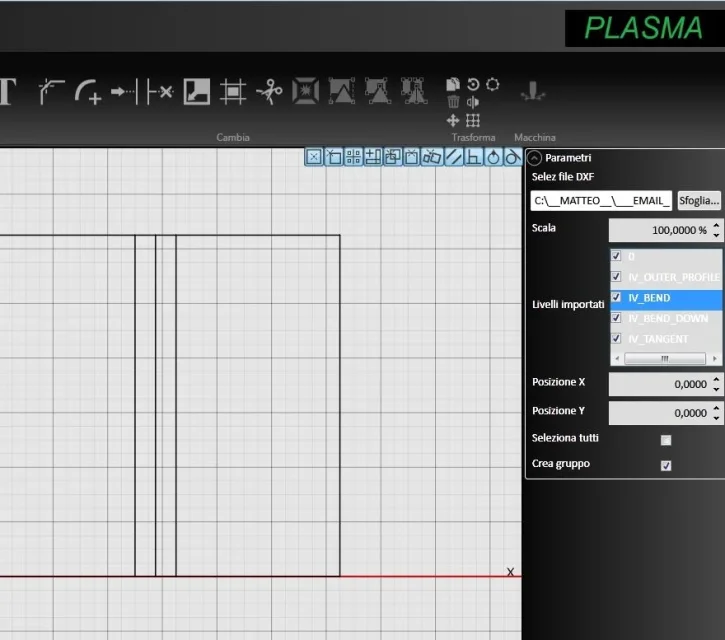
other solution, is to intervene back to the opening of the dxf or with autocad or with the software cad/cam import dxf of the cutting machine by turning off the unnecessary layers.configurazione esportazione dxf.webplayer DXF in AutoCad.webplayer DXF spenti.webplayer software CADCAD plasma.webp
 

Forum statistics

Threads
44,997
Messages
339,767
Members
4
Latest member
ibt

Members online

No members online now.
Back
Top