• This forum is the machine-generated translation of www.cad3d.it/forum1 - the Italian design community. Several terms are not translated correctly.

edit points curve

  • Thread starter Thread starter FraDesign
  • Start date Start date

FraDesign

Guest
Bye to all,
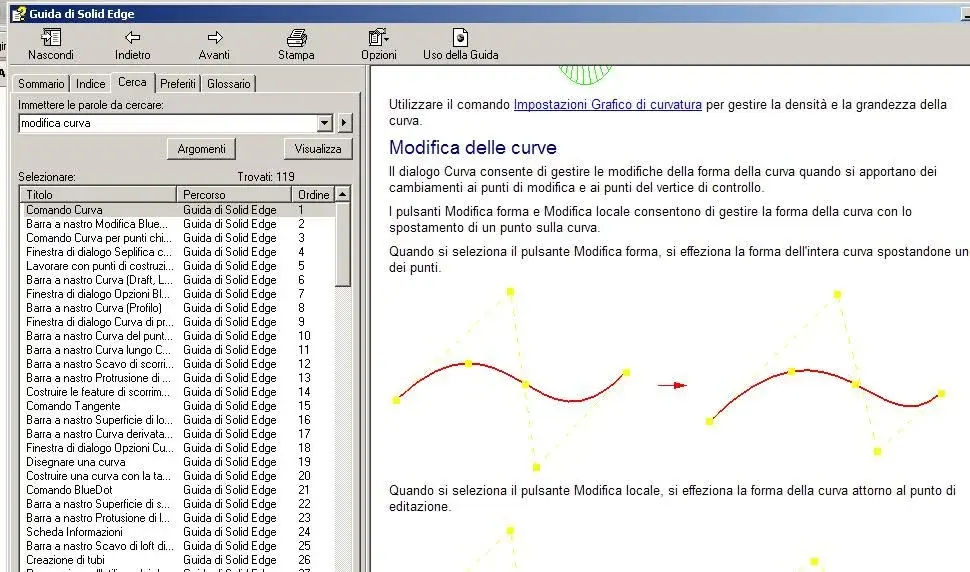
It seems impossible but I just can't understand how to move parallel and/or perpendicular, or cmq using the different snaps, the edit points of a curve (e.g. a fifth degree curve, in which I would move the two cv in a straight way, so as not to lose the g2 continuity...). It's a procedure that in alias or rhino is normal, but if I don't understand how to do it! If it wasn't possible it would be a complaint... help
 
Bye.
Cv=? curriculum vitae? ;)
Maybe if you put an example we also understand!
I have never tried but usually if something is not right is usually a user problem ... maybe the constraints are misinterpreted!

make us an example, an image... .
 
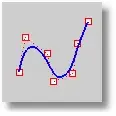
hi, I think the abbreviation cv indicates "control vertex" also called control pints.

are the control points to manipulate a geometric entity.
Hi.
 

Attachments

  • ControVertex.webp
    ControVertex.webp
    1.6 KB · Views: 31
It's a procedure that in alias or rhino is normal, but if I don't understand how to do it! If it wasn't possible it would be a complaint... help
Have you tried to ask for assistance? That's usually the first point of help.
 
hi, I think the abbreviation cv indicates "control vertex" also called control pints.

are the control points to manipulate a geometric entity.
Hi.
It seems to me that something like that is there even if, at least reading the guide, I can't be more accurate since I don't have a license for curves and surfaces.

Bye.
 

Attachments

  • modifica-curva.webp
    modifica-curva.webp
    93.6 KB · Views: 9
I tried, you can only use the two controls for points (horizontal/vertical and coincident alignment) while I can't align the curve range.
definitely with some construction line you can do.
I suggest you call the assistance because it's not something you hear about.
Hi.
 
I'm... solved. in practice the cv (exact, control vertex, or edit points) can be "quoted", then to e.g. just select the extreme of a curve, then put two quotas between 1° and 2° and 3° edic point with value = 0 (so alreadycent same imaginary line) to have a continuity g2.
you put about 10 times the time you would put on with a nurbs modeler, but at least you can do it by. if it is often pained but does not disappoint!!! thank you all, hello

I tried, you can only use the two controls for points (horizontal/vertical and coincident alignment) while I can't align the curve range.
definitely with some construction line you can do.
I suggest you call the assistance because it's not something you hear about.
Hi.
 
Well, if he wasn't born for that.
at the beginning surfaces and curves were not feasible.
Now you can do complex things.
It's not sure rhino, but also rhino doesn't have all the functions of himself!
no one is perfect and it is not always Sunday!
 

Forum statistics

Threads
44,997
Messages
339,767
Members
4
Latest member
ibt

Members online

No members online now.
Back
Top