
theredman
Guest
Hello everyone, I created the product of the side seats of a plane, then using the "Send" function I created a copy of this product (and its parts) in a new folder so that I can use it as a base for the central seats. . .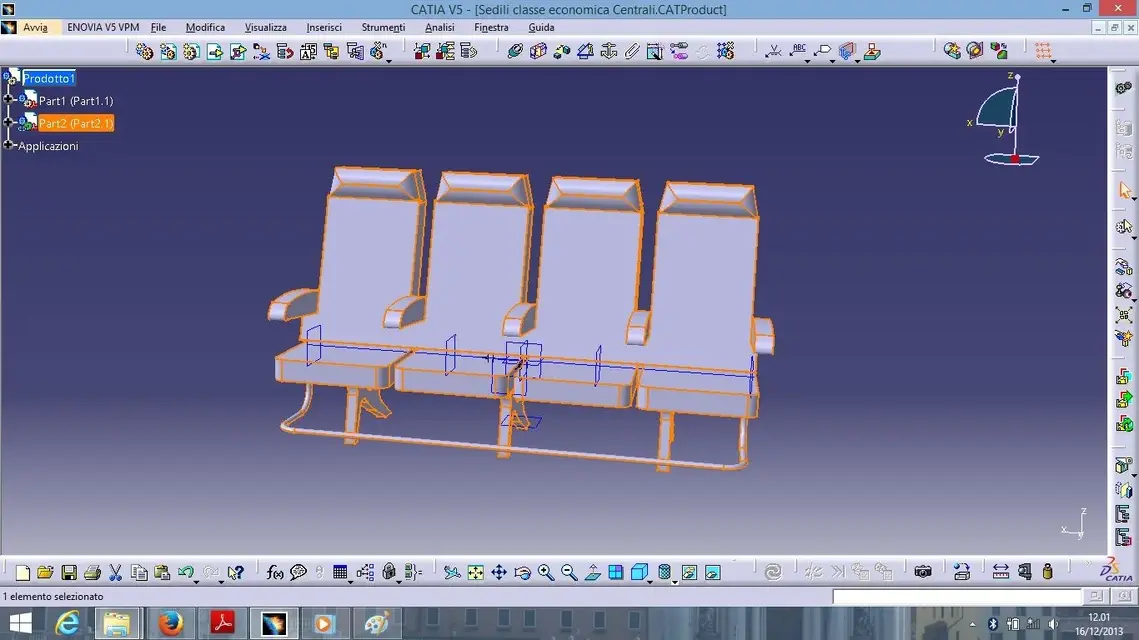
 However, when I try to open them together within the same session, the second product takes the same configuration as the first one I opened.
 Moreover the small icons next to the "part2(2.1)" are different, in the first there is a kind of thunder, in the second the symbol of the link, I think the problem is there, you know how can I solve it?
Thanks
However, when I try to open them together within the same session, the second product takes the same configuration as the first one I opened.Moreover the small icons next to the "part2(2.1)" are different, in the first there is a kind of thunder, in the second the symbol of the link, I think the problem is there, you know how can I solve it?Thanks