giulio1993
Guest
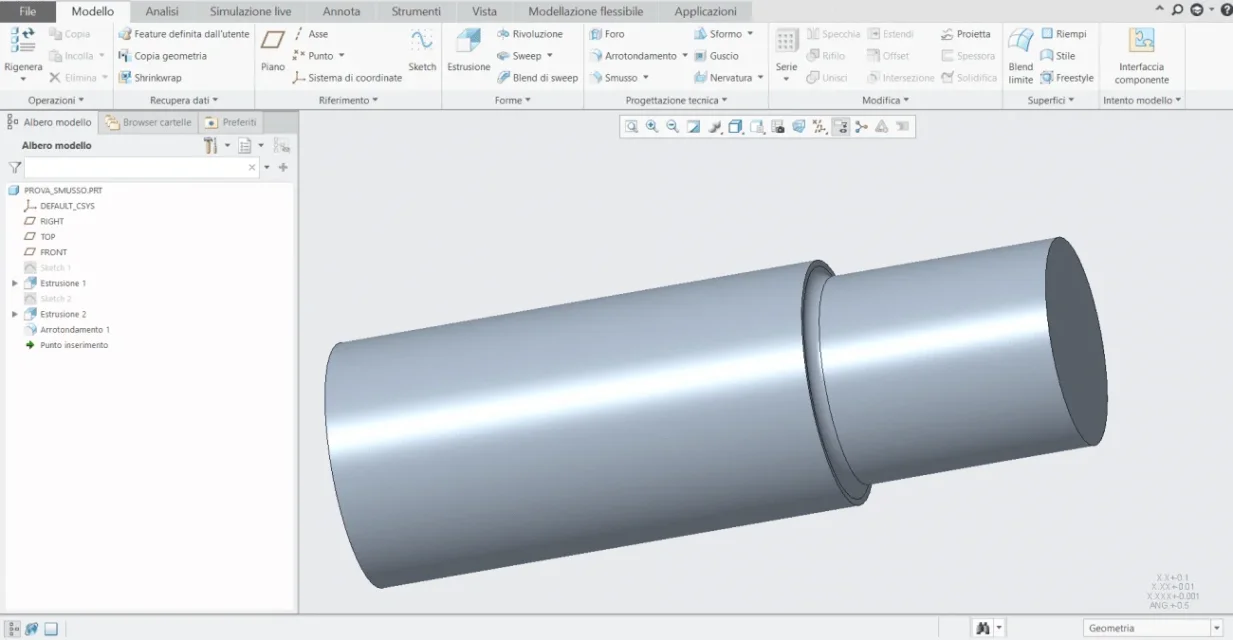
Good evening, everyone. do you know how to remove the lines related to a rounding?
if it is not clear the problem I will put an image
thanks to all
if it is not clear the problem I will put an image
thanks to all

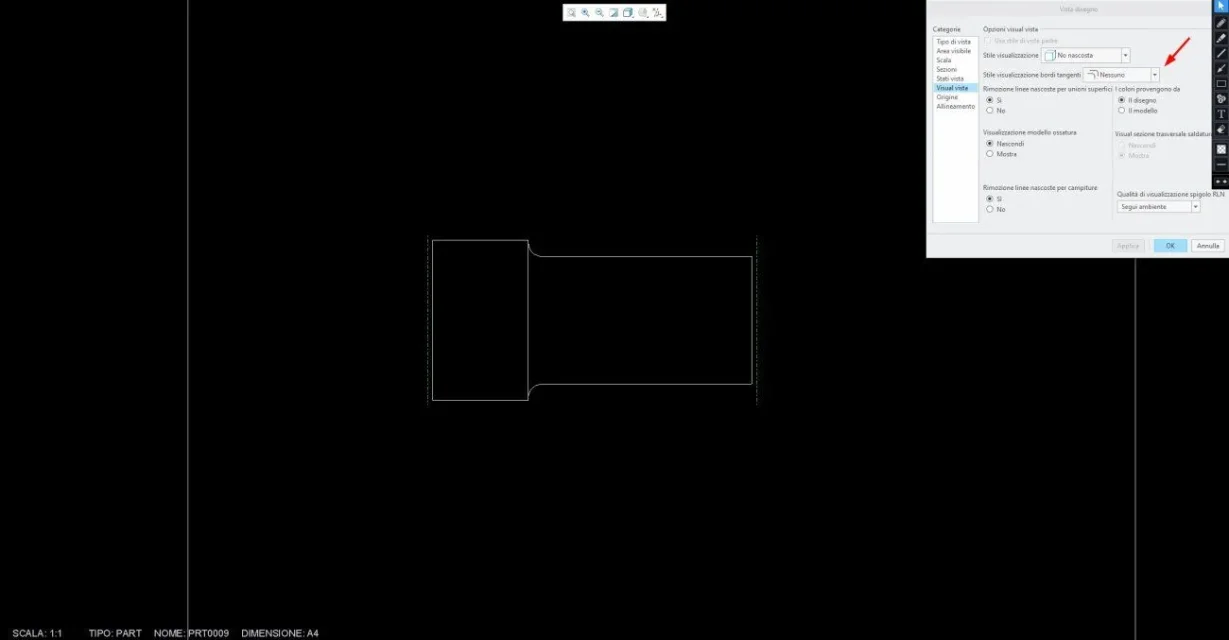
if you see here in the 2d I remain the line in sight where the rounding ends on the smaller diameter cylinderPut an image I don't understand the question. .
hinges
Hello.if you see here in the 2d I remain the line in sight where the rounding ends on the smaller diameter cylinder
Thank you so much! it was too simpleHello.
attached images are related to creo 7, but the concepts are also valid for previous versions.
if you double-click above the view of the detail, a window called " opensdesign".
in the list on the left at the top called categories, select the item "visualiz vista".
the behavior of each of the 5 options available, you can see it in the attached images.
personally, in my drawings I always set tangent edges as "attenuated"; when you go to the press are printed with a smaller thickness than the edges of the detail, but still they can give a precise idea of the shapes.
you can also set the option of tangent edges on "no"; on a particular simple type that of your example there are no particular problems, but if you had several radiated edges, the "readability" of the design is affected...but of course this is only my opinion.
I hope I've been helpful.