• This forum is the machine-generated translation of www.cad3d.it/forum1 - the Italian design community. Several terms are not translated correctly.

emoticons - inventor 2017

  • Thread starter Thread starter vale79
  • Start date Start date

vale79

Guest
Hello everyone
I have to make some sort of instruction booklet to explain to customers how to solve any problems on the products (trucks and valves).
must be visual instructions to avoid translations in various languages.
For example:
problem: the valve knob does not rotate, it is hard
solution: remove the cartridge and clean it

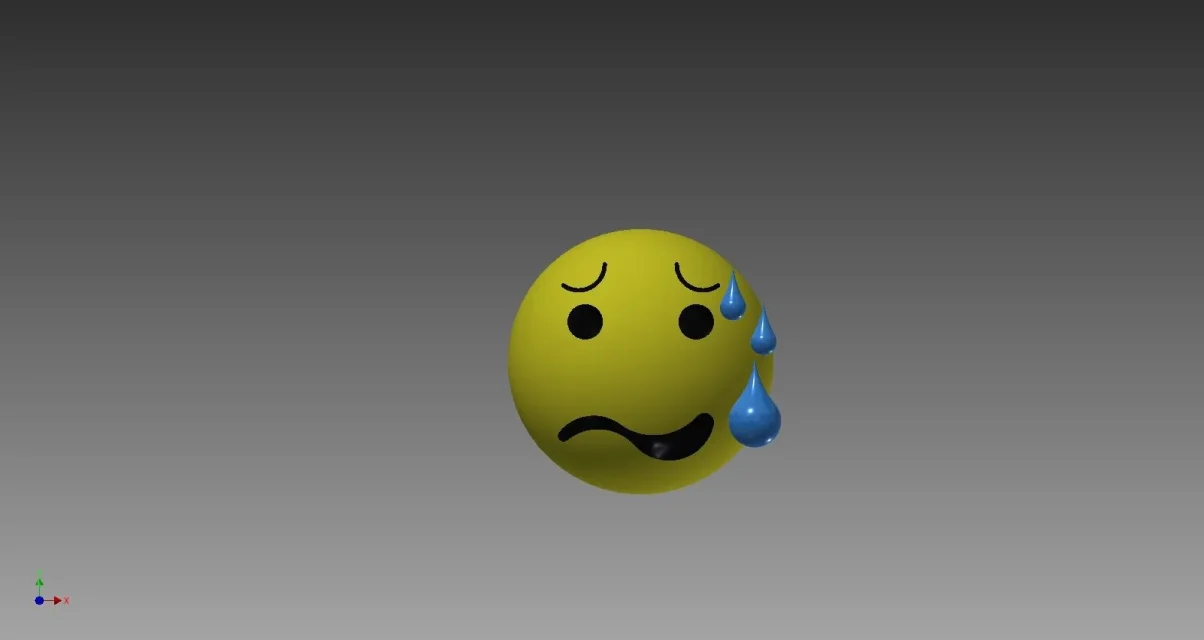
to simulate the tough, difficult to rotate, I thought I would make 3d emoticons, for example that of fatigue accompanied by an arrow indicating rotation.

Have you ever drawn them? If you have better ideas are welcome:-) . for now I have tried to do this but it is not a great deal, I think I have wronged something in the swing.

Thank you very much
That's right.
 

Attachments

  • Fatica.webp
    Fatica.webp
    12.7 KB · Views: 3
  • Fatica_1.webp
    Fatica_1.webp
    33.6 KB · Views: 3
Why do you say it's not much? I like it.

If the instruction is manual type maybe you can save modeling in 3d. you create a sketch symbol and insert that in the sheet.
 
Thank you.
Yes it is not bad, it would also be acceptable, I do not really like the shape of the mouth and I do not like much that the black parts are so embossed but on the sphere does not work the invilusion face option of the bounce. Maybe I should try to change the position of plans.

The images I've taken from are those attached.

It's true I'd do a lot before drawing symbols or inserting images, at the moment it's just a test to create emoticons in 3d.

we say that, apart from the fact that it is fun to draw them :-) and if they are well it is a satisfaction and then we could use them in various contexts... but above all I believe and hope that they attract more attention to the customer, that with a glance you think "of the colored instructions and with the faces maybe they are easy and simple to read, maybe I try to take a look before throwing them away". are instructions dedicated to installers but also to end users so if they look too "technical" they would probably sold them immediately:-( .

Maybe I'll take a few more tests if I don't meet up at 2d.
What do you mean as a sketch symbol? made directly in the table?
cmq also make an extruded part, embossed of 1mm for example but very simple and symbolic could be a third road.. .

Thank you so much :-):-):-) now I have the clearest ideas on what to try
 

Attachments

  • Fatica_simbolo.webp
    Fatica_simbolo.webp
    5.6 KB · Views: 29
  • Fatica_wc.webp
    Fatica_wc.webp
    7.1 KB · Views: 27
a sketch symbol is a "drawn" that you can insert into a table regardless of the pattern to which it is linked.
You can put it in an empty table.
I use them, for example, to insert a small paper in which the production goes to fill out the number of orders, the number of pieces etc.
or to insert the definition of a particular heat treatment that would not be possible to insert in the normal cartilage.
 
Thank you very much. a domandina, a sketch symbol can you save and import it or every time you have to do it again or take it from a table where it is present and copy it into a new one?
 
save it in the symbol library or locally, directly in the template.
then insert it or with the appropriate command or browser, folder "symbols of sketch" in drawing resources.
 

Forum statistics

Threads
44,997
Messages
339,767
Members
4
Latest member
ibt

Members online

No members online now.
Back
Top