
• This forum is the machine-generated translation of www.cad3d.it/forum1 - the Italian design community. Several terms are not translated correctly.

exasperating soidworks slowness 2015 , 2016

  • Thread starter Thread starter Per5
  • Start date Start date

Per5

Guest
Good evening to all.
the company for which work has a solidworks 2015 and 2016 , we are using the 2015 version on a machine with the following hardware cpu i7 4790 , video card nvidia picture k2200 , I thought the system should fly, instead known big problems with assemblies, I think small compared to those that should be done using this software.
What kind of evidence do I have to perform to see if the system is working the right way?
When I load the assemblies, despite the use of the minimum cpu, solidworks takes us a lot to open the design, sometimes even more than 2 minutes.
I can't figure out whether the machine is undersized for the software or if there are other problems.
We produce conveyor belts, so machines not too complex with less than 1000 details considering the single screw.

Thank you.
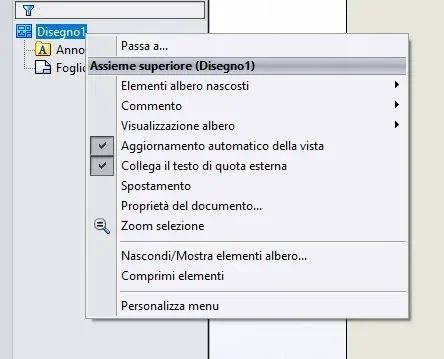
 
Hello Mass, thank you for reporting. In my case, however, we are talking about a recent machine with a processor of penultimate generation, certified video card, ssd, and all that was needed to make that software go. The joints, however badly done, coupled redundant undefined sketches, do not give a justification, freezes on the sections, and the zoom in the table is snapped. from the assistance they were smart to reduce all the graphic settings, but how to work with the cubic cylinders. Perhaps the network, perhaps the gpu, but the processor does not work, stands at 5 % and the design does not move.
 
there are so many parameters to set to speed up the software. I have listed some that have come to mind and that I have been using for years.
First of all, you have to do the test.
then you have to understand where it crashes and when:
environment
environment together
environment design

if problems are above all on the latter your sentence
the joints, however badly done, coupled redundant undefined sketches, do not give a justification
It's wrong. It is not a static design of autocad, if you hurt the axieme, perhaps leaving mobile parts, the software works badly because it has to reconstruct all the geometries that are not identical to before. and the more heavy the ass is the worse.
some settings that improve performance:
moving components by dragging: if activated regenerates the model every time and in your case where everything is mobile, the thing can have significant repercussions. I switched off that tick is assigned a button to the command so I am a moment to launch the command only when needed.
tab view/selection
-visibility of tangent edges: also this slows down graphic reconstruction
-active selection through transparency: besides complicating the selection of entities slows the system
performance card
-High quality for dynamic mode: this maintains high graphics even when handling models significantly slowing down the software. if you need to keep it activated only with simple models

the commercial parts must be simple, if you have a motor full of fins throw it away and do it again. in drawings do not use hidden lines mode and activate them only when necessary.
post a screenshot that at least you understand about what kind of design you plant
 
there are so many parameters to set to speed up the software. I have listed some that have come to mind and that I have been using for years.
First of all, you have to do the test.
then you have to understand where it crashes and when:
environment
environment together
environment design

if problems are above all on the latter your sentence

It's wrong. It is not a static design of autocad, if you hurt the axieme, perhaps leaving mobile parts, the software works badly because it has to reconstruct all the geometries that are not identical to before. and the more heavy the ass is the worse.
some settings that improve performance:
moving components by dragging: if activated regenerates the model every time and in your case where everything is mobile, the thing can have significant repercussions. I switched off that tick is assigned a button to the command so I am a moment to launch the command only when needed.
tab view/selection
-visibility of tangent edges: also this slows down graphic reconstruction
-active selection through transparency: besides complicating the selection of entities slows the system
performance card
-High quality for dynamic mode: this maintains high graphics even when handling models significantly slowing down the software. if you need to keep it activated only with simple models

the commercial parts must be simple, if you have a motor full of fins throw it away and do it again. in drawings do not use hidden lines mode and activate them only when necessary.
post a screenshot that at least you understand about what kind of design you plant
Thank you for your patience.
tomorrow I try to make a screenshot and insert it.
I also try to put into practice what you indicated so as not to have more doubts.
It is not so much a block, because sooner or later it comes to the software and loads everything, but the times are long, sometimes a couple of minutes.
part 3d all works well enough, but the table is a disaster, on the sections often I have to close the software and zoom it becomes a problem.
 
a curiosity: do you work with the files uploaded on the net?
I make a local pack&go to work and when finished (or at the end of the day would be the correct procedure) I make a pack&go to the server.
I noticed that there is a tangible difference between uploading files locally or from the server
 
Hey, guys, I'm sorry, but I was only able to read today. I said I was working on the local ssd, network 5 minutes, local loading 15 seconds. In fact, the network is too slow for the 3d. Once the design is loaded for the 3d part, all quite well, for the boards too slow, sections biblical times. I do not know if it is the case of making a new installation on another ssd, and then evaluate.

posted by my redmi note 2 using tapatalk
 
I correct myself, I wanted to say that I did the test on local disk, excellent speed, on net unfortunately enormous slowness in loading. However, there is still the problem of the table, in which there are serious difficulties in calculating the sections. Now we do the local rescues for you beckups on servers, but what is the correct procedure for not losing references and more?


posted by my redmi note 2 using tapatalk
 
hi I can't give you any further advice on your system being slow:
But I can tell you that I just changed computers, we bought a hp z640 workstation with nvidia m4000, ssd disk 16gb ram etc a car of all respect (not project shuttle).
I thought the assemblies I realized (but more than 3000 components) flew well here they just started walking. . . .
with assemblies of 300 or 400 components already is slow....(for me) the settings that the good boulders suggested to you I tried them all and in more combinations but nothing, the system is still slow.
I remember with a lot of nostalgia solidworks 2008; stable and especially fast.....now they will have as they say reduced the number of clicks to realize super complex geometries; but I put a fraction of a second to click; While waiting for solids to regenerate a set of 300 pieces, it also looks 20 30 seconds.
I don't know you but I'm not satisfied with how the latest releases are going.
tomorrow I see ptc..... I will see if at least there are also problems......
I repeat they should stop for at least a year....and fans...or marketing: and fix the sea of ca... and that in these years they brought back..... .

one thing also excel and word are very slow.... .

Hi.
 
hi I can't give you any further advice on your system being slow:
But I can tell you that I just changed computers, we bought a hp z640 workstation with nvidia m4000, ssd disk 16gb ram etc a car of all respect (not project shuttle).
I thought the assemblies I realized (but more than 3000 components) flew well here they just started walking. . . .
with assemblies of 300 or 400 components already is slow....(for me) the settings that the good boulders suggested to you I tried them all and in more combinations but nothing, the system is still slow.
I remember with a lot of nostalgia solidworks 2008; stable and especially fast.....now they will have as they say reduced the number of clicks to realize super complex geometries; but I put a fraction of a second to click; While waiting for solids to regenerate a set of 300 pieces, it also looks 20 30 seconds.
I don't know you but I'm not satisfied with how the latest releases are going.
tomorrow I see ptc..... I will see if at least there are also problems......
I repeat they should stop for at least a year....and fans...or marketing: and fix the sea of ca... and that in these years they brought back..... .

one thing also excel and word are very slow.... .

Hi.
What you say! who has the experience of having updated realizes that he has done a great....a! the 2008 version I do not know it, but I regret 2012 with xp that was scary even with 32 bit systems and graphics cards that on paper have nothing in comparison to our "love" m4000. you must stop, but they will never do it and will force us to change pcs every 3 or 4 years. Moreover they have already removed the possibility to return to assistance when desired. However I think the trend will make it all the software houses... unfortunately!
 
Today I was at a ptc presentation, it's obvious that I can't say I know ptc but as a first impact I liked it a lot....because it's never crashed....and then a set of 1000 components moved by a workstation of three years ago modified it as it wanted.......at an acceptable speed. . . .

But there is one thing to say in solid at least at first sight we have a great user interface that of ptc is back at least two three years....
but as I said in the previous post better fewer things but working....
 
I learned cad 3d with a very old version of proe... then I did not do anything, until a few years later I bought sw. sw is not bad, indeed very "easy" to use and with a nice interface (that x luck have more or less restored after the obbrob done with 2016). but proe was of higher level, as it was really parametric in everything and x everything. This involved at least the time of apparent limitations, but once you understand, they made the difference.... the commercial policy of parametric was at the time, as to say, quite shameful and I hope that over time they realized...
 
but as economic policy well what to say...now they are all there....
they also hire the software so in the end there is not even the cost of the software, the thing that impressed me and that you can rent it as much as you want for 3 months.... ! ! ! ! !

the costs of the basic version seems a little more solid but not so much I would say a 10 20 %.... but we are at the beginning of the evaluation....the road if we decided to change well is long I would say...... it is not a thing to do lightly...... .

Hi.
 
it is to be evaluated very carefully because it is not painless... On the contrary!
I am convinced that the situation is x all the software, who first and who then will have these problems. first start the most "connected" with mom microsoft and then slowly others will follow... and the dicks (let me say) will be only and exclusively ours but! who works and is no longer the first hair these things I see them very well and understand first what they will do. I first noticed from 2012 to 2016, when I updated everything, both pc and sw (unfortunately and at a certain cost not irresistible) that sw has become too integrated with the operating system (I have passed and still work with win 7). this most likely depends on win and microsoft policy and therefore you have to be fully integrated and sigh all the porcates they do. in just over a year since the passage, I met more problems with both win and sw than in all previous years. this x me is enough x understand. . .
 
good Monday to all.
return on this speech, having partly solved the problem working locally, now the drawings are loaded at an incredible speed when compared to the slowness of the network, but remains that of the table, where the fluidity of handling of the 2d at least for now and how we use it is still far away.
you are still talking about two completely different systems.
what I wanted to understand is if it was possible to remove the refreshment of the view to every small zoom with the rotellina, in fact every time I execute a zoom appears a sort of circular hourglass of recalculation, which in the 3d part does not, is this long go becomes annoying, on small details the time of reconstruction is almost null, on bigger together even if not exaggerated this increases more and more.
The strange thing is that the system works worse in the table than in part 3d.

Thank you.
 
absolutely sw is much harder in the table than in the 3d. in the options, you should find something, but now I do not remember precisely. However I had a few days ago again the problem with the setting up of a big group and after being exasperated I contacted the assistance. I was advised to try using speedpack. I never used it, but when I finish that job, I'll see to it. the axieme of which I speak has more than 20000 bodies, but the incredible thing is that in the model I did not have the very least problem, while in the table also select the notes to move them is a big exasperating problem. over the speedpack didn't recommend anything.
 
if you read the solidworks forum (write the part in italics solidworks 2016 slow site:forum.solidworks.com in the search for google and set as a last month timing) it seems that the problem is with the drivers of the gforce cards*. verify that they are updated otherwise provided

* I bring two answers of the first thread beds
#1 link after a search and reading threads it seems everyone using nvidia geforce graphics is having the same issue . i've been left with no option but roll back the driver to the previous version . finally it's back to normal and solidworks is running as it should .
2# link i've taken 9 reports of this behavior this week and all of them were cleared up with the latest driver off www.geforce.com. your mileage may vary but updating to the latest is having a good impact.

può essere un buon punto di partenza.
copio e incollo anche sugli altri due trhead con lo stesso argomento
 

Forum statistics

Threads
44,997
Messages
339,767
Members
4
Latest member
ibt

Members online

No members online now.
Back
Top