• This forum is the machine-generated translation of www.cad3d.it/forum1 - the Italian design community. Several terms are not translated correctly.

export sharp image

  • Thread starter Thread starter nino1980
  • Start date Start date

nino1980

Guest
use autocad 2009.
my problem is that I want to export the pictures of the drawings made with autocad.
I tried to export them as jpeg, tiff, png directly from the program.
I tried to create prints through plotter managers like pdf, postscript 1 and 2.
I tried to make eps files, to edit them with the corelphoto-paint 10.
the result is not fluid, as I wish.
I need pictures for the website.
among all these tests I managed to make some pictures that approach at least a little to the presentable.
Does anyone have an idea how to do that?
Thank you.
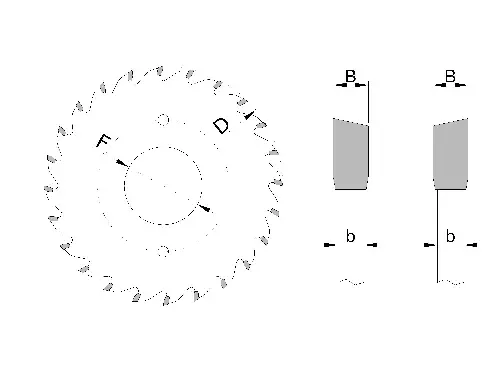
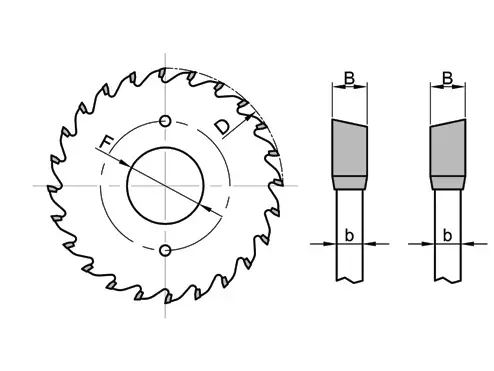
I attach two pictures.

image no
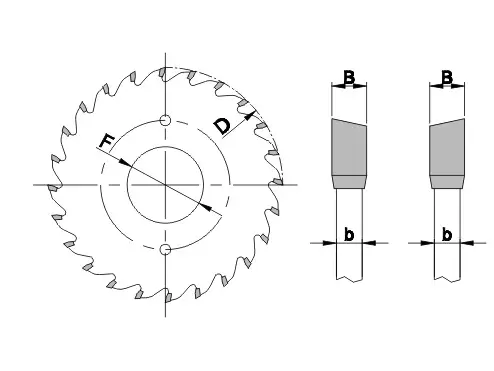
94198182.webpimage
31322308.webp
 
Last edited by a moderator:
the best export takes place in pdf or dwf.
if export to pdf with the virtual autocad printer is not optimal then try a free, pdfcreator for example that is free.
 
I tried with dopfd 7 and adobe acrobat 7. No way. I certainly mistake something in the settings.
the design of autocad is a4.
I have the resolution of 300 dpi.
the image must have the dimesions 494 x 371 px.
Unfortunately it is blurred.
:confused:
 
I tried to make a dwf file from autocad.
open with autodesk express viewer.
press --> adobe pdf.
open adobe acrobat.
saved as a png.

bad result.
 
Mah... I will be hidden but I can't see all the difference between the images you posted, apart from the thickness of the lines (which might lead you to have this impression).
What else, all the lines are black?
 
Mah... I will be hidden but I can't see all the difference between the pictures you posted. . .
quoto!
I tried to make a dwf file from autocad.
open with autodesk express viewer.
press --> adobe pdf.
open adobe acrobat.
saved as a png.

bad result.
another passage not?! :confused:

attach a dwg file with the relative pdf you generated, so making comparisons see if there is all this difference.
 
That's a big deal.

the ways are there, and they are 3:

1 - have acrobat full (non reader). prints in pdf and after acrobat saved in jpf or color tif or bw format with resolutions up to 1200 dpi.
solution applicable only if you have acrobat.

2 - prints on the autocad pdf printer and open the pdf created with photoshop
(requires photoshop)

3 - install the pdfill image writer printer and autocad molds on that in jpg or tiff format
advantages: is absolutely free and the results are very good. disadvantages are a bit ostic to set, but nothing insurmountable.
 
for many years now I use autocad and solid works.
before posting the questions I tried to solve the matter in a thousand ways.
Unfortunately, when you experience so many times certain things, you no longer see them, even if they are simple and under the eyes.
thanks for your interest and help.

I managed to get the result as I wanted.

I was like this:
- in autocad I made the drawing with two or three types of lines 0.05; 0.09; 0.25,
all in black,
- I saved the esp file,
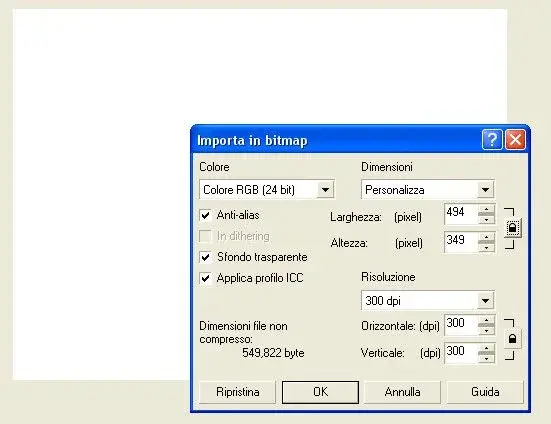
- I imported it in corel photo paint in the basic image (white background 494x371 px), as you can see here:
IMPOrta.webp- I exported the png image from the corel photo paint ( publish on the web --> web image optimizer --> xdsl(256k) --> png24).

after I had to format the disk because of a virus.
I didn't remember how I did everything.

The difference is obvious.
webfoto.webp
 

Attachments

Last edited by a moderator:
I still couldn't solve the problem.

I think I have to look for the error in corel photo paint, and not in autocad.
 
follow the pdfill board, don't you?
Yeah, I'm trying.
this is the result:
provapdfill.webpseen the exported results, best of all seems dwf file, after pdf and pdfill.
definitely the problem turns out to me later, using it import into the corel, because I have to resize the image.
I think it's weird, he could do it first, and not anymore.
 
Last edited by a moderator:
after several tests and thanks to the help of friends, I got the result enough.
disegnoz.webpthe design made with the autocad 9 was modified making the lines of thickness 0.50 and 0.25.
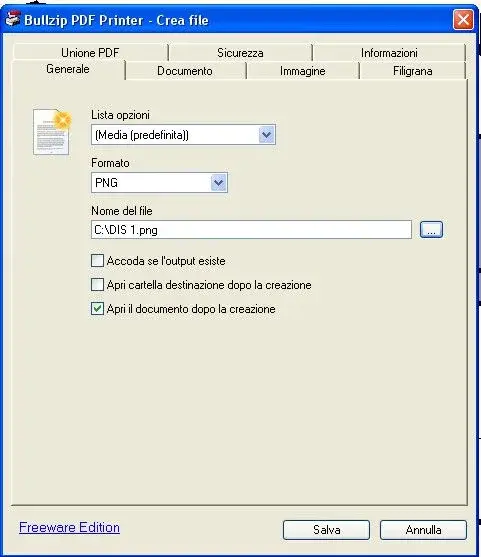
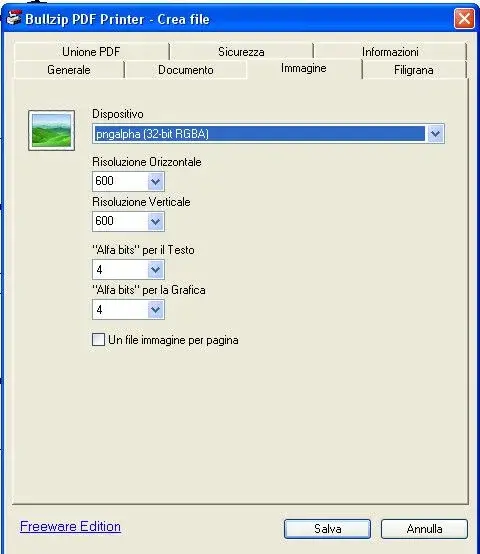
I printed the pdf image with bullzippdf printer (it is free) so:
imm1e.webpthe settings of the bullzip printer (like so much);
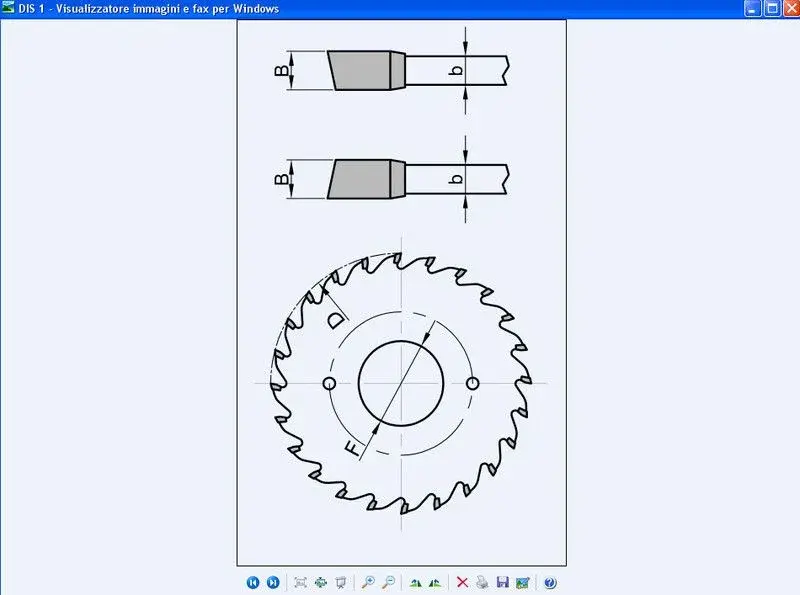
imm2n.webp
imm3.webpcontinue............ .
 
Last edited by a moderator:
the image obtained there turned for 90° and saved.
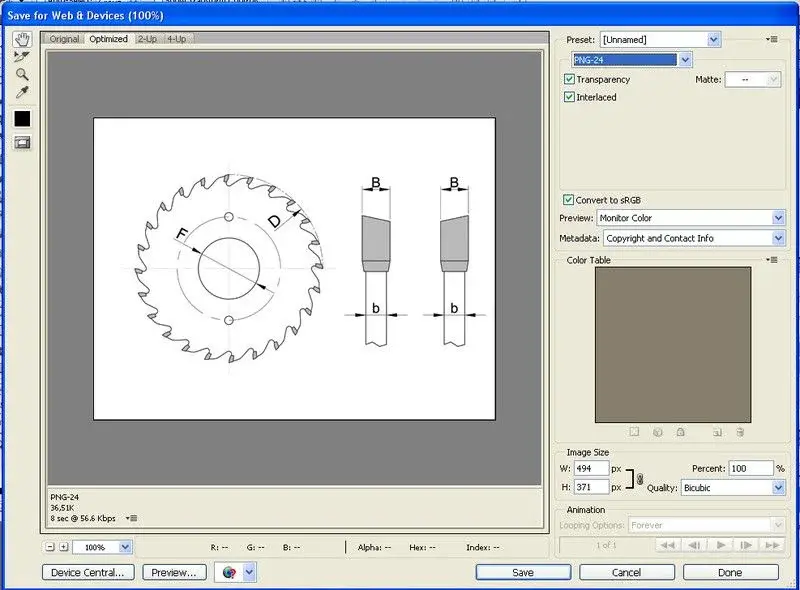
imm3a.webpI opened adobe photoshop cs5 and did an image as I needed 494 x 371 px, with the layer filled with white.
I dragged inside the image obtained (dis1.png) as layer1:
imm4.webp

da file --> save for web & devices -->
imm5b.webpsave optimized as images only

and the game is done.

thanks to all, and especially to:
davide and morning

:finger:
 
Last edited by a moderator:

Forum statistics

Threads
44,997
Messages
339,767
Members
4
Latest member
ibt

Members online

No members online now.
Back
Top