You are using an out of date browser. It may not display this or other websites correctly.
You should upgrade or use an alternative browser.
You should upgrade or use an alternative browser.
Ivan1990
Guest
draw the line above the profile (or below), use the basic flange tab command where you will put the thickness you need and the width.Good morning, everyone!
I have a problem with a wooden doga, I have a 3d model and I would like to get the flat shape, that is to spread a curved solid in practice.. Can anyone give me a tip? Thank you.
stefano.tag
Guest
but it is a doga, i.e. I have no flat surface.. This is my problem
stefano.tag
Guest
I don't know if you understood from the sketch but seen from above had a side belly, and seen from the side bended down
Ivan1990
Guest
What version of solidworks do you have? can't you post any images from sldworks or the file itself?
Ivan1990
Guest
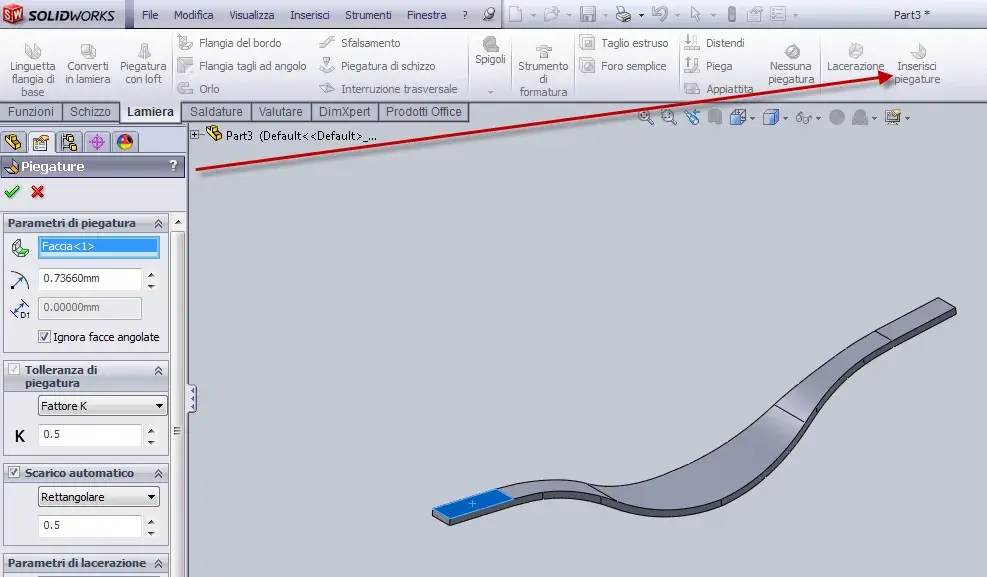
(piani di 0.001) sldworks reads them as plans and you do not change the final result of the product... then linguette base flange also reads the curvatures as folds.
stefano.tag
Guest
Ivan1990
Guest
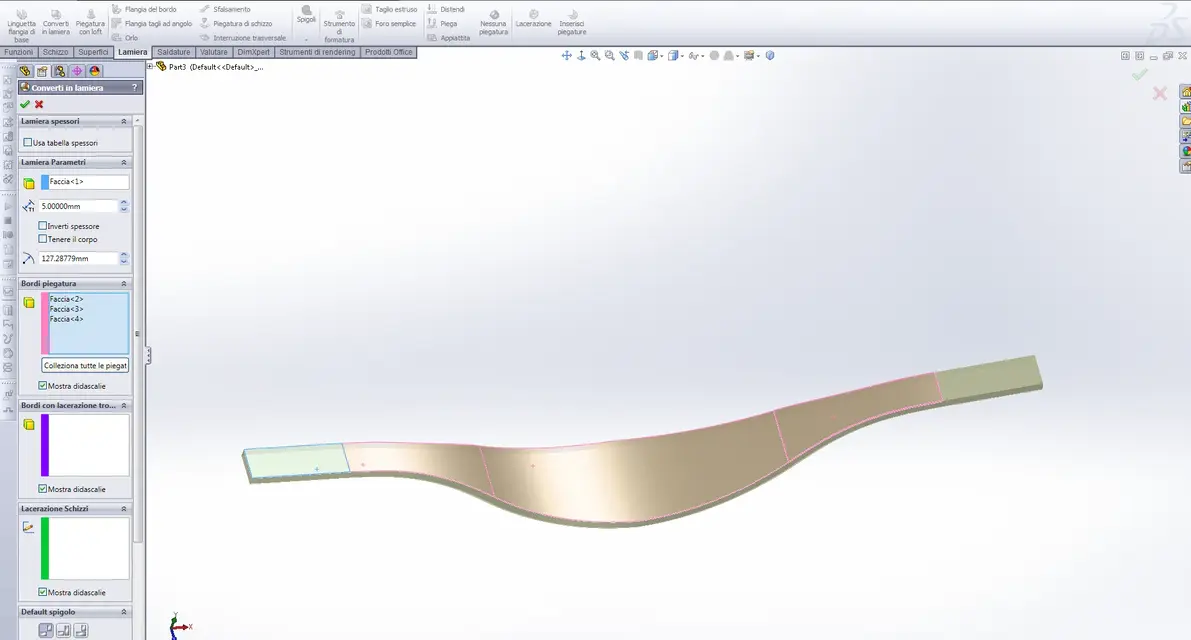
you have two roads, or you do it in solidworks directly as sheet or, you convert it into sheet metal from the body that you open (Annex an image).ok this is the part to relax. I have to cut it out and put it on the mold to give it that curvature. .
I have the file iges. and solidworks 2009
Attachments
stefano.tag
Guest
Thank you. I'll try. !
Ivan1990
Guest
and let me know if you can, if not, I will try to explain better:biggrin::finger:Thank you. I'll try. !