• This forum is the machine-generated translation of www.cad3d.it/forum1 - the Italian design community. Several terms are not translated correctly.

file configuration properties-specific

  • Thread starter Thread starter geppetto
  • Start date Start date

geppetto

Guest
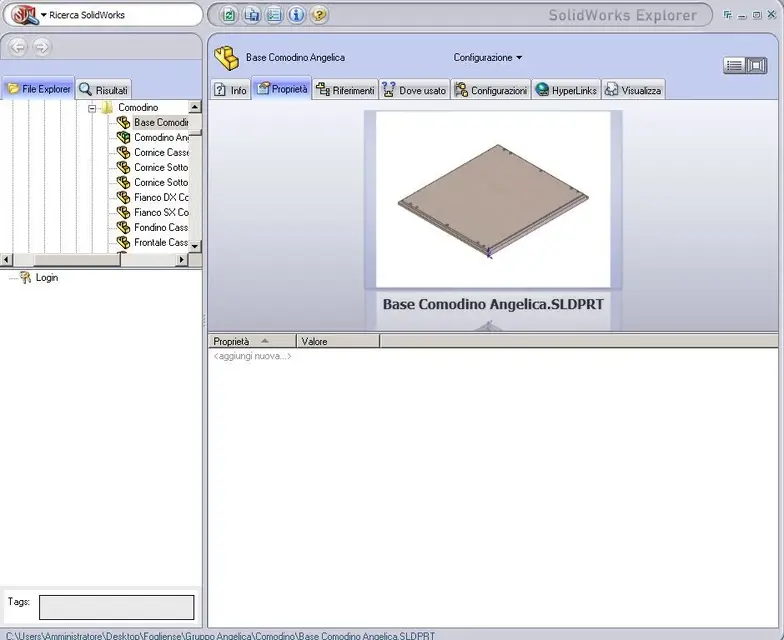
I create a file and axis attribute properties as from image sw attached, now I would like to open the part with sw explorer or anything (picture if) and display the properties of this part and maybe ctrl+c -ctrl+v the properties themselves or save them in an external file. even better if the properties were of all parts where this component is contained. in practice it is a matter of having separate materials available without necessarily loading the 3d file but only the properties. Can you do that?SW.webp
SE.webp
 
I create a file and axis attribute properties as from image sw attached, now I would like to open the part with sw explorer or anything (picture if) and display the properties of this part and maybe ctrl+c -ctrl+v the properties themselves or save them in an external file. even better if the properties were of all parts where this component is contained. in practice it is a matter of having separate materials available without necessarily loading the 3d file but only the properties. Can you do that?View attachment 24358
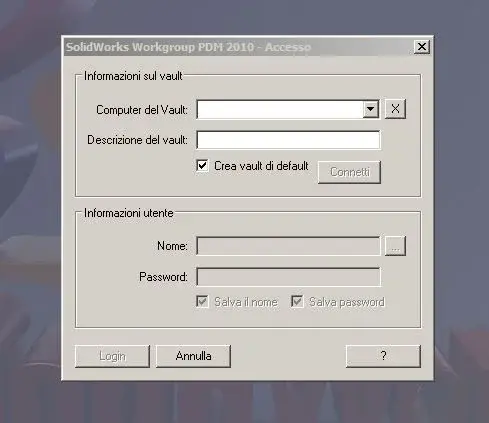
View attachment 24359
I'm sorry I should have put the question in the dedicated section...:tongue:
 
What? I move...
I have the night shift today.... :
Rereading what I wrote and how I wrote it, it seems likely that the night shift hurts. :redface
However the maximum of joy would be able to manage the properties of a part and parts of a set not from the cad but externally.
Thank you.
 
I'm not sure I understand. :biggrin:).

Anyway,
what you ask you can do well from solidworks explorer (including saving properties in a text file, excel etc.).

and simply view them/publish them you also do it from the Windows Explorer, without opening swx: right clik on the > file property and open the tab customization.

more features and options you can have them with a pdm (naturally. . ).

otherwise you better explain what you need.

greetings
Marco:smile:
 
hi geppeto,

quoto sampom as you understand the general sense of your question, no more. with windows explorer you can see the properties, the file, but I don't think you can see the configuration properties.
a pdm is the best tool to generate distinct without opening files and in real time without waiting for indexing, etc...
solidworks explorer usage little but I think it's a little limited, I don't think I can create and extract distinct.
 
Right.
from windows see and edit the properties of the "main card", not those of custom configuration.

and swx explorer allows to extract as text or xls the voices of the properties (sometimes also those of configuration), the distinct (I think.? ).
 
Right.
from windows see and edit the properties of the "main card", not those of custom configuration.

and swx explorer allows to extract as text or xls the voices of the properties (sometimes also those of configuration), the distinct (I think.? ).
pdm.webp
pdm1.webpalloar i have sw 2010 professional, the pdm is understood or wrong? Those error messages that I allego that freaky mean?
However my problem is to pull out the separate axieme, formed by the properties of the configuration specifications of each piece.
can consult some columns rather than others (material, code etc. etc.).
all this without loading the model in any way.
Can you do that? The sw pdm that I feel like I have is not okay?
Thank you all.
 

Forum statistics

Threads
44,997
Messages
339,767
Members
4
Latest member
ibt

Members online

No members online now.
Back
Top