
• This forum is the machine-generated translation of www.cad3d.it/forum1 - the Italian design community. Several terms are not translated correctly.

Get a sketch from pdf or jpg

  • Thread starter Thread starter saralb
  • Start date Start date
  • Tags Tags
    pdf

saralb

Guest
Hello everyone,
I wanted to know if there is a possibility to get a sketch imported from a pdf file or jpg.
for example in topsolid 7 there is the possibility to make a flange with an image and then automatically recognize the profile projecting it on a sketch.

thanks to all in advance
 
with catia it is possible to import an image as a background, scale it according to the needs and draw the profiles.

for automatic recognition, it is necessary that the graphics be vector and not pixel, so if you have a vector design type dxf or dwg you can import and project it automatically into the sketch.

I do not know topsolid, but I assume that before projecting it turns everything into vectors, of course the initial image will have to be contrasted and very similar to a design... if you want to try there are free win mouse programs that you could use to switch from image to dxf but do not expect miracles.

I believe that the use of profiles projected for a cad makes sense only for artistic silhouettes that with solid modelers as a cat have little to share.

Hi.
 
Thank you very much for the answer.

when you say insert a background image you mean using sketch tracer?
and anyway the projection of a dxf or dwg directly in a sketch as it happens? ?

thanks in advance of the answer
 
Yes, to insert the background image you can use sketch tracer, all is comfortable enough to bring in scale the 2d (there are several tutorials on the net)

instead to project a dwg or a dxf just open them with catia, which converts them into a drawing, then select the profiles you need in drawing and copy, then in a new part enter the sketch and paste. . .

often this procedure is used to import writings to be inserted in the model.

if you have any other doubts ask.

Hi.
 
hi, if the file is not particularly large you can use pdf file converters online

once converted into dwg the steps correctly with autocad and then use the procedure that recommended you gianni55.

I use them when I get pdf of elements to get some details and then make me a set for my own facts.

Every now and then I do before I wait for math to come.
or at least I use them for a maximum study.
:
 
Thanks for the answers.
I was already able to convert a pdf to dwg, the problem is when I open with catia. that shows me the white sheet without any profile. while with autocad you can see the profile. .

I may have some wrong approach. .

Thank you.
 
the pdf opens
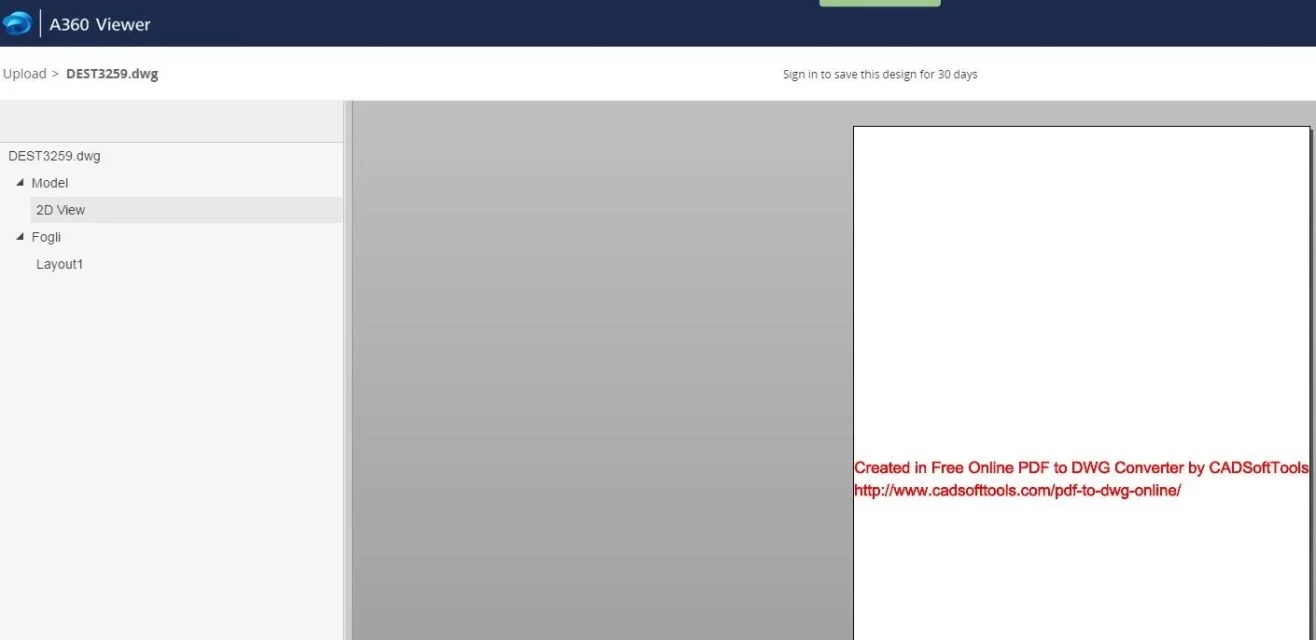
dwg (which is not empty since it weighs 47 mb), opens but returns a blank sheet with the online converter link.
I saw that on the site the converter warns that it does not support vectorization, at this point I do not know well what it did. . .
I have no autocad, so I tried an online reader, but it returns the same result: white sheet, just link (see attachment).

obviously creates a dwg readable only by autocad and manco from the online viewer!.

I would do some evidence:

1) verify with autocad if the dwg is vector.
2) direct rescue from autocad in a new dwg and also dxf
3) Direct rescue again dwg and dxf not of all design but only of a wing section part (to see if it is the size that disturbs).

Let me know.

Hi.
 

Attachments

  • convers.webp
    convers.webp
    18.1 KB · Views: 4
Hi.
exactly what you described is exactly what happens to me. Unfortunately, I have no autocad.
I'll try as you said with autocad.

Thank you in the meantime.
 
Hi.

I tried to convert pdf with aidecad, in the free trial version, and returns a readable file from catia.

Unfortunately the pdf file is not sharp and has different sections and profiles that intersect or very close profiles as in the case of the thickness of the wing.
Obviously the converter does not do miracles and in the presence of multiple profiles unites those that it considers closer, so also the ball becomes a vectorized curve.

the result is a series of confused and interrupted curves that you can import but that (according to me) serve little.

You could extract the profiles you need, smooth them and join them, but before you do, you have to scale the sketch.

I think it's best that you create a typical section that follows one of the profiles, then copy it, paste it and change it by adapting it every time on the next section.

You definitely get less.

If you send me a private message with your email, I will send you the converted file.

Hi.
 

Forum statistics

Threads
44,997
Messages
339,767
Members
4
Latest member
ibt

Members online

No members online now.
Back
Top