
mcianc
Guest
hi to everyone, I hope someone of you can help me with a problem I have with the feature cam 2013 3d sumulator updated to version 19.9.2.17 in August 2013.
This is my machine, modeled by me and I created the .md file
how to see you see the bird for the table and the one for the tool position: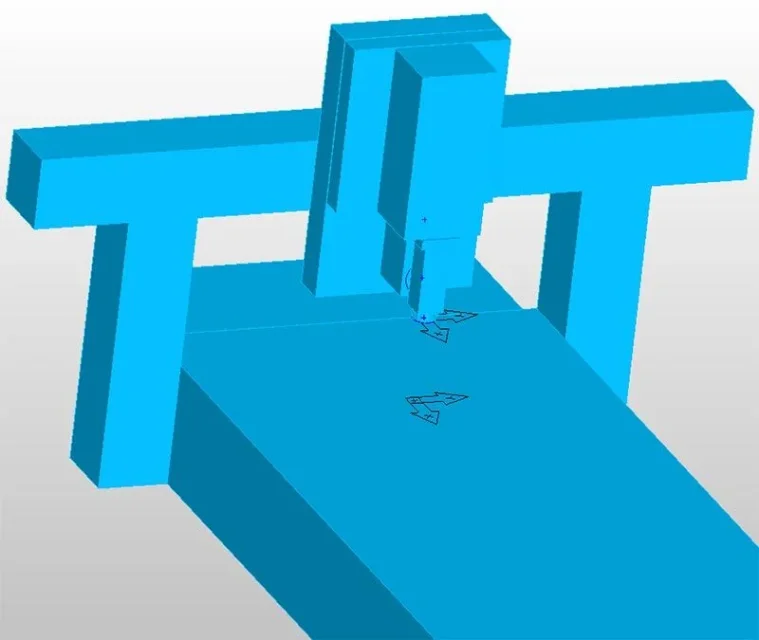 if I take an old file and try the simulation the tool holder is in the correct position:
 In the example you can see that I created a bow and tried to do a groove.
but any new file I create and do the same thing the tool holder goes to the malora (to use an euphemism) I tried everything controlled, I'm losing health... help!! !
possible is it a bug? seems that the tool tip is always attached to the program origin. movements work perfectly and when the milling touches the solid size, the only problem is that the milling has an offset in all axes.
This is my machine, modeled by me and I created the .md file
how to see you see the bird for the table and the one for the tool position:
if I take an old file and try the simulation the tool holder is in the correct position:In the example you can see that I created a bow and tried to do a groove.but any new file I create and do the same thing the tool holder goes to the malora (to use an euphemism)
I tried everything controlled, I'm losing health... help!! !possible is it a bug? seems that the tool tip is always attached to the program origin. movements work perfectly and when the milling touches the solid size, the only problem is that the milling has an offset in all axes.