• This forum is the machine-generated translation of www.cad3d.it/forum1 - the Italian design community. Several terms are not translated correctly.

help on how to combine two metal profiles with 45°

  • Thread starter Thread starter Jovanz
  • Start date Start date

Jovanz

Guest
Hello everyone,

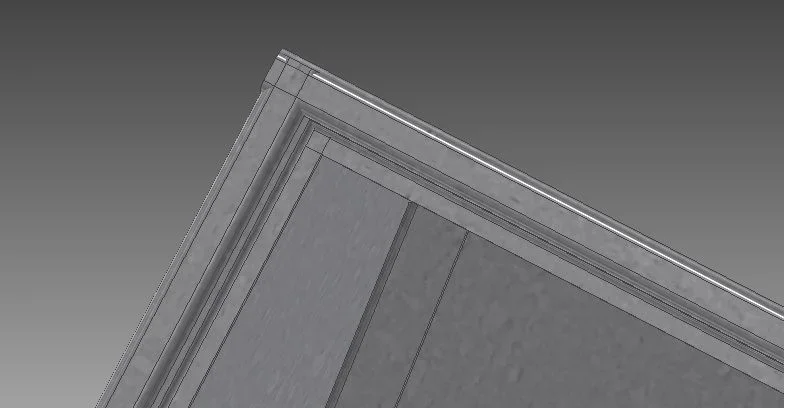
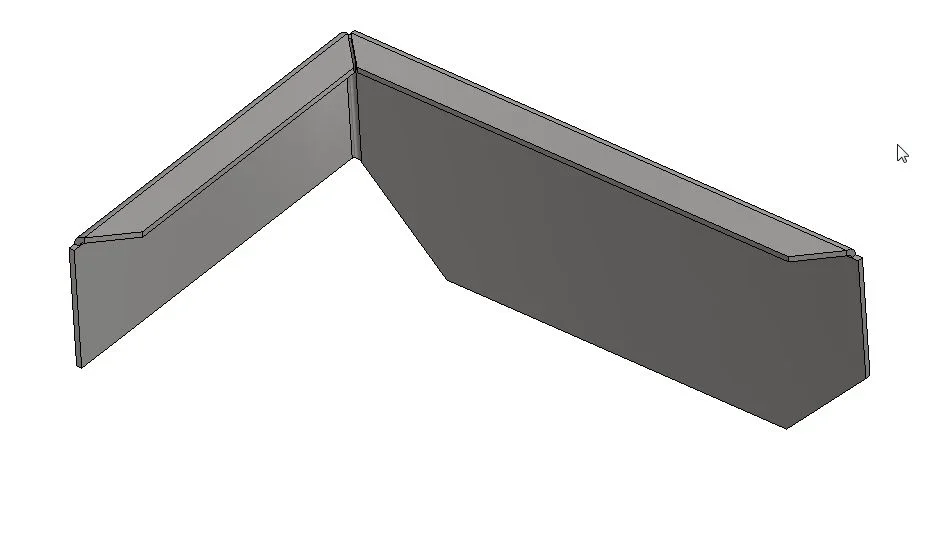
It's been a long time since I can't find a quick solution on how to combine two right angle plates so that they are cut at 45° each on the lower edge. I tried doing a 45° plan, but this floor also includes the top of each sheet that should not be cut. . .

If anyone can be so kind to suggest something I would be very grateful :)

p.s.: place a couple of pictures to make the idea better.
 

Attachments

  • Inv 2.webp
    Inv 2.webp
    8.7 KB · Views: 15
  • Inv 1.webp
    Inv 1.webp
    23.2 KB · Views: 11
usually cut sheet metal flange with a 45° cut
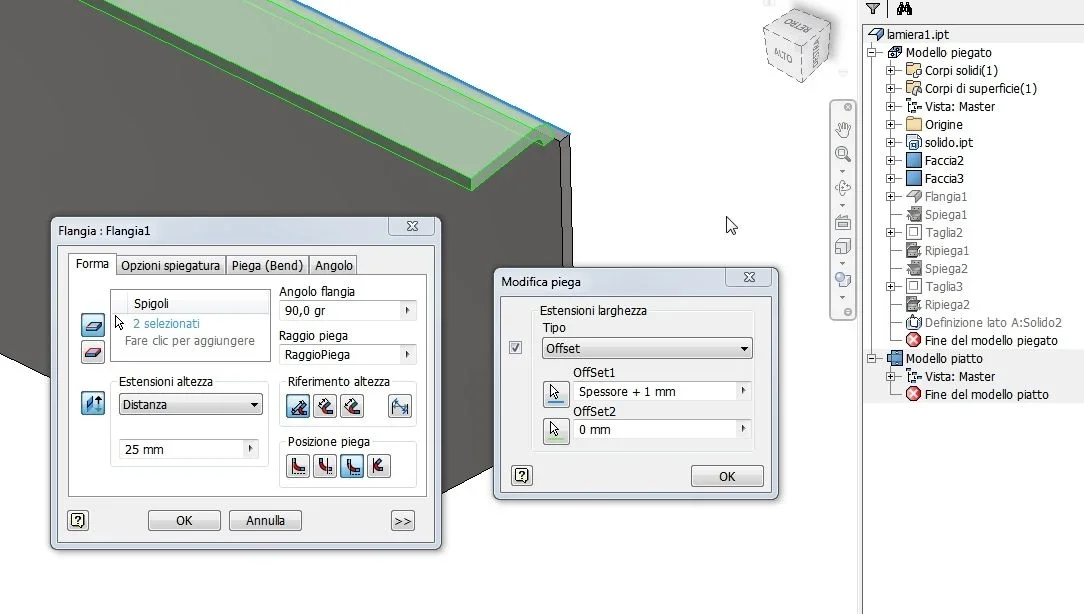
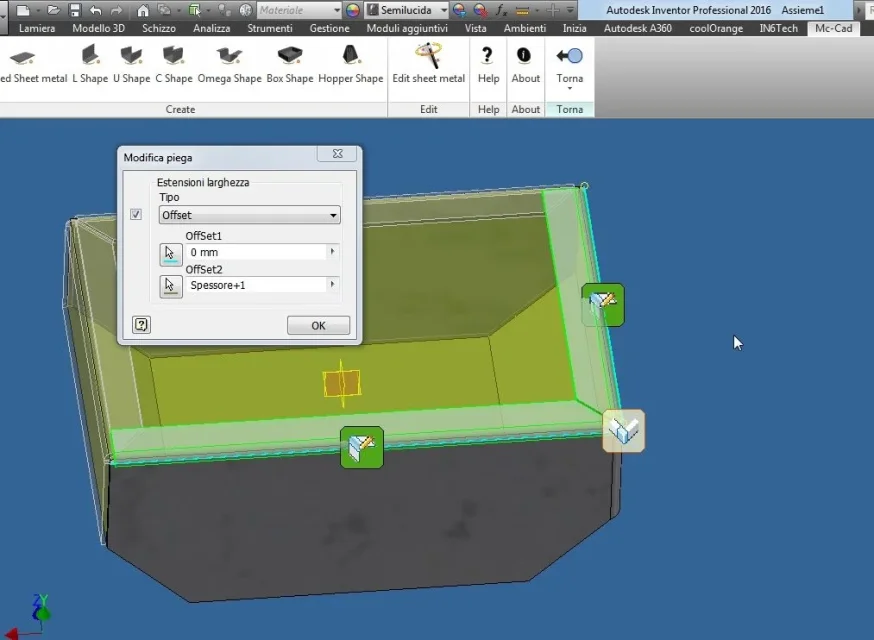
I proceed like this: I follow the fold by shortening it on one side (through options) of the thickness+1mm
_foto__264.webpthen explain the sheet and performing a sketch then proceed with the cut_foto__265.webpclose the fold_foto__266.webpin this example, I mounted the same code 2 times_foto__267.webp_foto__268.webp_foto__263.webpmodifying the single sheet, you can edit (through options) individual folds and attribute more or less game
In this example I also used a solid as "basic skeleton" loaded as a derived part inside the sheet itself so as to use this solid as a template for changes.
editing the latter, automatically update the "listed" sheets to it.
convenient for complex forms (vasche, counterpendence etc.... )
allego 3d models in format iv2016
greetings
 

Attachments

Forum statistics

Threads
44,997
Messages
339,767
Members
4
Latest member
ibt

Members online

No members online now.
Back
Top