
• This forum is the machine-generated translation of www.cad3d.it/forum1 - the Italian design community. Several terms are not translated correctly.

how to analyze external references

  • Thread starter Thread starter malf
  • Start date Start date

malf

Guest
I find it difficult to review the external references of a sketch (maybe even of a part or whole below together) once realized. This happens to me when things don't go as they should in an assembly and I'm going to a debug operation.

if next to the name of the sketch I see the classic -> then we are in presence of external references. now I would like to know which are, right-click lists external references... what tells me is the type of element (point, line), the external entity with which it is in reference in a very generic way (e.g. sketch entity name other element)

there is no system to highlight them more intuitively. Maybe directly in the sketch itself?
Thank you.
 
you can decode contextually and it opens up part or together to which the sketch is tied. or inside the sketch controlling relationships
 
Context decoding failed to find him, as a command... I think I understand what he's doing, but I'm more interested in knowing what the sketch element is in reference rather than the external agency he's reported to. not having tried it maybe wrong.
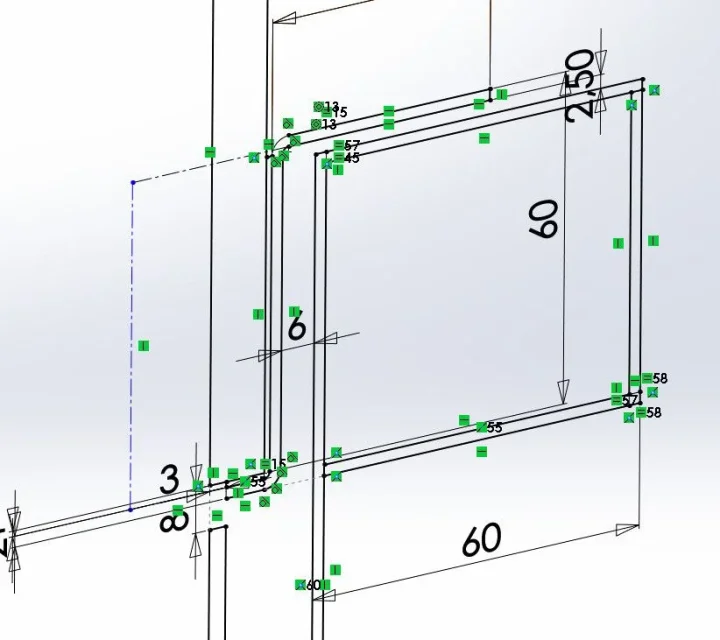
opening the sketch and viewing the relationships this is what I see, you do not understand which ones are out of the sketch itself. it would take an option that colored differently those outwards.. .2017-03-15_123641.webp
 
does not decode, but change contextually. Damn concealer. afternoon I try to give a look
 
when I talked about the sketch references I didn't mean those icons. but the display of the prprerty manager of relationships. by clicking on the report comapionates the data that I believe you are interested in. in order:entity the external part to which the relationship is linkedauthor the part in which the report is contained, of course, is what you are manipulatingtogether is the aid in which the parts mentioned above are contained.

Obviously this is a very trivial example, but it can make you the idea. igo image
I don't think it's possible, but I'm talking about 2014Immagine.webp
 
Thank you! I had never used the property manager of relationships!, at most I looked at the relationships in the generic property manager by clicking on the sketch agency. It is very useful, you can select all the relationships of a sketch by filtering them according to the needs... I needed the outside. then in the list, if you click on the name of that suspect, it highlights it in the sketch in purple. this is the 17 (mannaggia, it is still full of bugs!)
Thanks massive!
I put a photo because I took a while to find it, the icon to recall it is in the ribbon of sketch tools, for those who had the same problem2017-03-15_173243.webpmostra elimina relazioni.webp
 

Forum statistics

Threads
44,997
Messages
339,767
Members
4
Latest member
ibt

Members online

No members online now.
Back
Top