
• This forum is the machine-generated translation of www.cad3d.it/forum1 - the Italian design community. Several terms are not translated correctly.

how to display an object without transparency?

  • Thread starter Thread starter Manueldesign
  • Start date Start date

Manueldesign

Guest
Good morning, guys.

Unveil me the ark please! how do you view an object without transparency? I want it solid! Do you see it so why it is not closed somewhere? or maybe why is it an alias file (.wire)? I cuffed with textures, materials etc, there is no verse, always stays like that!

help!
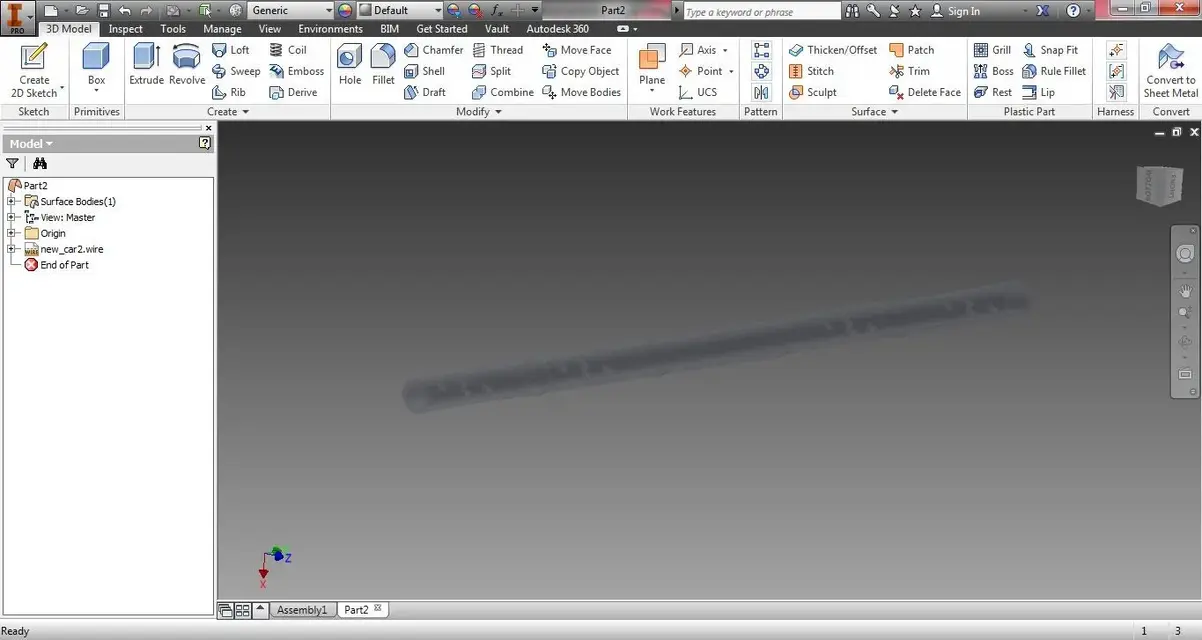
trasparenza.webp
 
Good morning,

thanks for your intervention;

I suppose so. In fact, the object has some crack! but is there no tool to repair imported objects? as in solidworks for example;

then inventor displays the surfaces exclusively in that way? I mean, transparent?
 
no, if you want you can remove the "translucency" check and see it as solid
If you want, try using the "sculp" command and make it solid.
if it is correctly closed, it should work
 

Forum statistics

Threads
44,997
Messages
339,767
Members
4
Latest member
ibt

Members online

No members online now.
Back
Top