gil
Guest
Hi.
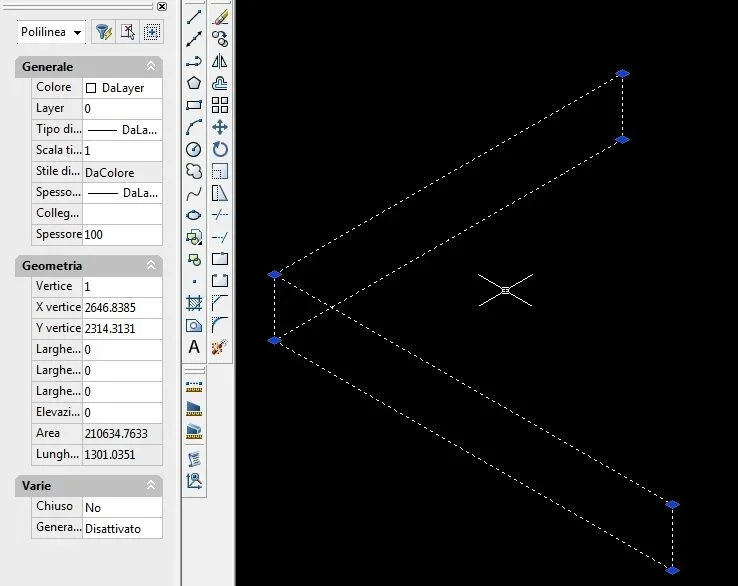
Sometimes, using autocad I get drawings that contain lines of thickness much greater than standard ones. I attach explanatory image to you.
 Note that the “sln” option is therefore disabled the thickness difference, with the above line, was not set in the layers. in the properties I read that it is a polyline but I continue not to understand how to get this effect.
Do you have any suggestions?
gil
Sometimes, using autocad I get drawings that contain lines of thickness much greater than standard ones. I attach explanatory image to you.
Note that the “sln” option is therefore disabled the thickness difference, with the above line, was not set in the layers. in the properties I read that it is a polyline but I continue not to understand how to get this effect.Do you have any suggestions?
gil