Agar
Guest
I have a dwg made by others that I have to rework that I havein a folder on my desktop called pgt dwg within which I have the 3-quadrococognitive appr folder that looks like the image below
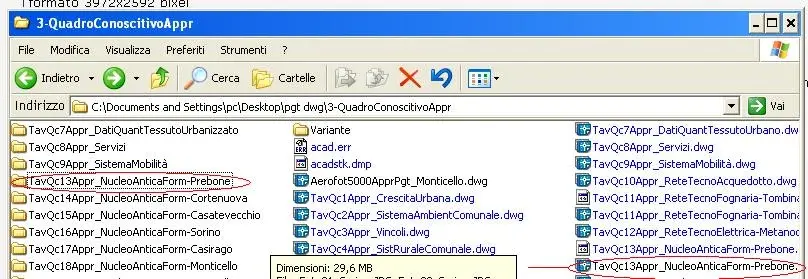 if I open the dwg file highlighted in red inside I find images that, however, do not display and which are contained in the tavqc13appr_nucleoantiform-prebone folder, I return the path indicated in correspondence of one of the images:
 I don't understand how it was imported I don't believe with xrif
because while being the folder (tavqc13appr_nucleoantiform-prebone) that contains the images in the same folder (3-quadrococococognition appr) of the dwg file does not display them?
I only see them if I move them from the folder and put them together with the dwg i.e. in 3-quadrocococognition appr, but I would like to keep them in the folder to the original part.
Thank you.
if I open the dwg file highlighted in red inside I find images that, however, do not display and which are contained in the tavqc13appr_nucleoantiform-prebone folder, I return the path indicated in correspondence of one of the images:I don't understand how it was imported I don't believe with xrifbecause while being the folder (tavqc13appr_nucleoantiform-prebone) that contains the images in the same folder (3-quadrococococognition appr) of the dwg file does not display them?
I only see them if I move them from the folder and put them together with the dwg i.e. in 3-quadrocococognition appr, but I would like to keep them in the folder to the original part.
Thank you.
Last edited by a moderator: