
hunter81
Guest
after using gimp, photoshop, illustrator and cinema4d to extrude a logo, now I try inkscape + blender
As it is recently that I am using it, my main problem is with the option "vettorialize bitmap" (taking up the background) in which however in addition to the external background to the image, also the white of the internal writing is raised.
In addition, red areas, having color shades, are not reproduced evenly.
I wanted to understand how to set the vectorization of the logo for having it as sharp as possible.
Thank you.
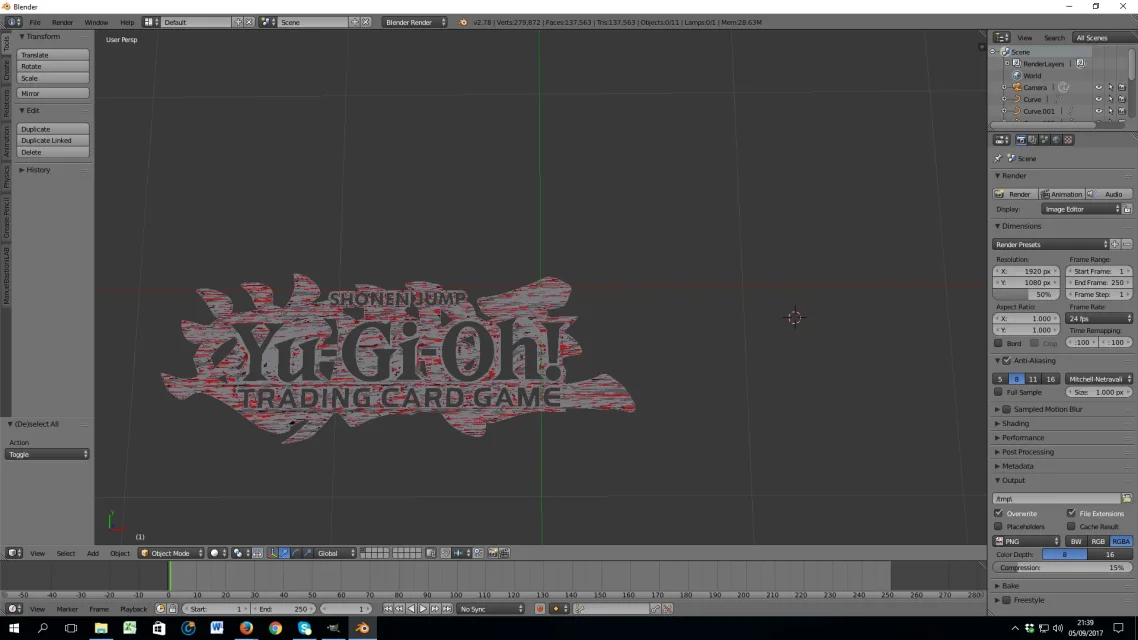

As it is recently that I am using it, my main problem is with the option "vettorialize bitmap" (taking up the background) in which however in addition to the external background to the image, also the white of the internal writing is raised.
In addition, red areas, having color shades, are not reproduced evenly.
I wanted to understand how to set the vectorization of the logo for having it as sharp as possible.
Thank you.